1800doorbell

Blog

  • How to Install a Wireless Doorbell

    How to Install a Wireless Doorbell

    generic installing wireless button
    generic installing wireless button

    If you’re considering a wireless doorbell for your home or business location, you’ll be happy to know that wireless doorbell installation is very simple. You may be asking, How to Install a Doorbell Camera.”

    Compared to installing a hard-wired system, installing a wireless doorbell is a breeze. With a wireless doorbell system, you won’t need any electrical knowledge or wires (of course) nor will you need a transformer. However, there are a few tips and tricks that can help you speed through the installation job and make sure your wireless doorbell operates just the way you want it to.

    Wireless Doorbell Instructions for Installation

    Learning how to install a wireless doorbell is fairly easy, but it is important to first do some planning: choose the location for the receiver. The receiver is the indoor part of the wireless doorbell system, sort of like a speaker, that will chime to alert you that someone is pressing the doorbell at your front door, back door, or any door on your property. At the end the day, the most critical step is pairing a wireless doorbell.

    You want to make sure of 3 things When Installing a Wireless Door Bell:

    1. That the receiver is within range of the transmitter(s), which is/are the doorbell button(s). You may have multiple doorbell transmitters, one at each of your home’s various entrances, and you need to make sure a receiver (wherever you’re planning to install it inside) is well within the stated range of your particular wireless doorbell model.
    2. That the receiver is within hearing distance: Make sure you can hear the doorbell from wherever you are in the home or even outside in the back yard (or in the stock room or storeroom is you’re installing in your business.) Estimate if this fits the system you’re thinking about. You may want to purchase extenders to ensure you can hear from anywhere in the house.
    3. Get extenders if necessary to increase doorbell signal range: If you have a big home (or office or factory), you may want to get a doorbell extender: to give your wireless doorbell a longer signal range. An extra transmitter will “forward” the signal from a spot near the door to a receiver further away. This way you can cover your whole premises and/or you can even purchase a wireless doorbell with the portable receiver to take with you when you work in the backyard garden or garage.

    How to Install Wireless Doorbell Buttons

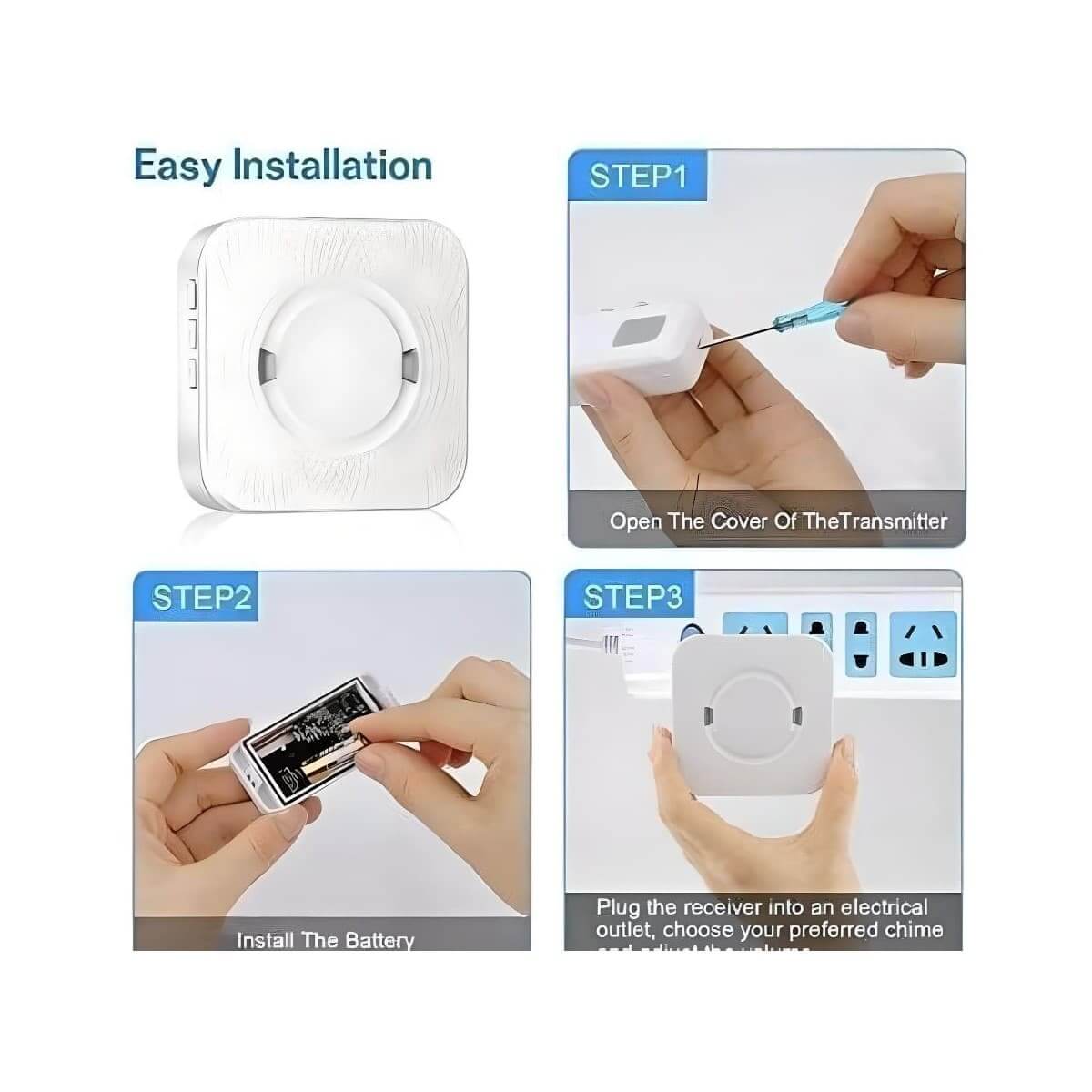
    • Insert battery: Wireless doorbell buttons from 1800Doorbell.com usually come with long-life batteries already installed. Doorbell buttons typically require small round lithium batteries.
    • Look for any location markings, in either numbers or words for the “Front” door and the “Rear” or “Back” entrance door on the buttons.
    • Choose a spot for installation where the doorbell button is visible and within easy reach, typically at about 4 feet above the floor. This is the maximum practical button height for wheelchair access, so you could opt to go a bit lower. Fitting a doorbell button is a critical step for visual purposes. It will still function correctly no matter how it looks, but you want it looking good.
    • Adapt installation for your surface: Wood, vinyl, aluminum doors, and door sills are all acceptable surfaces to attach a doorbell button. For metal doors or door frames, however, you may need to place a wooden shim behind the doorbell button to prevent signal interference from the metal. For masonry or brick installation, you may need a plastic shield before under the button, between it and the masonry, for a secure hold when screwing in.
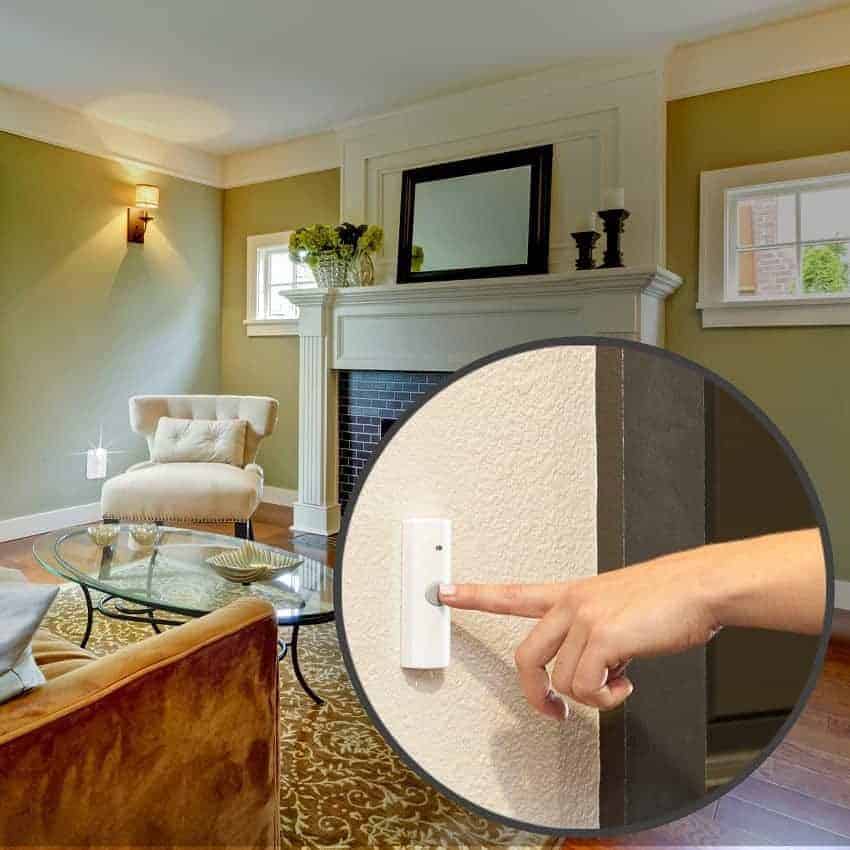
    • Attach with adhesive strip or screws: Wireless doorbell buttons are often installed using the adhesive strip on the back of the button assembly. You can usually also install the wireless doorbell button with two screws.

    Installing Wireless Doorbell Receivers

    The receiver is the part of the wireless doorbell system that will receive the radio waves emitted by the transmitter (button) when a visitor presses it. Then it will play the appropriate doorbell chime or sound so that you’re alerted. As you read through the installation instructions for your wireless doorbell, remember to follow the manufacturer’s instructions if they differ. In general, most wireless doorbell receivers are installed in this manner:

    • First insert any batteries required by your wireless doorbell receiver. BATTERIES: Often 3 AA batteries are needed for the doorbell receiver unit and may only need to be replaced every year or two.
    • Sync with transmitter button. Press the chime control button and select the chime module. Go to push button/transmitter outdoors and press the button. This action synchronizes both the outdoor doorbell push button and the indoor chime unit. You can pair multiple push buttons to the same door chime receiver unit.
    • Select your sound choice for the front door and one for the back door, if applicable. This lets you know which door to answer. The receiver inside the home often also has a small visual icon that lights up to tell you which door is being activated.  This varies by product and manufacturer.  We have an entire article about this topic you can see here: “Changing to Tune on Your Wireless Door Chime”
    • Set volume.
    • Plug the receiver into an electrical wall outlet, if necessary, although some run on battery power. Plug-in doorbell receivers are extremely convenient to install.
      OR
      Insert batteries:
      Battery-powered units have more options for installation placement and can be placed higher on the wall than your typical plug-in model, for example. Some come with a mounting bracket or holder that you screw into the wall. Then you can take your receiver unit out when you want to change the chime sounds/volume or to replace batteries (which should only be needed every year or two).
    • Test to be sure the signal reaches from the front (and back) doorbell buttons to the receiver. Take the receiver to the spot where you plan to plug it in or mount it to the wall inside your house for an accurate test. If the sound does not come through when the button is pressed, you need to move the receiver to an outlet closer to the door. Or you might instead try removing any large furniture or another item that may be interfering with the signal. You may want to use a second receiver to extend the doorbell sound and signal further into the home.
    • If the doorbell is mistakenly activated by a nearby remote control, change the doorbell to another channel or frequency. Most doorbells offer several channels for this purpose.

    Wireless Doorbell Advanced Features

    Now that you have an idea of how to install a wireless doorbell, you can browse the different types available and make a selection. To choose the best wireless doorbell for your home or business, think about what advanced features you might want, including:

    • Multiple tunes or melodies so you can change at will.
    • Decorative wireless doorbell receivers and stylish doorbell buttons so that your doorbell can complement your decor.
    • Long-range transmission of up to 1000 feet.
    • Visual alarm can alert you to the doorbell in a loud environment or provide a visual doorbell alert for hearing impaired persons.
    • Additional security and convenience features like:
      • Extra doorbell push buttons (also called switches or transmitters) – one for each entrance.
      • Extenders, extra doorbell receivers to forward the signal further into and throughout the home.
      • Portable receiver: that you take with you when you’re going to the backyard or elsewhere.
      • Event log that tells you when the doorbell rang, and where, if you missed anything. It would also record the time and location if a motion detector went off if your system is so equipped.
      • Cameras
      • Intercom(s) for voice communication, such as a wireless portable intercom with video
      • Motion sensor to sense someone before they push (or so that they have no need to push) the doorbell button. BATTERIES: Motion sensors often use a rectangular 9-volt battery.
      • Window sensors to notify you of a window break-in.
    • And more options.

    Ways to Use Versatile Wireless Doorbells

    Wireless systems are flexible and portable, meaning you could use your wireless doorbell system in other places and for other purposes, including:

    • Portable system: Take the button, motion sensors, and receivers out of your home and use them in your business or even take them with you to a vacation rental.
    • Call system: You could even use your “doorbell” as a call system, giving the button unit to, for instance, a sick child or elderly relative to use when they need to call for assistance when you’re in another part of the house.
    • Pets or Kids: Use a motion detector to sense when someone enters or leaves a room.
    • Garage: You could also use the motion detector to alert you if someone enters your garage, for instance, if you leave the door open after driving your car into the garage.
    • Driveway: You might also place a motion detector at the end of a long driveway, to let you know that someone is driving up to the house. There are also purpose-built driveway alarms that use a hose or a ground probe to trigger the alarm/chime when cars drive over it or pass by it.

    If you’d like assistance in choosing the best doorbell for your needs, call on 1800Doorbell. If you need wireless doorbell installation support, contact us at 1800Doorbell.com. The doorbell experts on our customer service line are happy to help.
  • Top 10 Most Decorative Doorbell Chime Covers & Buttons

    Top 10 Most Decorative Doorbell Chime Covers & Buttons


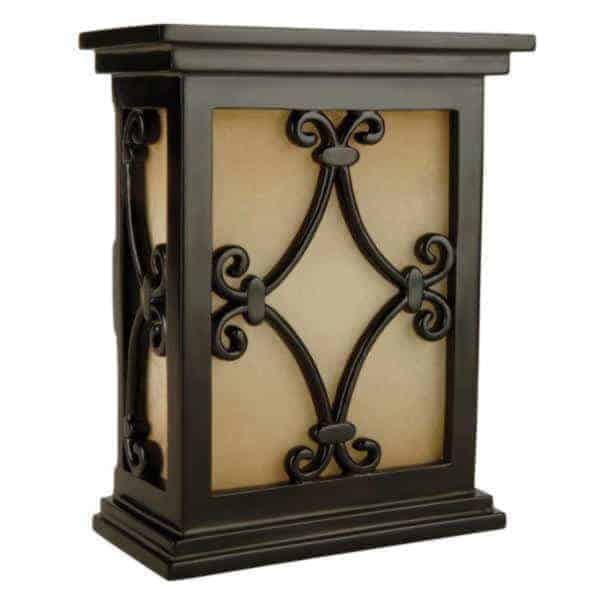
    1. Hard Carved Scroll Doorbell with Tea Stained Glass Model CH1515

    Hand Carved Scroll Doorbell With Tea Stained Glass Ch1515 Bk V 1 1

    This lovely Craftmade decorative style doesn’t look like a doorbell at all. It could be just another piece of designer décor in your home. The hand-carved cover has a matte black scrolled finish over the tea-stained glass. This timeless design will complement contemporary furnishings, as well as more traditional home décor.

    Inside the stylish cover, when you buy the unit from 1-800doorbell.com, is one of the finest wireless door chimes available. Manufactured by Carlon, the inner workings come from one of the leading names in doorbell engineering. With this pairing of technology and beauty, you’ll also enjoy performance and ease of installation.

    • Height 10″ x Width 7″ x Depth 4″


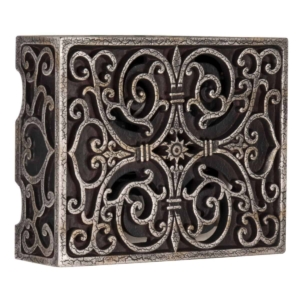
    2. Old World Artesian Wired Design Is Elegant and Rustic Model CAB-RC

    CAB-RC Hand Carved Scroll-Work Box Cover with Renaissance Crackle Finish by Craftmade

    This ornate, scrolled resin design is finished with a hand-painted and distressed crackle finish for an ancient look. This chime sounds as awesome as it looks, and is truly a functioning work of art. Hang this versatile design vertically or horizontally to coordinate with your décor. A two-note chime alerts you of a visitor at the front door and a single note for the back door or secondary door.

    • Manufactured by Craftmade
    • Height 6.75″ x Width 8.50″ x Depth 2.50″
    • 1-year manufacturer’s warranty

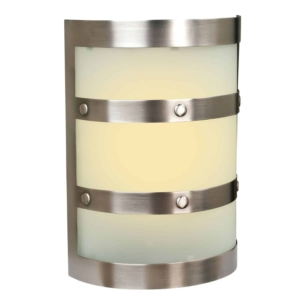
    3. Pewter Framed Wired Doorbell Frosted White Glass Model ICH1405-PT

    ICH1405-PT-Half-Cylinder-Lighted-LED-Chime-in-Pewter

    This sleek, sophisticated contemporary cover has a rounded pewter frame over the frosted white glass. Six rivets in the center of the pewter frame add detail. This stylish chime can be hung vertically or horizontally to accommodate your design needs and space. Another great feature about this wired doorbell from Craftmade is the illuminated LED adjustable light that emits a ware glow behind the frosted glass. A dial inside the chime mechanism allows you to adjust the intensity of the light.

    • Manufactured by Craftmade
    • Height 9.5″ x Width 6.75″ x Depth 3.125″
    • 2-year warranty

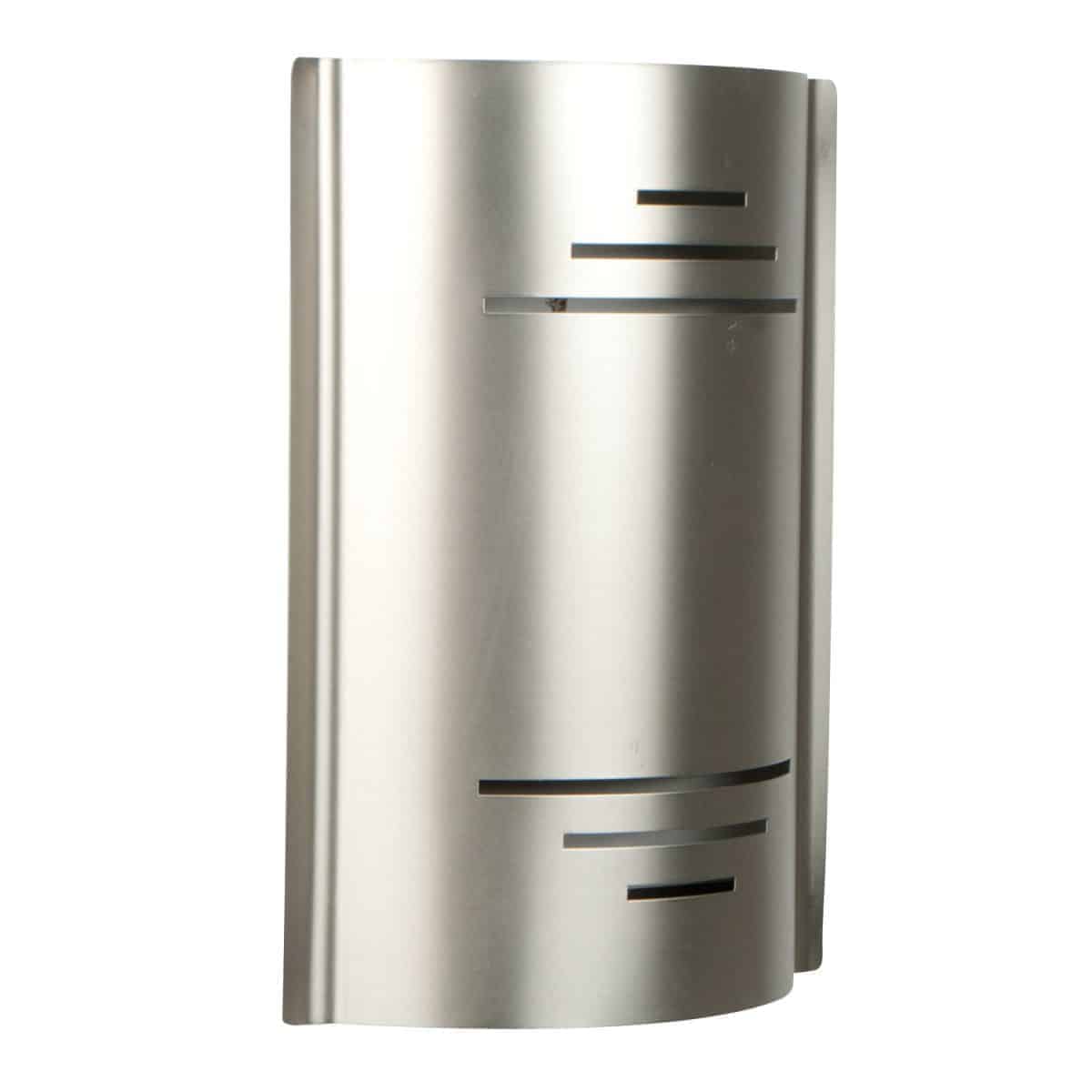
    4. Brushed Nickel Contemporary Wired Doorbell Model CC-BN


    CC-BN Contemporary Design Chime in Brushed Nickel Wired Door Chime

    Is it futuristic or retro? It’s open to interpretation – and that’s what makes this versatile, elegant curved design finished in brushed nickel so great. A beautiful detail is added with thin bands cut into the metal. This vertically mounted doorbell cover would be a wonderful addition to your modern décor at home or in an office.

    • Manufactured by Craftmade
    • Height 10.25″ x Width 7.50″ x Depth 2.125″
    • 2-year manufacturer’s warranty

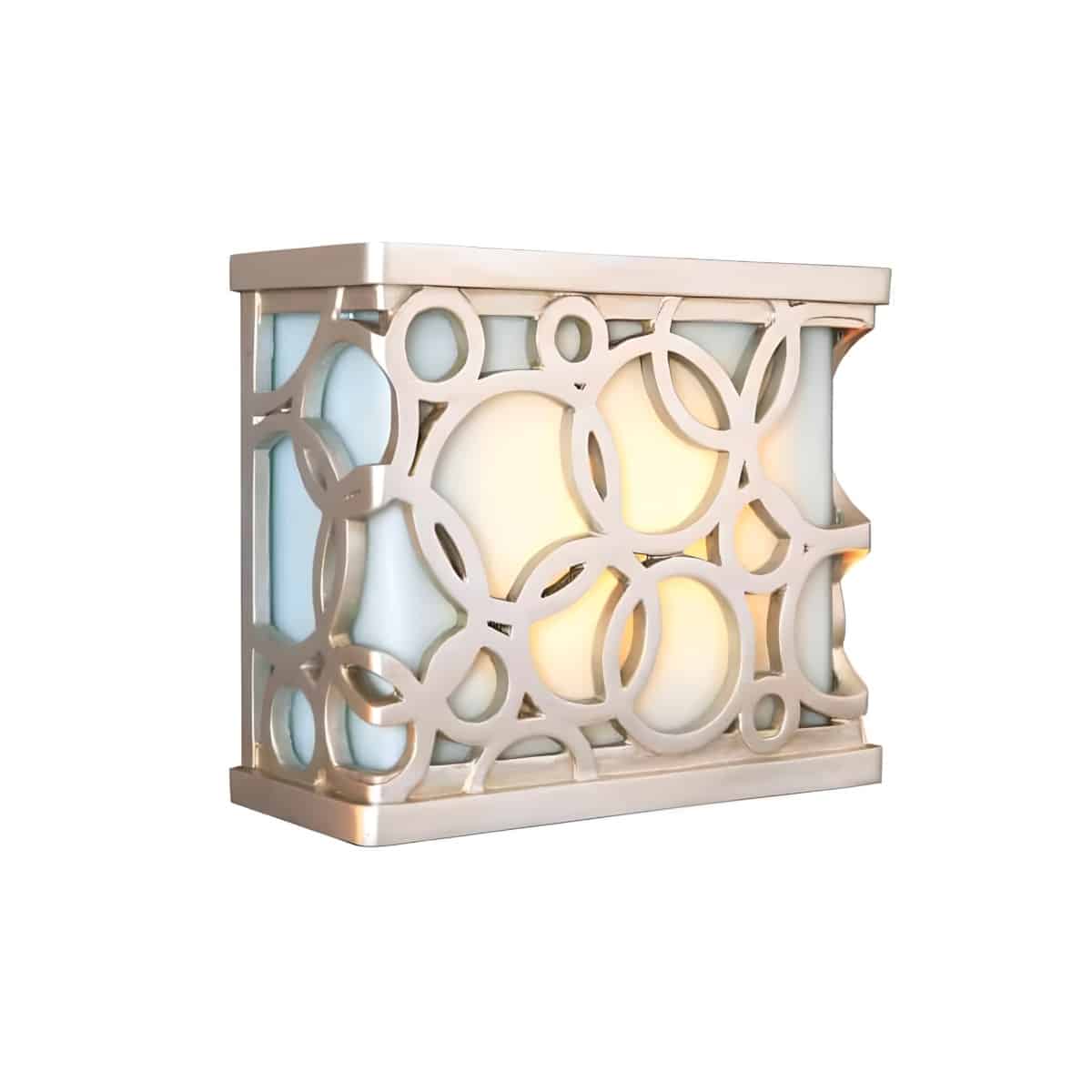
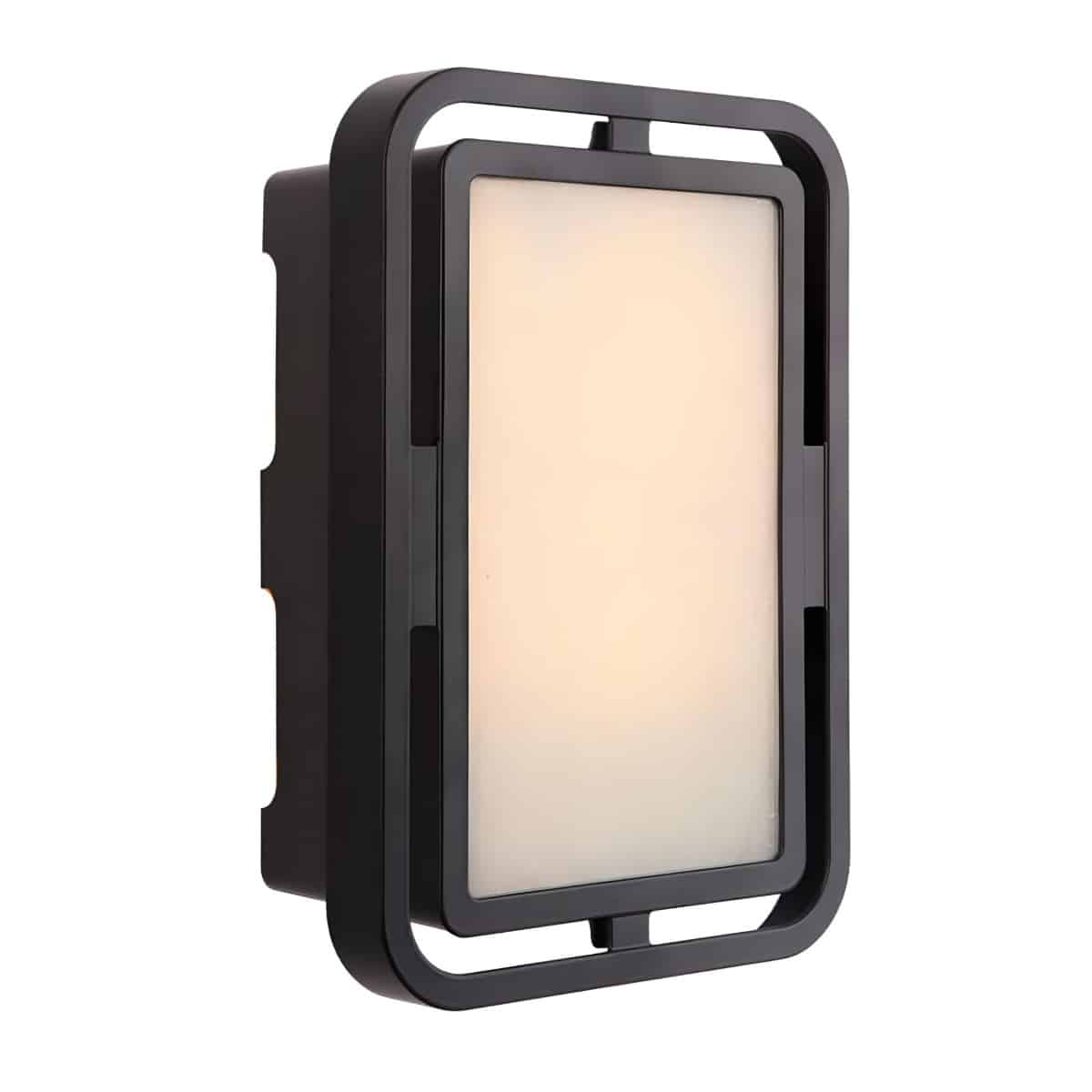
    5. Detailed Scroll-Work Cover Over Illuminated Frosted Glass Model ICH-16260

    ICH1620 BN Brushed Nickel Connected Rings Illuminated By Led Light Wired Doorbell
    ICH1620 BN Brushed Nickel Connected Rings Illuminated By Led Light Wired Doorbell 1

    New to secure.1800doorbell.com is the “ICH” series of wired products by Craftmade. Not only do these covers carry the same detailed designs as their other products, these features a backlight LED with an adjustable knob for brightness.

    • Manufactured by Craftmade
    • Height 9.7″ x Width 7.25″ x Depth 4.38″
    • 2-year manufacturer’s warranty
    • Backlighted with LED

    Top 5 Decorative Buttons

    Here are some of the most interesting and innovative doorbell buttons you’ll find anywhere. 1800Doorbell stocks doorbell buttons in handsome and functional styles in a variety of metal and polished wood finishes including brass, copper, brushed nickel, cherry, oak, and maple as well as sturdy plastic models. Some are weather-resistant to hold up for years of use in challenging weather conditions.


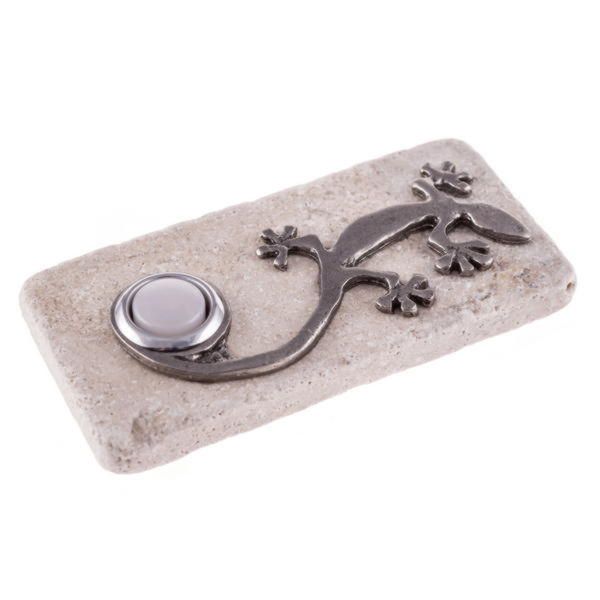
    1. Gecko Lizard Basks on Top of the Travertine Stone Wired Button Model DH1711L


    Dh117l Flat V 1 1

    If you have a southwestern theme in your home or if you love travertine stone tile – you’ll love this gecko doorbell button. A silver-colored metal gecko sits on a slim piece of unfinished travertine. The lizard has his tail artfully wrapped around the LED-lighted push-button and looks like he is enjoying the desert sun. At night, the lizard picks up a bit of the light creating a welcoming effect.

    • 2×4″ mounts directly on the wall
    • Three-year manufacturer’s warranty

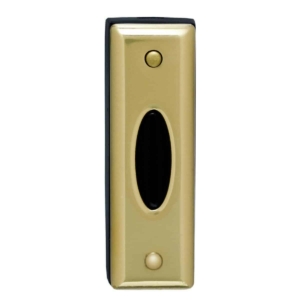
    2. Wireless Carlon Push Button with Brass Finish Model RC4130


    RC4130 Carlon Wireless Push Button with Faux Brass Finish
    RC4130 Carlon Wireless Push Button with Faux Brass Finish

    Yes, you can get style with a wireless door chime, too. Here’s a perfect example: this slim, rectangular design features a raised oval push button. This button can stand up to most weather conditions and temperatures from super hot (130 degrees) to well below freezing.

    • Also available in a satin nickel finish
    • Selectable frequencies to avoid interference from nearby sources
    • 10-year lithium battery included
    • 150 ft. range
    • 5-year warranty

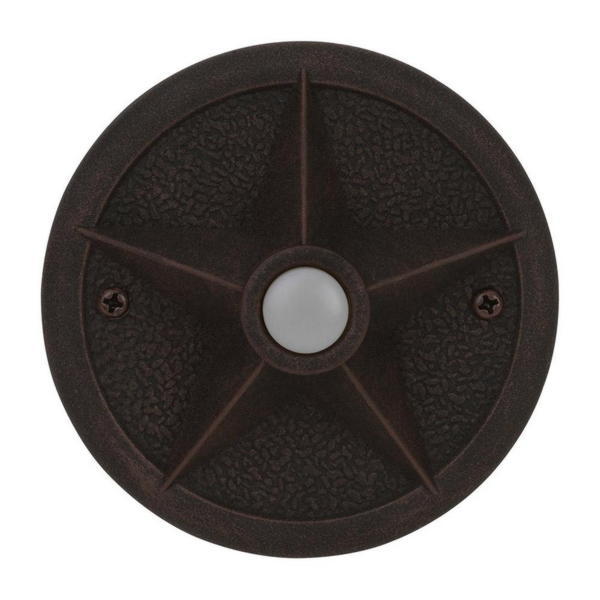
    3. Rustic Iron Star Doorbell Wired Push Button Model PB3036-RI

    Pb3036 Rt Push Button 1

    If you live in the West (especially Texas) or have decorated your home with a western theme, this rustic circular doorbell button is for you. It features a lone Western star (or town sheriff’s star) in the center surrounding the LED-lighted push button.

    • Also available in Rust and Antique Bronze finishes
    • Diameter 3.75″
    • Depth 1″

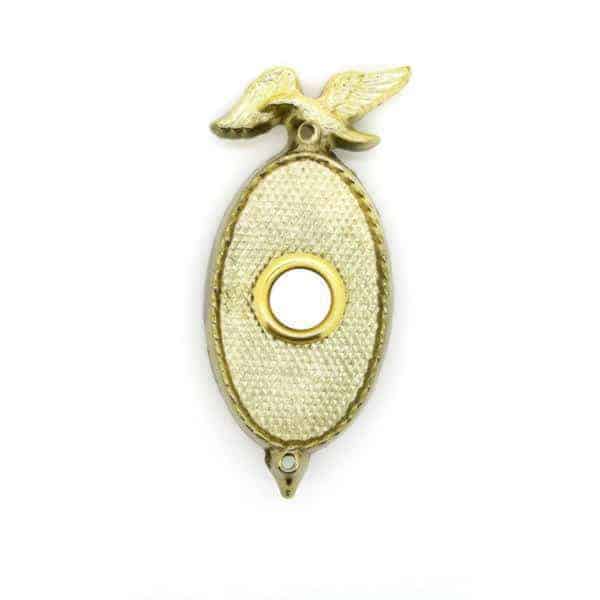
    4. American Eagle Brass Wired Doorbell Push Button Model HZ-870

    American Eagle Brass Wired Doorbell Push Button Hz 870 V 1 1

    This solid brass doorbell will announce your patriotic feelings to every visitor. The design features an American Bald Eagle atop an oval plate that surrounds a lighted white push button. This is a very patriotic doorbell button.

    5. Craftsman Print Solid Brass Wired Chime Pushbutton Model DH1691L

    dh1690l-aged-brass-wired-lighted-push-button-rectangle

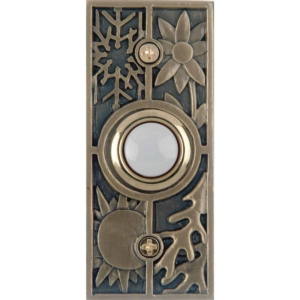
    This unique and beautiful button will dress up the front door of a craftsman-style home, or any home for that matter. Its shape is rectangular. And the button is halo-lighted which illuminates the outer edge of the button.  This wired button features a lovely antique brass finish and is also available in an antique copper finish (DH1695L). The push is circular, which adds to the overall design.

    • Manufactured by Thomas and Betts
    • Dimensions 2 7/8″ H. x 1 1/4″ W. x 3/8″ D
    • One-year manufacturer warranty
  • The History of the Doorbell: Who Invented the Doorbell

    The History of the Doorbell: Who Invented the Doorbell

    The plain old knocking was, and still is, a reasonable method for announcing your arrival. The major flaw is that people inside may not hear you when you knock, so manual or mechanical doorbells were devised. The simplest pre-electricity example of a “visitor-announcement system” was the door knocker, which has been used since ancient times. This older-version door-sill or door-mounted device made a doorbell sound when the visitor banged the hinged knocker onto the metal plate installed under it, protecting the door. These door knockers also served as decoration, but they worked a little better than knocking, being only somewhat louder.

    Mechanical Types

    brass-victorian-mechanical-doorbell-dh950
    victorian mechanical doorbell dh950

    Vintage styles then took a step forward from door knockers to better alert people indoors to visitors. Mechanical doorbells were made using a small bell installed inside the house, manually activated when a visitor pulled a chain or string to ring the bell. This bell is the same design as the “servants’ bells” in period films from the late 1800s. In this setup, a bell rings in the maid’s quarters when someone, far away, in one of the rooms of the main home, pulls a chain to summon them.

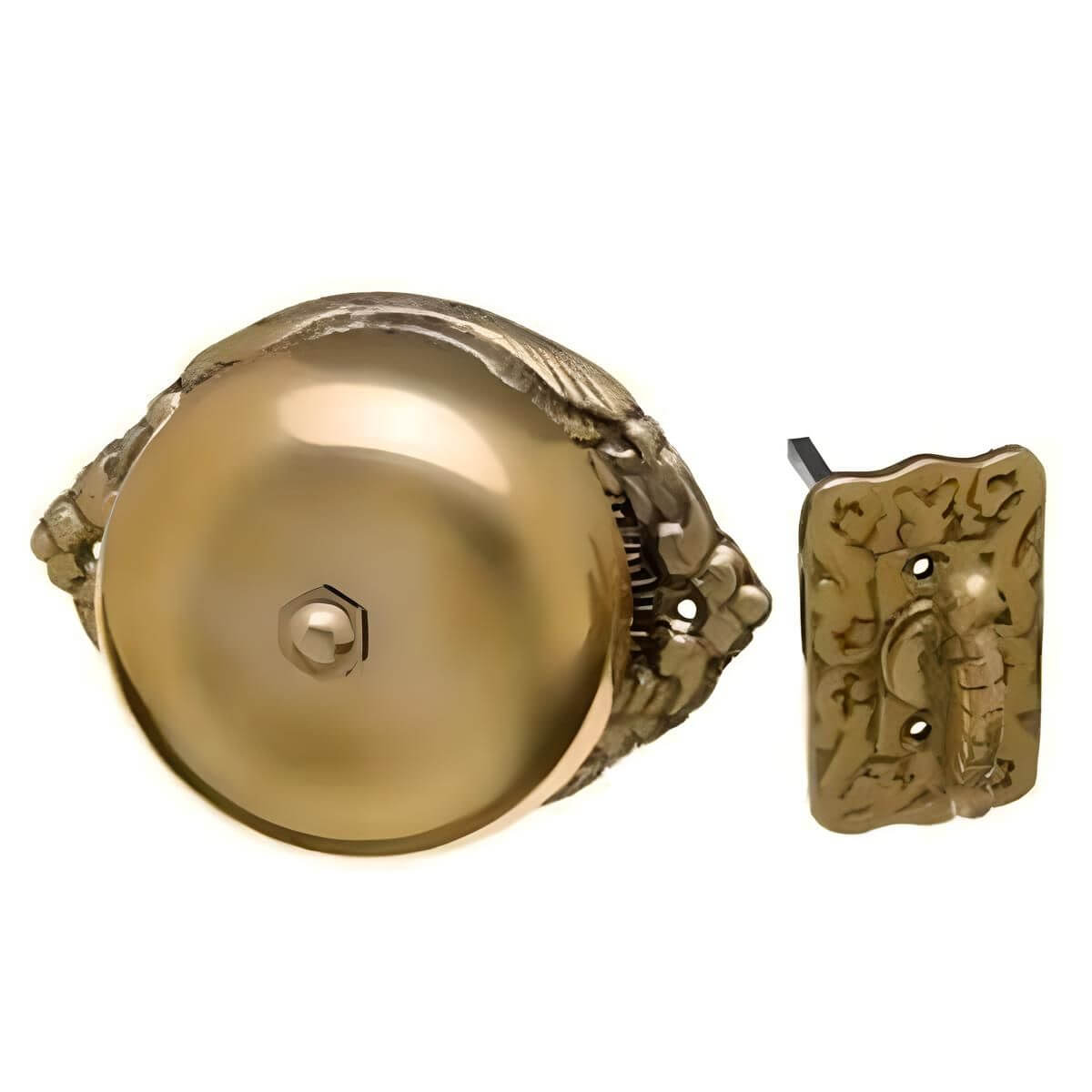
    Another early Victorian-era doorbell design used a twist handle—like turning a key. When the visitor turned the handle, a tiny hammer or clapper struck a bell inside the door, producing a rapid trill or ringing sound. These relatively crude mechanical bells were loaded with charm, and sometimes, “ye olde” doorbells featured ornate outdoor buttons, pulls, or levers. Retail stores and small shops often used door-mounted mechanical bells to announce when a customer entered a shop. A version of these is still in use today.

    Electric Doorbell Invention

    Who invented the doorbell? Was there a “not-so-famous” Alexander Graham Doorbell hidden somewhere back in ancient history? We can thank a scientist and the first secretary of the Smithsonian Institution, Joseph Henry, for inventing the electric doorbell in 1831.

    electric-doorbell
    “DoorBell 001” by HNH – Own work. Licensed under CC BY-SA 3.0 via Wikimedia Commons

    In the early 1900s, expensive batteries were replaced by transformers, allowing the use of a household current. Until the early 1930s, most doorbells were loud electric buzzers. Musical chimes with pleasing tones became popular in the 30s. The Depression and WWII quieted development, which surged again in popularity during the 1950s. In the mid-1960s, decorative and multifunctional door chimes became more popular. They were built with clocks atop the chimes and decorative plaques hiding indoor components.

    How They Work

    Hard-wired electric doorbell components include the outdoor button, wiring, transformer, and chime or bell. The electric chime functions when the door bell button outside the home is pushed, causing electrical current to flow into a transformer. The transformer takes the electrical energy from the circuit/source and transforms it into the lower voltage needed to power the door chime inside. The current activates a chime or some sound signal. The doorbell’s sound may come from a buzzer or a bell instead of a chime.

    How Wireless Doorbells Work

    Wireless doorbell systems are popular due to their ease of installation. With no wiring along baseboards or inside walls, wireless receivers can be plugged into a wall socket (using a small transformer adapter) or battery-powered. The transmitter is the button, which is commonly battery-operated, using long-lasting lithium batteries.

    ERA-DCKIT-Wireless Door Chime Kit Guaranteed to Work in Your Location
    Wireless Business Doorbells the ERA-DCKIT

    When a visitor pushes the button, it transmits a radio signal to the receiver(s) inside the house. The signal activates a sound chip in the receiver, which plays the sound through a speaker. Several radio channel options are available to avoid interference from wireless devices on the same frequency.

    Advanced Features: Wireless Doorbells and High Tech Features

    • Chimes and tunes: If you don’t want to listen to the same sound every day, enjoy the variety of variety of tunes, multiple sound effects, and melodies. Some doorbells offer eight tones, notes, and songs, while others provide 58 sound options; some offer only 2 or 3 basics.
    • Extended range: For long-range capability, you can purchase units with a range of up to 1000 feet. Innovative doorbell extenders can extend the range of your existing unit so that it is audible where you need it.
      Safety: A wireless driveway alarm and a motion sensor can alert you much earlier to someone coming up the driveway. Motion sensors are compatible with many systems as well.
      Visual signals: These days, some doorbells or door alarms also feature visual signals, such as a blinking light for loud areas or as an aid to the deaf or hearing impaired.

    Decorative Styles with Rich Sound

    The advent of wireless and multi-featured doorbells has brought a resurgence of popularity to the wired doorbell. Both wireless and hard-wired systems have begun offering a broad range of tones, melodies, songs, and sound effects. These options allow homeowners and businesses to customize the look and sound of their entryways. Decorative indoor receiver/speaker unit motifs vary from architectural designs to contemporary, sophisticated, streamlined, polished wood, brushed metal, hand-crafted wood styles, antique-look scrolled designs, and more.


    Most systems have at least a few basic chime options, such as a basic “ding dong” sound and other deep or high bell-like sounds in single notes or groups of 3 or 4 tones. Deep tones can sound serious, elegant, rich, or ominous, similar to a large bell tower bell. Higher chimes mimic the clear notes you might get from tapping on a crystal wineglass.

     Hard-wired and Wireless Melodies, Sound Effects, and More

    If you’re looking to go beyond the basic, classic door chime sounds, now that is possible. Choose musical doorbells that can greet visitors with a holiday theme, including Halloween songs, Christmas tunes, New Year’s, 4th of July, and more. Some offer as many sound choices as the proverbial jukebox.
    If you’re considering adding, replacing, or upgrading your current system today, browse the online catalog at 1800Doorbell for a wide selection. We offer the best brands and models available in the latest designs. Here, you’ll find full-featured wireless doorbells, driveway alarms, and more. We also offer realistic vintage designs to add character to your space.

    Contact 1800Doorbell.com for more product information and assistance in choosing the right one for your home or business. Contact us today!

  • Doorbells for Hearing Impaired & Elderly – Never Miss a Visitor

    A deaf person, someone with profound hearing loss, or even a person with moderate hearing loss, faces challenging issues in their daily lives that people with normal hearing often take for granted. One of these is something as simple doorbells & wireless doorbells.

    If you are not affected now, hearing impairment will affect you or someone you love at some point in your life. For people with hearing impairment or hearing loss, it’s hard to hear sounds, even loud sounds, especially an extra loud doorbell in their home. Hearing aids help people with hearing issues, but they are missing a design feature that would be very helpful for deaf people.

    Visual Alert Doorbells is a Wireless Doorbell with Strobe Lights for the Seniors & People with an Audio Impairment

    SS STROBE RED SM 1

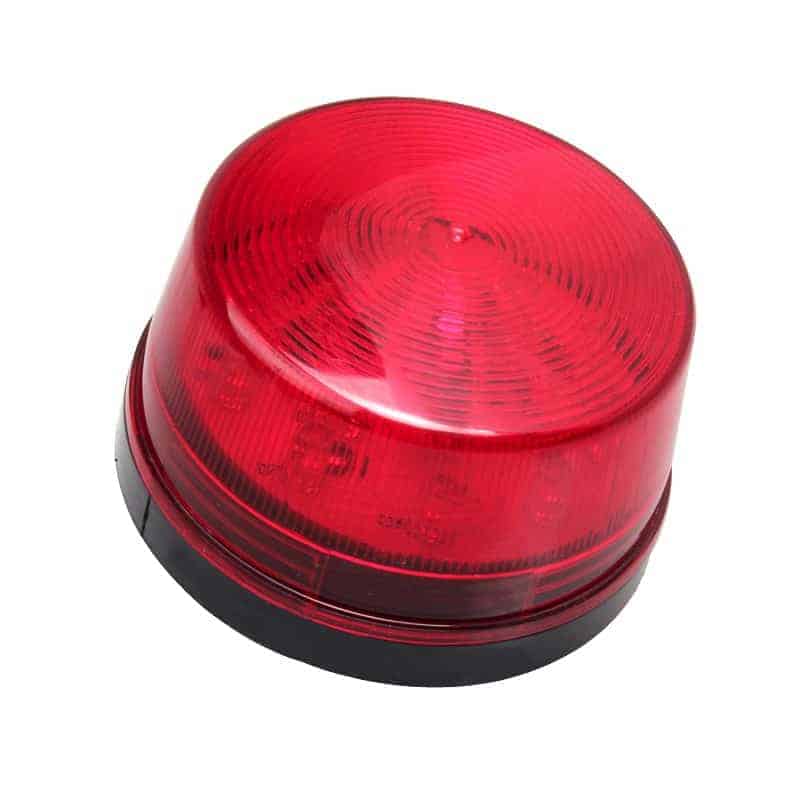
    A hearing-impaired doorbell strobe light that activates a flashing strobe light can be (and often is) the best option, and not just for the hearing impaired. Visual alert doorbells provide a visual cue that aids by providing a visual alert when a visitor arrives.

    When the door chime receiver is triggered, strobe lights provide a visual cue. Some folks may have a Ring Video Doorbell in their home, but for deaf people, without some flashing light for an alert, a Ring Video Doorbell simply doesn’t provide the alerting notice deaf people need.

    If someone in the home is entirely deaf and hearing aids won’t help, a visual flashing light is often an ideal wireless doorbell. It must be installed somewhere central to the home or have several places throughout the house that flash when the doorbell is triggered.

    Visual Cues from Lights Flash for Wireless Doorbells

    It’s important to note that visual signalers are a great feature of your home; however, don’t forget about the doorbell benefit for those with hearing impairments.

    You need to ensure that your guest alert and visual alarms can notify everyone in your home when activated.

    For example, your wireless doorbell needs the ability to produce loud sounds when members of your home are asleep at night. In addition, most people with hearing loss don’t sleep with hearing aids. You want a product capable of delivering a loud sound when a guest’s knock is unheard. You want all members of your home to sleep at peace without missing anything. In addition, a Ring Video Doorbell won’t help either.

    A hearing-impaired doorbell strobe light can be handy even outside of deaf households, such as in very loud or noisy environments.

    Conversely, something we will cover near the end of this article is using a LED Strobe wireless doorbell in an office or somewhere that you do not want a loud sound. New mothers or childcare workers often tell you that a loud doorbell is a sleeping baby’s worst friend.

    Lights Flash & Alert Doorbell for Deaf & the Elderly

    wc180 Strobe Plugin Door Chime Older Man With Chime in Background
    wc180 Strobe Plugin Door Chime Older Man With Chime in Background

    Consider installing a flashing light doorbell to help keep all house members happy and well-rested.

    Finally, some pets just lose it when they hear the doorbell. Although they’ll often quickly associate flashing lights with the doorbell, it’s less intrusive to their world, and they’ll have little to no reaction to visitors at the door.

    The selection is quite vast, whether considering a louder or flashing door chime for the hearing impaired (or for other reasons). It is worth investigating several models to find the proper doorbell for your needs. Doorbells for the hard of hearing can be very helpful and an important part of maintaining a normal lifestyle. Browse our selection of hearing-impaired alerts and notifications.

    Get Notified When a Door Is Open, Motion is Detected, or a Guest Presses the Doorbell Button

    WC180 Flashing Strobe Installed in a Home with Push Button Being Used

    If your goal is immediate attention or simply to be alerted when a visitor arrives, wireless products can cover all these bases and make you feel more secure.

    Nowadays, wireless transmitters are typically compatible with one another across brand series, so a person can easily add a variety of different sensor types, such as push buttons, motion sensors, door alerts, driveway monitor sensors, and more.

    In the ERA series, for example, portable doorbell receivers add portability for users and provide vibration for the deaf to know when a visitor arrives.

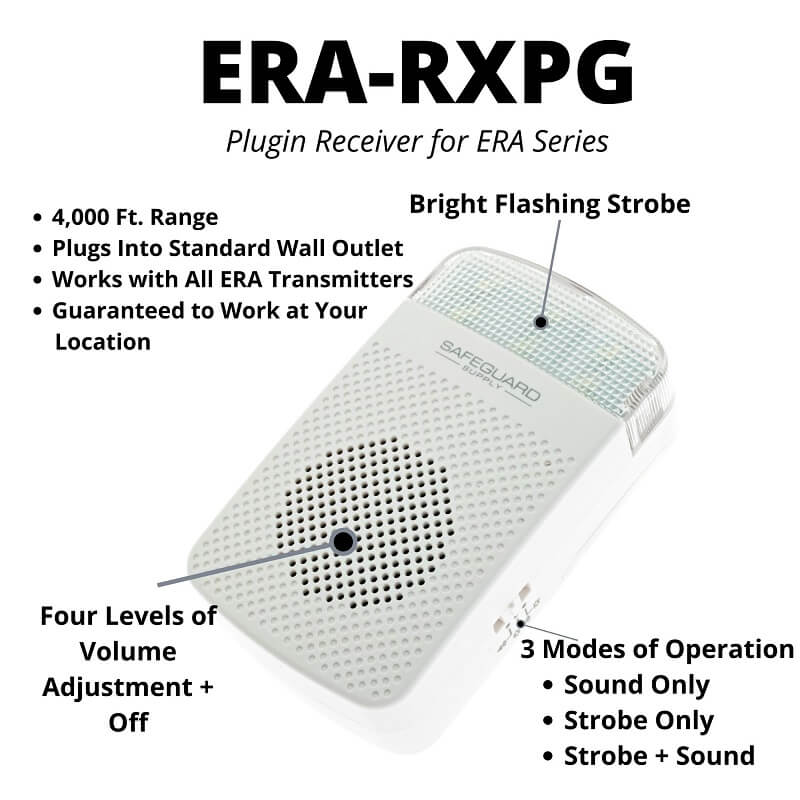
    There is also a plugin doorbell receiver with adjustable volume and a bright strobe signaler.

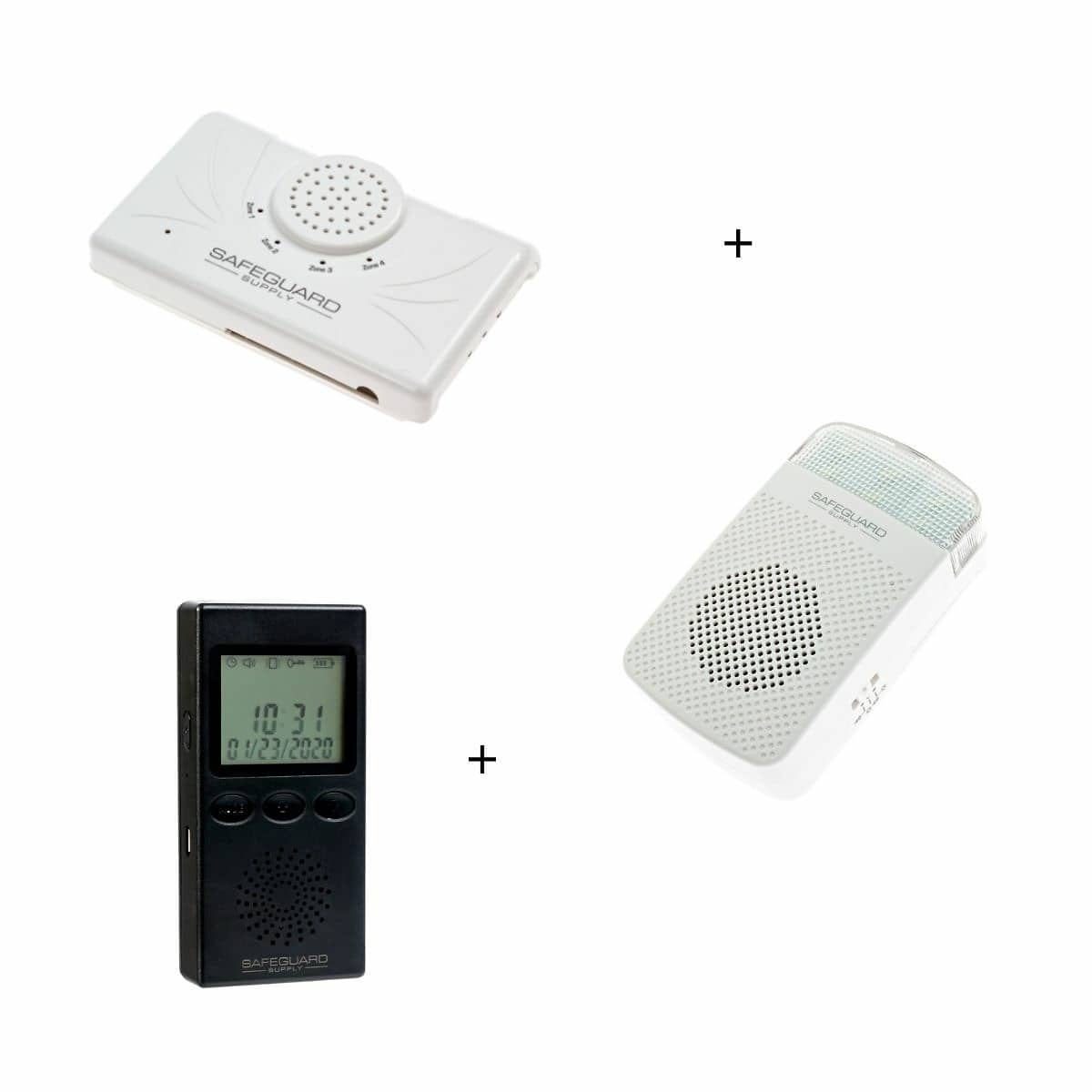
    The staple of the ERA series is the ERA-DCRX, a desktop and wall-mounted receiver. This product features 4 x 12V DC outputs that allow for the integration of an extra loud siren, a strobe with a siren, and more.

    Another example of expandability is the ERA-VPRX. portable doorbell allows users to range up to 4,000 feet from the transmitter or sensor. When an outside button is pressed, the portable receiver is immediately triggered.

    This vibration means you don’t have to see or hear anything to be notified. The portable receiver may be silent, meaning there will be no sounds, just gentle vibration.

    Add ERA Wireless Entry Alerts & Doorbell Push Button Transmitters

    Add ERA Wireless Entry Alerts & Doorbell Push Button Transmitters

    Add ERA Wireless Desktop, Plugin Chimes & Portable Receivers

    Add ERA Wireless Desktop, Plugin Chimes & Portable Receivers

     Want to see an example of a Wireless Doorbell that Flashes?

    At secure.1800doorbell.com, we recommend many products that address the problem of missing a visitor who presses the push button outside your home.

    Below is a down-and-dirty video we took the other day for a customer who wanted to review the LED strobe and hear how loud the chime is at maximum volume. We wanted to show them an example of such a product: the flashing on our LRA-D1000 Long Range Chime with Flasher. This example uses batteries and is not plugged in, although that option is available for purchase.

    This battery-operated doorbell is one of the best for deaf, elderly, or customers who are missing a visit or delivery.

    The model in this video has a new design to make it a little more stylish. The system consists of a battery operated chime (plugin available as an add-on option), and a wireless button (transmitter). It has an adjustable sound level and can add multiple receivers and multiple transmitters to provide a complete system for your home or office.

    Place receivers in the kitchen, living room, garage, or other areas of your home so you have a reliable way to ensure the security of never missing a visitor again. Installation is easy and only takes a couple of minutes.

    The receiver can be mounted on a desktop or the wall. If it runs on battery power, it can easily be moved from location to location, making it portable.

    An Example of a Flashing Doorbell Strobe

    The ERA-DCKIT is One of Our Newest Deaf Doorbell Models

    ERA-DCKIT-Wireless Door Chime Kit Guaranteed to Work in Your Location
    Wireless Door Chimes

    The ERA set of products has quickly become the most recommended for several reasons. Of all the products that help people with moderate hearing loss or who are deaf, it has the longest range of our deaf doorbells.

    With an operating range of up to 4,000 ft., it’s the most reliable system over long distances. It works great in larger homes, hotels, businesses, and homes with brick, stucco, and concrete, and it offers a variety of other options that make it stand out and make life easier.

    I don’t think this product’s extensive range is overkill. We always recommend a product with a more extended range to ensure it can quickly deliver the reliability your family deserves.

    It is straightforward to install, a great choice and packed with features that make it easy to purchase.

    In fact, this product packs features and great functionality that products you find at box retail stores simply cannot provide.

    Basic Features of the ERA-DCKIT Plug-in Doorbell

    • Range of up to 4,000 ft.
    • Add additional push buttons, motion sensors, and driveway alerts
    • Compatible with the ERA-RXPG plugin receiver, ERA-DCRX wall mount desktop receiver, and ERA-VPRX Portable vibrating receiver
    • Plug it into a standard wall outlet
    • 4 – level adjustable volume
    • Add multiple receivers to cover additional areas of your home, office, warehouse, and store
    • 3 Operating modes; sound, strobe, sound + strobe

    Order the ERA-DCKIT

    A Different Sound or Tone Is a Simple Way – The Frequency of the Melody

    Most people who are hard of hearing can hear better at certain frequencies. Newer technologies allow doctors to test for what frequencies people can hear and cannot. You can then wire the doorbell to chime at an audible frequency.

    Typically, people lose their hearing in the high and low ranges, so finding something a bit more middle-of-the-road works best. This also prevents you from having to amp up the total volume of the doorbell to accommodate the hard-of-hearing person.

    A Wireless doorbell for the hearing impaired has multiple uses. The vibration choice might be nice for a place that thrives on being quieter. The flashing light system might be preferable if you have a baby who might be sleeping when someone comes to the door.

    Finding alternative ways to send an alert when someone is at the door is not limited to those who cannot hear very well. All in all, the systems work and will continue to advance as new technology is developed.

    The ERA-DCKIT mentioned above has 12 different sound options for melodies available to choose from. Depending on your exact conditions, you may find one sound easier to perceive than another, even at the same sound level.

    Vibrating Door Chimes for the Hard of Hearing

    ERA-RXPG Product Callouts-800px
    ERA-RXPG Plugin Receiver for ERA Series

    Few options for hearing-impaired devices vibrate, but newer systems have integrated them.

    A wireless doorbell for the hearing impaired systems can come with a key chain that can be carried in your pocket. When the doorbell is pushed, the device vibrates. It has been designed to work much like a cell phone.

    Have Questions? Send a Reply to Us at 1800doorell.com

    If you’re not dealing with hearing loss now, you either will have hearing loss or deal with a loved one with hearing loss in the future.

    Hearing impairment is tough to deal with and there is a variety of hearing impairment devices in the market you may not have given much thought to but can make life much easier.

    Hearing aids only go so far. Many people simply don’t like the way hearing aids feel in their ears and simply don’t want to wear hearing aids the entire time they are in their homes.

    Products, like wireless doorbells that provide visual cues, are a great way to help those with moderate hearing loss or even the deaf. Although extra loud doorbells help, visual cues from things like flashing lights go a long way to help deaf people.

    Flashing lights may be as small as LED visual indicators to bright flashing lights.

    We’ve got you covered when you buy a door chime at 1800Doorbell.com. Have peace of mind with a common wireless chime with features that are designed for the hard of hearing.

  • Doorbell Repair – How to Fix a Broken Doorbell or Doorbell Button

    Doorbell Repair – How to Fix a Broken Doorbell or Doorbell Button

    Most doorbells are easy to figure out. But you’ve been too busy to take on the task of repairing your doorbell or doorbell button.

    Perhaps you’re unsure how to start, especially the complicated hardwired doorbell.

    You’ve got two realistic choices: 1) troubleshooting and fixing the unit – or 2) simply replacing it with an easy-to-install wireless decorative doorbell for your home or perhaps choosing a small and sleek wireless doorbell chime for your business.

    With a new, wireless door chime, you can update your current doorbell with a new one that provides many different sound choices to fit your personality and your home’s decor and ambiance—or sounds to help you brand your business. You can also go for a manual or vintage doorbell.

    For convenience and simple installation, consider battery-operated wireless doorbells with your choice of designs and features.

    The Sad Tale of the Broken Doorbell

    In the current situation, with a broken unit, you’re probably frustrating the friends visiting your home and missing essential customers for your business.

    Here’s what may be happening: There’s a handy button to the right of the front door that beckons any visitor to push it, hopefully, whether it’s working or not. So, your visitor pushes it. Just put yourself in the shoes of the person waiting at your door.

    In a perfect scenario, when visiting someone’s home, you immediately hear the bell ringing inside the residence as soon as you press the button. You take a step back and wait for the door to open. Sometimes, a person appears in the doorway, opening it to welcome you. But, too often, no one appears, so you approach the doorbell button again and press it – slightly firmer than the first time. You may even hold the faulty doorbell button down for an extended period. If you’ve had a really bad day, most likely you ring the bell 2-3 times in rapid succession – because YOU NEED this door to be opened, but still – nothing.

    Are you pressing the right button? Is it disconnected? Perhaps the volume is too low?

    At this point, you start banging on the doorbell, pressing it hard multiple times (okay, let’s be honest, you press it like it’s connected to your oxygen tank, and you need to press it to breathe). You press that doorbell with your elbow, and you might even kick it, but nothing happens.

    FINALLY, you start banging on the door as if that crazy guy is chasing you from the Texas Chainsaw Massacre, and you NEED TO BE LET IN NOW. At last, you start to hear some activity from within the dwelling !!!! Finally…


    Your friend answers the door and looks at you perplexed, wondering what all the crazy banging is about, and he lets you in.

    Turns out his doorbell isn’t working. Maybe it got rained on one too many times? (You could suggest your friend replace it with a weatherproof doorbell.) All bets are that your buddy knows his door chime isn’t working, and if you ask, he will probably say it’s too hard to replace a hardwired doorbell. After reading this article, you’ll know all about doorbell repair – and you can tell him because that’s what friends are for, “It’s time to fix your doorbell, dude.”

    Problems with a Hardwired Doorbell: Troubleshooting Guide for Your Door Chime Repair

    When your standard wired unit is busted, your problem will be in one of 4 areas:

    • The button itself (outdoors)
    • The chime or bell that serves as a speaker should be emitting the sound of your chime (indoors – you may have more than one)
    • The doorbell wiring (connecting all parts) OR
    • The transformer (connects the doorbell to your home’s wiring)

    Safety note: Don’t do anything – other than multi-meter testing – with the doorbell transformer without first cutting off power. If electrical work needs to be done, call in a licensed electrician due to shock or fire hazards if work is not done correctly and to code.)

    To cut power, remove the appropriate fuse, trip the correct circuit breaker, or throw the main electrical switch to shut off all electricity in your home.

    If you would rather not check all of your existing doorbell components to find the problem and have a big home or area to cover, consider a long-range wireless doorbell.
    If you are short on time or patience, you can avoid this repair task entirely – by purchasing a wireless doorbell. They are multi-functional, inexpensive, easy to install, and have various sounds and features.

    Got a Broken Doorbell? How to Fix a Hard-Wired Doorbell

    If you’re planning to fix your doorbell, here are the tools you will need:

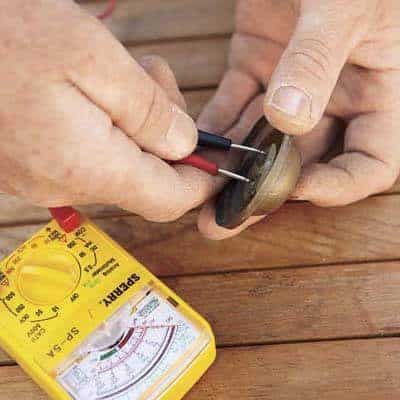
    • Multimeter circuit tester (purchase a basic meter for about $20 at hardware stores)
    • Screwdriver
    • Wire stripper
    • Cotton swabs
    • Vacuum
    • Flashlight (optional)

    Test the existing doorbell button

    • Remove any screws and the button housing/faceplate from your door casing.
    • Unscrew the terminal screws on the backside of the button assembly. This will free the button from the wires connecting it to your house (there are usually 2 wires).
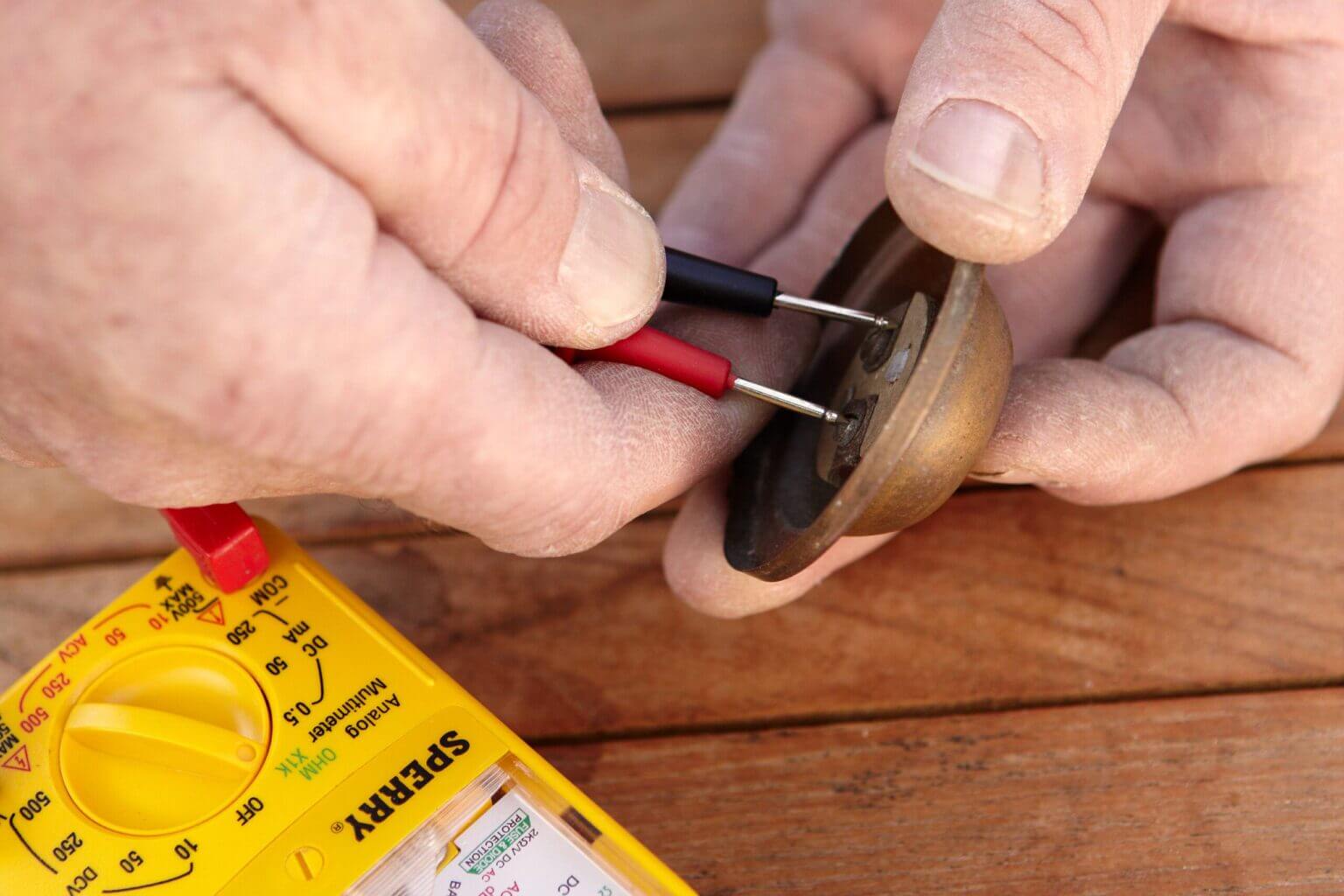
    • Set the multimeter to “continuity.”
    • Touch the meter’s probes to each of the terminal screws on the back of the button. Now press the button.
    • If the meter’s needle does not move, the button will die, and you must install a new one.
    • Put the housing, dead or alive, to the side momentarily.
    “Testing


    Test the wires behind the doorbell.

    • Holding the insulated area of the wires, touch together with the two wires now protruding from your door frame.
    • If the doorbell rings when wires touch or cross, go to “How to install a new doorbell button” or reattach your old one if it passed the test.
    • If your door chime does not sound when wires are crossed, proceed to the next troubleshooting step.

    Test the transformer that “steps down” your home’s higher voltage to the low voltage needed by the doorbell.

    • Locate the doorbell transformer near your main electrical panel.
    • Set the multimeter to “voltage”
    • Touch multimeter probes to the screws where the doorbell’s (small gauge) wires are attached.
    • Call an electrician to replace the transformer if the meter reading is less than 16 volts.
    • If your meter reads about 16 volts – all is well – the transformer is not the problem.

    Test the doorbell chime or speaker
    Remove the cover from the bell. It may be a decorative door chime attached to a wall or a plain, functional door chime cover.

    • Loosen the terminal screws (there will be two or more) in the chime assembly on the wall or baseboard.
    • With the multimeter on the “voltage” setting, touch the meter’s probes to the wires. If you hear a humming sound, try cleaning the inside of the chime with a cotton swab and even vacuuming it to remove any dust.
    • Ask an assistant to push the button outside. If the multimeter shows current flowing but the chime doesn’t ring, replace it with the chime.
    • If there’s no current flowing, your wiring is faulty.

    Look for a loose wiring connection.

    • If everything checks out ok so far, it’s time to test/look for a loose connection somewhere along the length of the bell wiring between the transformer and wall chime or between the chime and outdoor button.
    • Trace along the bell wiring, looking for loose terminal screws, wire disconnection, or damage.
    • If you don’t see anything wrong, check each wiring segment with your multimeter set to “continuity,” as described below.

    Test wiring circuit segments

    • Disconnect the wires at the transformer, de-energizing the doorbell circuit.
    • Then disconnect the transformer wiring at the wall chime and twist them together.
    • Go back to the transformer and touch the multi-meter tester probes to the wires’ bare ends. If the meter does not register, there’s a break in that wiring section.
    • If that segment is good, check the next segment.
    • When you find the problem area, you can splice or rewire it with an 18-gauge wire.
    • If much of the wiring is under baseboards or inaccessible, run a new segment of doorbell wiring and ignore/bypass the old wiring segment.

    Installing a New Hardwired Doorbell

    How to install a new doorbell button (for hard-wired doorbells)

    • Wrap the two wires sticking out of the door frame around the terminal screws (either wire can attach to either screw) on the new button and tighten the screws.
    • Fasten the new button assembly to your door frame so it’s ready to use.

    How to install a new doorbell chime or speaker (for hard-wired doorbells)

    • Before disconnecting any wires, label them with strips of masking tape: “F” for the front door, “B” for the back doorbell, and “T” for the transformer.
    • Attach each wire to the corresponding labeled terminal.
    • Push the classic or fancy doorbell button outside to make sure the chime works, then put the cover on.

    A doorbell is a straightforward and sturdy household appliance. It will typically function tirelessly day in and day out, announcing all your guests, from your childhood friends (or your children’s friends) to the dreaded door-to-door salesman.
    But sometimes, the doorbell stops working, which is usually due to a broken doorbell button. We’ll start by going through the diagnostic procedure to determine if your doorbell button is the problem, but if you’ve already isolated the button, skip down to How to Fix a Doorbell Button.

    Is It the Doorbell Button?

    Most doorbell systems are very reliable. Wired door bell systems can last for decades without problems. (Old crank doorbells were pretty reliable, too, but they’re so old now that most have quit working by now.) When the bell stops working, it’s usually the doorbell itself, which can become worn by constant use.
    For a wired system, unscrew the unit from the wall. Typically, this involves two screws. You might also have to cut away caulk or excess paint from around the doorbell.

    If you have multiple doorbells, detach them all. When you pull the doorbell away from the wall, you’ll see two wires connected to the back. First, check to see that these wires are secure. If the unit is securely fastened to the wall, one will unlikely come loose, but stranger things have happened. If you have more than one button wired to your doorbell, a loose wire at one of the buttons can stop both from functioning. Often, these are wired with a common ground, and neither doorbell will work if the common ground is disconnected at one of the buttons.
    “A

    In a doorbell system, the button closes the circuit between these two wires, allowing electricity to travel through them and trigger the door chime. Disconnect one of the wires to test whether the button is the problem. You don’t have to turn the power off for this because, unlike most systems in your home, the power is stepped down by the doorbell to a safe 16 or even 12 volts (V) with very few amps. Even if you turn the power off, you must also turn it back on for the next part: touch the bare end of one wire to the bare end of the other. If the chime sounds, it’s the button that’s the problem. If the chime doesn’t sound, the doorbell is not the problem.

    You don’t have to turn the power off for this because, unlike most systems in your home, the power is stepped down by the doorbell to a safe 16 or even 12 volts (V) with very few amps. Even if you turn the power off, you must also turn it back on for the next part: touch the bare end of one wire to the bare end of the other. If the chime sounds, it’s the button that’s the problem. If the chime doesn’t sound, the doorbell is not the problem.

    If the chime doesn’t sound, it’s not the doorbell that’s the problem.
    If you have multiple doorbell buttons wired to the same chime, make sure you disconnect only one wire at a time to avoid accidentally disconnecting the common ground.

    You can also test the doorbell with a multimeter or ohmmeter. Your doorbell is an open circuit that closes when you push the button. With your doorbell disconnected, touch your ohmmeter leads (or the leads of a multimeter set to resistance, marked “Ohm” or Ohm) to both the wire connections on the doorbell. Then, push the doorbell button. Resistance should jump from infinity (no connection) to some small resistance level. If it doesn’t, the doorbell will not close the circuit properly.

    For a wireless doorbell button, there are two potential problems other than a broken doorbell button that might be causing the problem. If the button has never worked, it might not be appropriately coded. Look in the compartment on the back of the receiver and inside the button itself. You should see a series of metal pins, some of which have small black blocks on them. Make sure the configuration of these blocks matches in both places. If you think they’re right but it’s still not working, try turning one the other way and matching them up again–often, the proper orientation for the code blocks isn’t clear.
    If a wireless button used to work but isn’t now, the problem is likely the battery. If replacing the battery doesn’t work, you have a broken button.

    What about a Hot Button?

    The button shouldn’t feel hot. If it does, you may have an incorrect button for your doorbell transformer. All doorbells have a transformer that steps down the voltage before it goes to the doorbell, but older models only stepped down the voltage from the 120 V line voltage to 24 V or 36 V. When a doorbell is designed for the modern 16 V or 12 V is put on this old line, it can get hot.


    Typically, you only feel the heat if the button has a light on it, but any time the voltage is mismatched between the doorbell and itself, it can damage the button, causing early failure.


    To determine the proper voltage for your doorbell button, take a multimeter and touch it to both wires. Read the voltage and get a doorbell appropriate for your system’s voltage. Or, if you want to keep your current button (it is the most visible component of the whole system), you can replace the entire doorbell with one that matches the button.

    How to Fix a Doorbell Button

    Whether it’s an old doorbell or a unique one with a style you love, there are a few ways to fix a broken doorbell button.
    If the part you depress is broken (the button proper in your doorbell button unit), you can often find an inexpensive replacement button with a depressor the same size and shape. If you do, just replace the broken one with the whole one—make sure it’s the same on the back, too.


    Most old doorbell buttons have a simple mechanism inside. When the button is down, it pushes a circuit closed. This mechanical system is simple and resilient, but it can be hard to fix when it breaks. You have to find something that will allow the contact to close the circuit when it’s depressed, and most of these components aren’t commonly sold, so you might have to make a piece for it.


    Modern doorbells have a diode in the button. This allows voltage to continue traveling through the doorbell after the button is released, which helps the doorbell chime to continue until the tone is finished. You can replace the diode by unscrewing the screws holding the current one in place, putting a new one in, and replacing the screws.

    It’s typically not possible to repair a wireless doorbell button since it is often just a single printed circuit board.
    Once you’ve fixed your doorbell button, it will likely stay functional for a long time. If not, each time you fix it, you will get a lot faster.


    Don’t put up with that crazy friend banging on your door—and don’t miss an important visitor to your home or business. At secure.1800doorbell.com, we’re happy to help. For more doorbell guidance, visit our doorbell FAQ page. Contact us online or call us at 1-800-366-7235.
  • How Does a Doorbell Really Work?

    How Does a Doorbell Really Work?

    Want to find out how your specific brand and model of doorbell work? We have instructional videos on many of our product pages. For instance, here’s the Carlon model RC3250 doorbell.

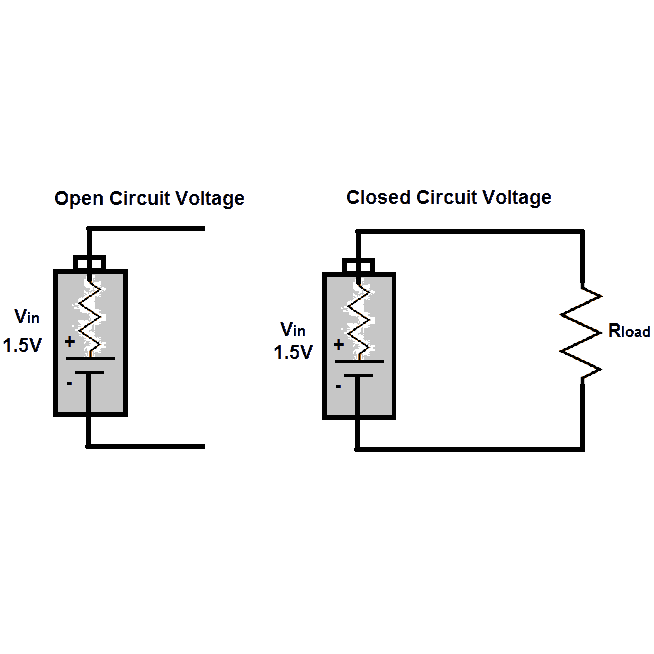
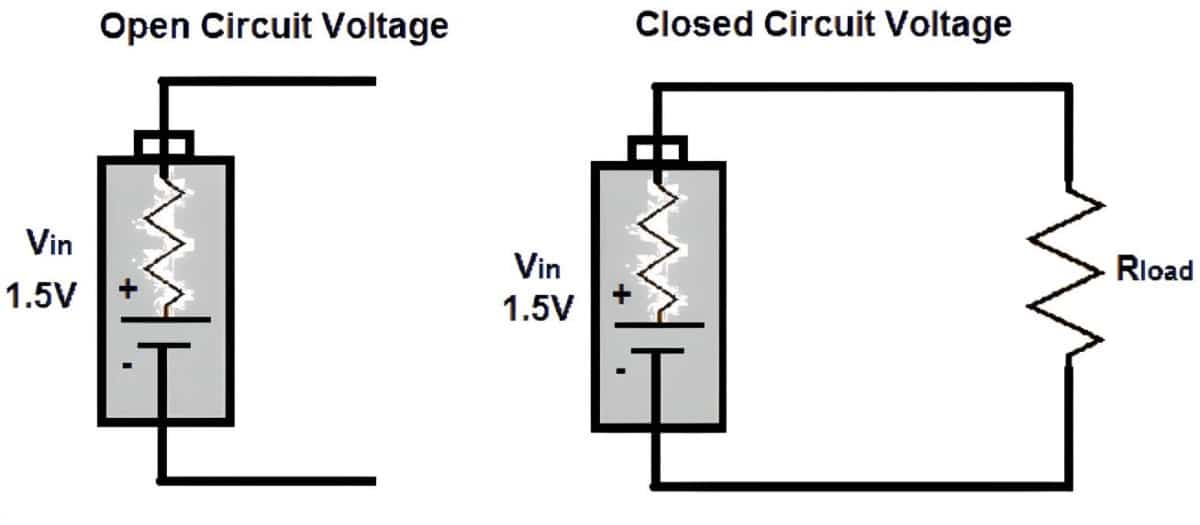
    closed circuit diagram

    Chime style:
    Inside this bell are 2 vertical bars of different types/thicknesses of metal, which make different sounds when struck. The vertical metal bars act as “bells” to make the familiar ding and dong sounds. Separating the 2 vertical bars are batteries, a spring, and a small electromagnetic clapper or hammer – to do the striking. The magnetic hammer is a cylinder inside a horizontal plastic tube. This “cylinder-in-tube” setup is just like a piston or small battering ram – and is called a solenoid. To operate:

    • Press the door chime button (which acts as the switch) completing the circuit.
    • The electromagnet activates – it pulls the piston or metal inner cylinder (clapper or hammer) to the right, which compresses a spring.
    • The sudden movement of the metal cylinder (the clapper/piston) and the collapsing spring allows the clapper to strike the right-hand bell (vertical metal bar) making the ding sound.
    • As the metal cylinder (clapper) hits that right-hand metal bar, it breaks the circuit, switching the electromagnet off – so the spring then re-expands suddenly.
    • This sharply snaps the metal cylinder (hammer/piston) back the other way, striking the left-hand chime (vertical bar) and making the dong sound.
    • The vertical metal chime bars vibrate as the sound dies out – for that little extra drama!
    • A doorbell with an almost endless choice of sounds and advanced features? Check out the iChime programmable doorbell with 50 sound choices. You can even record several sounds of your own with this hard-wired chime.

    Multiple chimes for apartments or office buildings: Electric doorbells for multi-unit dwellings or offices will complete one of many circuits – to ring the bell in the selected apartment number only, as you press the button. In older buildings, you may find around or cool rotary style. These were patented back in the 1930s. To operate this type of chime, you first turn the dial to select the apartment/office you’re visiting. Then you press the button in the center to get the circuit going and ring the bell.

    Wireless or electronic styles: Wireless electronic doorbells use a special kind of circuit – called an integrated circuit. How do these work?

    • Pressing the push button causes a recorded digital sound to be transmitted. The button is battery-powered and the system is wireless.
    • The doorbell button/switch acts as a transmitter, sending a radio signal for a distance of up to about 300 ft. to the receiver/speaker in your home.
    • The signal reaches your indoor battery-powered ringer/receiver or speaker – which emits a sound. This indoor speaker plugs into a wall outlet – or you can carry a portable transmitter with you to the backyard.

    Most wireless chimes offer several different radio channels, so you can use a different one than your neighbor to avoid mix-ups! There are several quality advanced wireless doorbells for the hearing impaired that offer visual signals in addition to audible features.
    Wireless Style Advantages:

    • No wiring: Wireless doorbells require no wiring. Hard-wired styles need to be hooked up to the electrical system in your home and may require an electrician. The coordinating button uses a small battery that lasts a long time.
    • Amplified reach: These modern wireless bells make it easier to hear, even if you are far away in the backyard, for example. Many people with large homes choose wireless doorbells – you can carry the battery-powered ringer (also called a receiver or speaker) with you when you are far from the front door of your house. You can also install (plugin) extra speakers throughout the house. Here are some excellent options to extend the range of your doorbell.

    When you need help selecting a new style that’s perfect for your home or business needs, call on the experts at 1800Doorbell.com.

    We can also help you with troubleshooting your old/existing chime and offer guidance on the installation of new ones. Call us today at 800-366-7235 or contact us online at 1800Doorbell.com!

  • Reviews & Advice on Choosing the Best Wireless Doorbell

    Reviews & Advice on Choosing the Best Wireless Doorbell

    Miss out on a lot – friends, family, PIZZA! There’s no reason to deal with the inconvenience, missed connections, and safety compromise of being without a doorbell. Don’t hesitate – to check out the specs on some of the best wireless doorbells on the market.  Today’s options offer affordable, easy-to-install, and creative ways to improve your home or business environment – with no hard wiring or transformer required. Just mount the button, plug in the speaker(s), and go. For more installation information, visit our How to Install a Doorbell article.  This article focuses on Advice on Choosing the Best Wireless Doorbell!

    Wireless Doorbells: Simple, Economical Security & Business Boost

    If you’re running a business without a proper doorbell or sensor, you could be losing valuable customers or missing deliveries! No doorbell at home? You could miss a friend or family member who needs to talk with you – when you don’t hear their knock at your door. You could also end up chasing important packages to the Post Office or waiting for re-delivery. Even worse, you could lose a package entirely if the delivery person chooses to leave it at your door. A thief, the wind, or even the neighbor’s dog could carry it off. Let’s face it – you need to know if someone is at your door for safety reasons, too. You can’t afford to be out of the loop. What if the fire department or neighbor needs to warn you of an emergency? Why risk it? Increase your peace of mind at home, and keep your business safe and profitable, with a wireless doorbell that fits your needs.

    Advice on Choosing the Best Wireless Doorbell for Home & Business

    You’ll be pleasantly surprised at the wide variety of affordable options. Use the expert tips below to save time and avoid frustration when searching for just the right wireless doorbell:

    • Mid-price is nice: With a technology purchase, such as a wireless doorbell, you do get what you pay for. You can find chimes priced from $20 to $100 or more. The cheapest models are likely to be completely ineffective and a waste of money. At a moderate price of about $35, you can get a dependable doorbell with some nice safety and convenience features for home use. For a larger home or a business, you might pay a higher price – and get extras like long-range, motion sensing, and custom tones.
    • Quality clues:  Buy from a local merchant or online door chime company with a(n):
      • Expert reputation, specializing in wireless security products, and residential and professional installations. You can profit from the seller’s experience with the real-world performance of different brands and learn more about features that fit your needs.
      • Good return policy. You should be able to test the doorbell device without fear that you’ll be stuck with one you don’t like or cannot use.
      • Manufacturer or brand warranty protecting the product against faulty technology, electronics, or workmanship, including parts and labor. Ideally, the manufacturer warranty will extend to the online store or local retailer’s guarantee. Make sure to check before purchasing.
      • Good reviews. Look for the positive feedback about the product, brand, and seller.
    • Volume indoors: Is the doorbell you’re considering loud enough to reach throughout the house or business? Initially, you can select by comparing manufacturer specs and getting expert advice from a respectable company on specific models. Just be sure to test the doorbell once you receive it. Check that you can hear it from every room in your home. On most models, you can choose from a few different sounds and adjust the volume. If the doorbell isn’t audible from all areas, be sure that you have the option to add extra speakers to carry the sound everywhere within your home or business.
    • Audible outdoors: If the doorbell can’t be heard by the visitor, then they will likely just keep pressing that button.  If your doorbell has at least a 2 1/2″ speaker, it should be able to produce enough sound for an average-sized home – and be heard by the visitor outside. You may need larger speakers, up to 5 inches, and more of them, for a larger home or a business.
    • Good range: A good mid-range transmission distance to look for in a wireless doorbell is about 150 feet. This is the distance from the wireless doorbell’s button (transmitter) to the speaker (wireless receiver). No matter what range is promised on the packaging, check its performance in your environment.
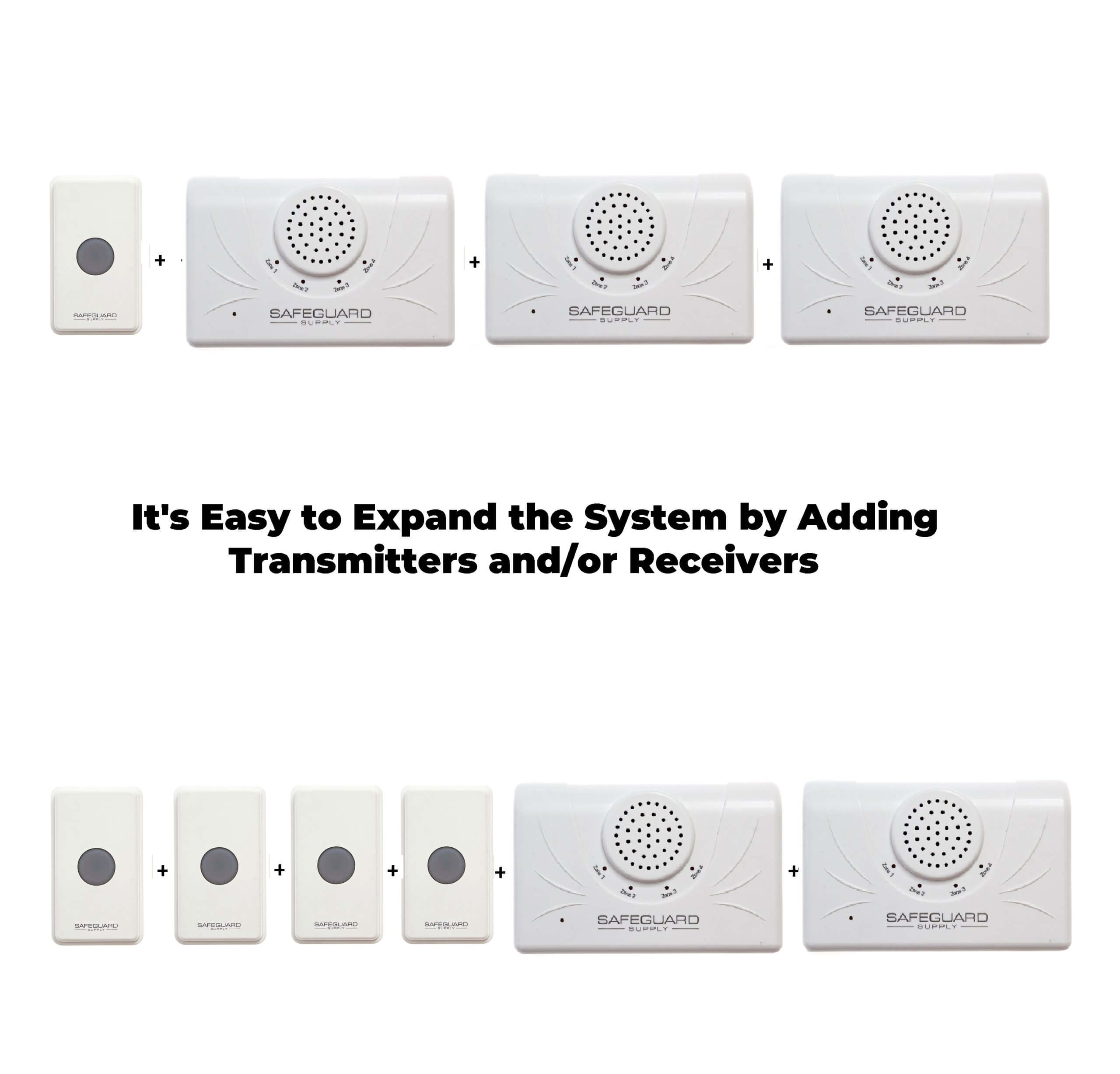
    • Expandable options: Most wireless doorbell systems allow you to add extra doorbell push buttons (transmitters) and/or additional plug-in speakers (receivers). This gives you the option to add doorbell buttons at the back door, for example, and also add speakers/receivers in an office or upstairs bedroom.
    • Battery life: The outdoor button(s) on most wireless doorbells are battery-powered. Power consumption is usually minimal, so batteries should last about a year. Things like cold weather can shorten battery life, so check monthly and replace batteries as needed.
    • Durability: Wireless doorbell buttons are made of plastic, as metal construction may interfere with wireless signals. Make sure the plastic housing seems sturdy enough to stand up to visitor or customer use – and withstand your climate – including hot/cold weather, rain, and snow.
    • Décor: Business owners may prefer a sleek and simple plastic doorbell for a more professional look.  Doorbell buttons (transmitters) are fairly small, so finding one to match and blend with your front door or entrance area décor should be fairly simple. You can choose door chime speaker covers in larger, ornate, and decorative designs to enhance the style of your home or building.

    Useful Extra Features Found on the Best Wireless Doorbell Systems

    • Long-range: If you have a large home or business, you may need a longer-range wireless model, with a longer transmission distance from the door chime button to the indoor speaker(s). The top models feature changeable codes to avoid interference in your home or office and from other neighboring doorbells.
    • Motion sensor: If your doorbell is the primary source of your home or business security, it’s a good idea to spend a bit more to get premium quality and dependability – including a motion sensor. The sensor adds an extra measure of security because you’re alerted even before the person presses the doorbell or if they open/reach through a window.
    • Custom tones: You can add a little style and personality to your home or business by choosing a novelty wireless doorbell. Some models will play a few notes from Beethoven or a pop song when someone rings the bell. Most wireless doorbell models offer a range of tones and volume control, even if they don’t play a tune.

    Wireless Doorbell Installation Tips

    • Basic installation: Wireless, of course, means that you don’t have to be an electrician to install the latest doorbells. Simple battery-powered wireless doorbell models can be owner-installed quickly and easily. The outdoor push-button (transmitter) may come with a stick-on back or maybe screwed into place. Attachment hardware for wireless doorbells is generally included with your purchase. Some types of wireless doorbell systems do require professional installation, however. Some companies selling higher-end wireless door chime systems may offer free or low-cost installation.
    • When installing on or near metal doors: Metal can shorten or interfere with the doorbell’s transmission range. If you’re using the wireless doorbell or window sensor for your business and even some homes, and installing it on metal or partially metal doors or door frames – here’s a hint: Try adding a small wood shim under the button (between it and the wall or door frame) to help get around any signal problems.
    • Be sure to test: After installation, test the loudness and all other features mentioned here before throwing away your doorbell’s packaging. Retain receipts in case you need to use your warranty in the future.

    After-purchase Maintenance

    Maintenance is simple for the typical wireless doorbell system. Just check the batteries about once per month, although they should last much longer. Check the speaker/receivers (plugged into electrical outlets) now and then in case an electrical surge has occurred and damaged it. When going on vacation, unplug your doorbell speakers, to be certain that lightning, for example, won’t cause a surge while you’re away.

    The Bottom Line on Wireless Doorbells

    A commercial or residential wireless door chime is a smart choice for better security and peace of mind, more convenience, and better service. These cost-effective door chime devices pay for themselves over time. A mid-range priced wireless doorbell (about $35) will likely offer all the quality construction and dependability you’ll need for the average home. For larger homes or businesses, you may require a longer range or extra speakers – and may pay a bit more. A motion detector feature is a great safety measure and may add a bit to the overall price of your wireless doorbell. Choose a self-installed model to save money and count on good customer support if you’ve chosen your seller or online store wisely.

    Top Wireless Doorbells

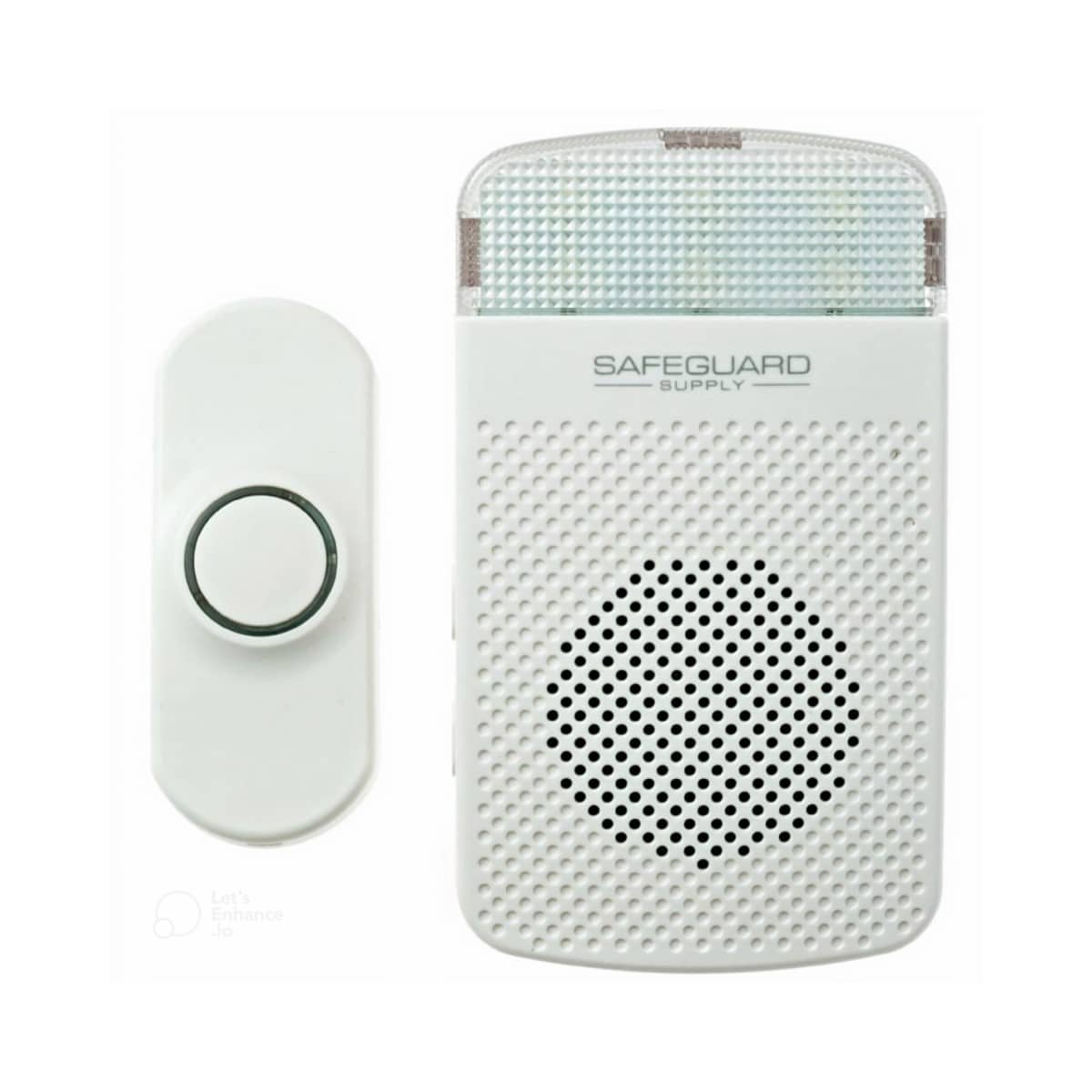
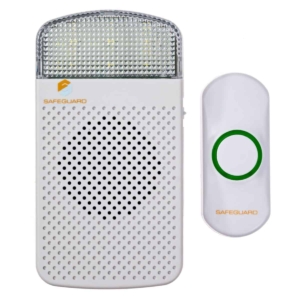
    LRA-D1000S Door Chime for the Hard of Hearing with a Bright Strobe Light Plug-in Receiver

    Wireless Door Chime Kit for Hard of Hearing That Installs in Minutes! Model LRA-D1000S $49.98

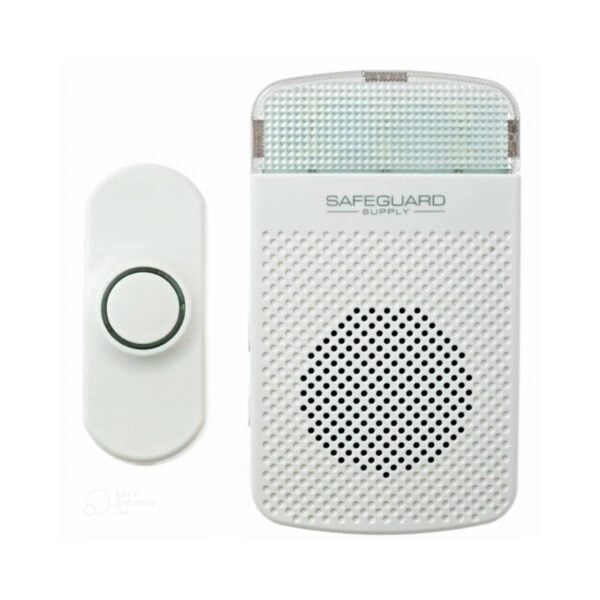
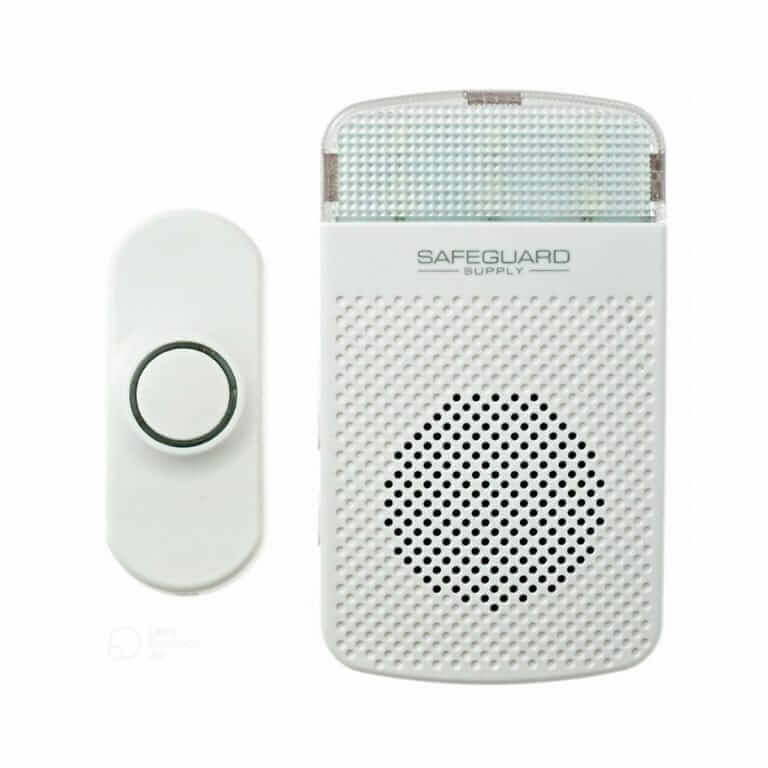
    By Safeguard Supply, this plug-in wireless doorbell kit is easy to install and use. The set features the model LRA-PBTXA wireless doorbell push-button plus the LRA-DCRXS, plug-in receiver/speaker.  The chime receiver has 3-levels of operation (Sound, Strobe, Sound + Strobe) and plays 18 different sounds. There’s no chance of interference from a nearby doorbell – with over 100,000 privacy codes available.

    Lithium batteries are included in the push-button transmitter. Simply mount the doorbell button at your entrance and plug the chime receiver into an indoor outlet.

    • Up to 1,000 ft. range (from doorbell button to plugin door chime speaker/receiver)
    • 18 melodies
    • The speaker/receiver plugs into a standard 120V AC electrical outlet.
    • One-year manufacturer’s warranty
    • Kit ships with 1 push-button.
    • Expandable with all LRA Products?


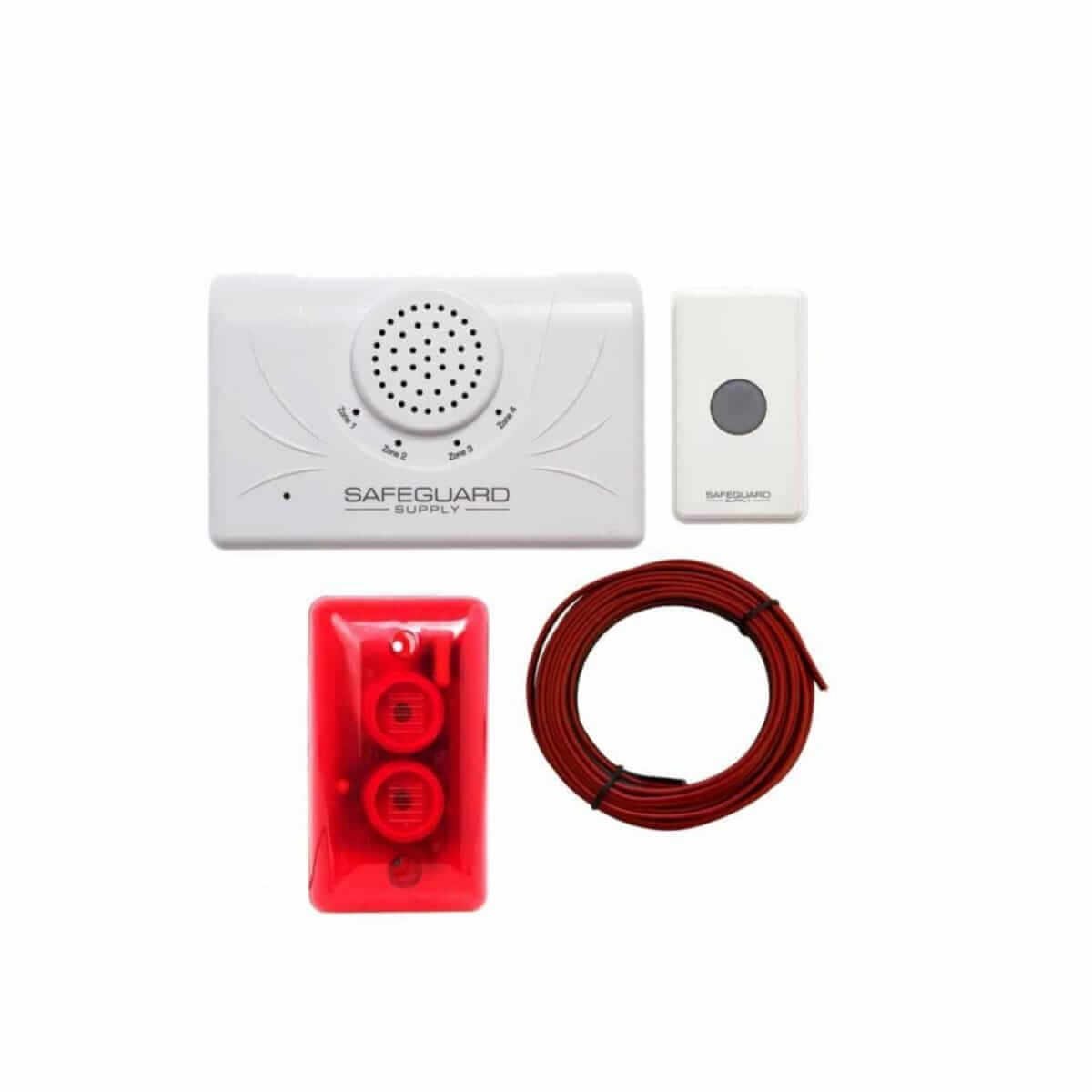
    Battery (Optional Plug) Wireless Door Chime Kit with Strobe & 1,000 Ft. Range Model LRA-D1000 $49.98

    From Safeguard Supply, this long-range, wireless doorbell transmits up to 1,000 feet. Expand the capacity of the door chime by adding up to 3 more pushbuttons or sensors. When used with the optional door/window sensor contact, you can protect windows from unknown intruders, too. With the sensor in place, the doorbell activates if/when the door or window is opened. The range can be shortened by metal or obstacles between the transmitter (bell button) and the speaker. For troubleshooting assistance to get the most out of your doorbell, contact the knowledgeable customer service team at 1800Doorbell.

    • Up to 1000 ft. range
    • 32 different melodies
    • The speaker/receiver plugs into a standard 120V AC electrical outlet.
    • Bright, flashing LEDs can flash when the bell sounds, or use sound and LED light separately.
    • Works well for the hearing impaired at home and also in commercial or industrial settings where there’s lots of noise.
    • Provides inexpensive added door security and/or window security when used with optional window sensors.
    • Four zones can be used. Assign one push-button (or sensor) per door or window.
    • 12-volt Plugin Adapter available
    • Add-on Wireless Push-Button available
    • Magnetic Door or Window Contact /Sensors available
    WC180-SS Flashing Doorbell Kit with SS155_SS111
    WC180-SS Full Kit Flashing Strobe

    Flashing Doorbell with Strobe Light Flashes with Door Chime Sound Model WC180-SS $44.98

    By Safeguard Supply, this Wireless Door Chime was designed especially for the hearing impaired – or anyone else who wants a visual alarm signal and an audible doorbell. This flashing doorbell works great for a hard-of-hearing relative or any loud environment or workplace. This model flashes a strobe light and rings loudly to alert you that you have a visitor. Over 30 privacy code options help avoid false alarms from a nearby doorbell.

    • Flashing light-and-sound doorbell.
    • The WC-180-SS wireless doorbell kit for the hearing impaired includes one wireless button (transmitter) and one plug-in chime/receiver (speaker).
    • The range reaches up to 600 ft. (For a 1000 ft. range, order the LRA-D1000 wireless door chime kit with flashing LED light.)
    • One-year manufacturer’s warranty
    • Add-on Wireless Push-Button available
    • Magnetic Door or Window Contact Sensors are available

    Wireless doorbells can significantly improve your home or business environment. The best choices offer various pleasant sounds and melodies, visual alerts, added security features, and convenience. They are reasonably priced and simple to install. Some will even add a designer decorative element to your home or office entry. If you’d like expert advice on choosing the best doorbell for your home or business, contact 1800Doorbell today.

  • Give Me the Bottom Line: Long Range Wireless Doorbell Reviews

    Give Me the Bottom Line: Long Range Wireless Doorbell Reviews

    Take a moment to read our Long Range Doorbell Reviews in this article.  The ERA-UTDCR is our most popular long range wireless doorbell.  It has a range of up to 4,000 feet and plugs into a standard wall outlet.  The kit ships with the long range door chime receiver and one wireless doorbell button that also may function as a magnetic door alarm sensor. 

    The receiver in the kit is the ERA-DCRX which sits on a desktop or may be mounted on the wall. It has four zones, and when triggered by a paired sensor, each zone will play a distinct sound. This allows you to pick a different melody for each transmitter so you’ll know which sensor triggered the door alert. The volume control allows you to adjust the volume level.

    The door chime also features a small flashing LED that shows the zone that corresponds with the push button, or transmitter, that was pushed.   As with most wireless chimes, you can expand this system by adding more push buttons and/or receivers.  In our offices, for example, we have a push-button for the front door and one for the bay door at the back of the warehouse. 

    Another great feature of the ERA-DCRX long-range doorbell receiver is the 12V DC outputs on each zone allowing to connect accessories such as a loud siren, bright flashing strobe lights, and even a fire alarm bell. In addition, the receiver features a C-FORM relay for integration with external devices.

    The sensor in this kit is the ERA-UTX which is a rugged, outdoor-rated wireless push button and/or a magnetic door contact. It is powered by a long-lasting door chime battery that should last 1-2 years depending on usage.

    When the door is opened, an instant alert sound is sent to the various receivers we have in our warehouse and offices. We can also keep our doors locked, and when a visitor pushes the ERA-UTX mounted outside, we also receive alert notices.

    Best Wireless Door Chime Kit for Homes & Houses, and Smaller Businesses

    Shop Now for the ERA-UTDCR Long Range Wireless Doorbell

    ERA-UTDCR Long Range Doorbell Reviews

    The ERA-UTDCR is our most popular wireless door chime kit for large businesses and warehouses.  It is a high-powered doorbell that is our longest-range door chime.  If you have a situation where you need something high-powered and long-range, more than 800 feet, this is the product we would recommend.

    The ERA-UTDCR is a new long range wireless doorbell kit created by 1800doorbell for those who need a powerful wireless doorbell.  With a range of up to 5,000 feet, this kit has unrivaled power in the wireless doorbell world.  The kit was created using two products manufactured by Dakota Alert.

    The main component is the ERA-UTX which is a universal transmitter, push button, and door/window contact rolled into one.  Powered by a 3-Volt Lithium battery (included) the UT-4000 will transmit a wireless signal to the ERA-DCRX plug-in receiver.

    The ERA-UTX is outdoor rated and may be mounted using the included double-sided tape or included mounting screws.  You could also use the product as a door window contact alongside using it as a push-button.  If you wanted to leave your front door locked, you could use the push button.  Leave it unlocked and you could use it as an entrance alert that creates a chime sound when the door is open. An often overlooked feature of this transmitter, the UT-4000 is that it also features N/O and N/C contacts, allowing you to integrate the device with other products.

    The kit belongs to the Safeguard Supply ERA series of products meaning it is expandable by adding more transmitters and receivers and will integrate with their driveway alarm monitors and sensors.

    For example, you could use this as an entrance alert and/or push button and also use the ERA-DSTX as a driveway sensor to alert you when anything enters your driveway or approaches your receiving door. Great features of this Product: -Range of up to 4000 ft. -Use as a push button, window/door contact, or a transmitter when integrated with a product that uses NO or NC terminals -Expandable by adding more sensors and buttons, or adding more receivers -One-year manufacturer’s warranty.

    Great Features of this Product:

    • Powerful at ranges up to 4,000 feet
    • Add to 12 transmitters per receiver and an unlimited number of receivers
    • Each receiver features 4 zones, each with a 12v DC output to connect things like loud sirens, flashing strobes, and more.
    • Expandable may add more pushbuttons and receiver
  • How to Avoid Interference with Your Neighbor’s Doorbell

    How to Avoid Interference with Your Neighbor’s Doorbell

    This is a question that seems to come up frequently with many of our customers. Usually, what spurs the call is someone’s door chime randomly chiming without anyone at the front door or a neighbor using their device and it causes your chime to ring. To understand why this happens, we first need a very basic understanding of the wireless door chime and how communication between the door chime transmitter (wireless push button) and the receiver work.

    Understanding How the Push Button and Receiver Speak to Each Other

    Technically, the doorbell button is a wireless transmitter. When the visitor at your front door pushes the button, the button transmits a wireless signal to a wireless door chime receiver. The transmitter and receiver are communicating on a specific frequency so they can communicate effectively. If your neighbor, for example, has a wireless product that is operating on the same frequency, interference could be the culprit and cause your door chime to ring “randomly.”

    The FCC only allows certain “usable” frequency bands available for public use, so a wireless doorbell frequency change can be tricky. We are all familiar with our car radio tuner. When you find the radio station you want to listen to, you are essentially making sure your radio receiver is tuned into the frequency of your favorite radio station’s broadcast.

    For cost reasons, most manufacturers use the 300MHz to 433MHz bands for their doorbell frequency range. The actual communications between the two devices (or multiple devices) occur on sub-frequencies (or channels) within the given frequency band. If two close-by products are operating on the same frequency, interference may occur.

    Wireless doorbells, and almost all other wireless products for that matter, therefore operate within a given frequency range. For example, we have a doorbell that operates at 315 MHz when it transmits a signal from the push button to the wireless receiver. If some other device within the range of the transmitter and receiver is operating on that same frequency, those signals will interfere with each other.

    This is the same problem that happens when a neighbor’s device randomly seems to ring your device– or when a baby monitor picks up people talking. Or how about a walkie-talkie; you put it on a channel and can hear other people talking on that same channel. All of these things are occurring because it’s all happening on the same frequency.

    Change Your Privacy Codes to Prevent Doorbell Interference

    Most wireless doorbells and/or chimes on the market today have what are called “privacy codes” or channel selectors. Privacy codes provide the ability to change the actual operating frequency of the wireless doorbell. When I mentioned earlier that we have a doorbell that operates at 315 MHz, in reality, it operates within a given range of around 315 MHz. Privacy codes on the back of the receiver and the back of the doorbell transmitter enable you to manually change the operating frequency.

    A good way to think of it is after changing the privacy code, the transmitter sends a signal at 315.5 MHz. When the receiver has privacy codes and they are set to 315.5 MHz, those two components are operating at the same frequency. The likelihood of another device operating at 315.5 MHz is slim.

    Changing the privacy code on a product, whether it is a receiver or a button, will change the operating frequency of that product. If you have a button and a receiver, for example, you must change the privacy code on both products, or else they won’t be able to communicate with each other.

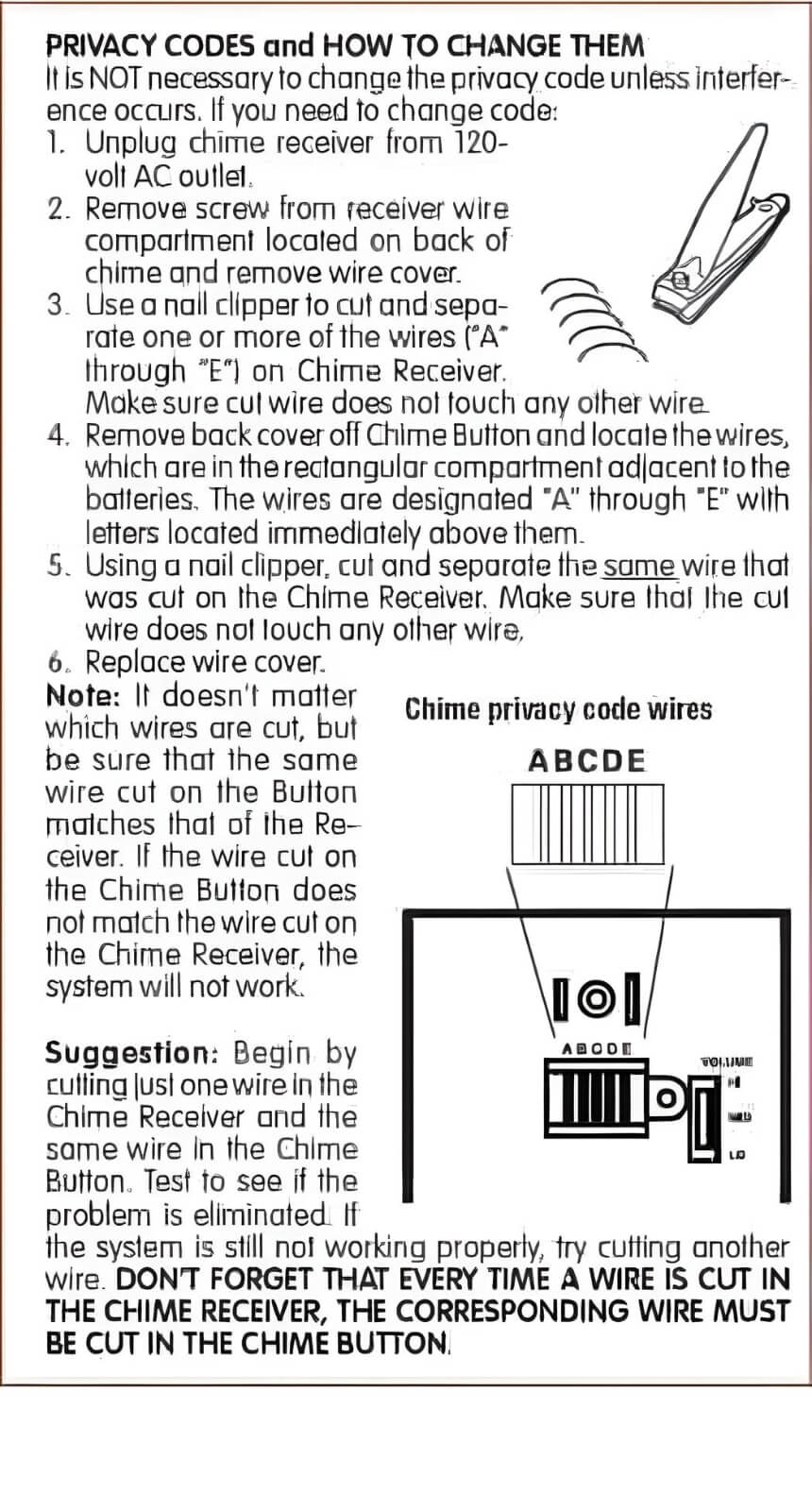
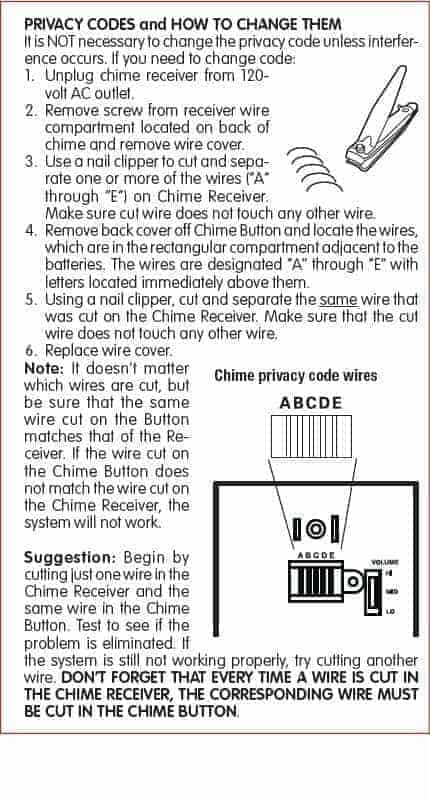
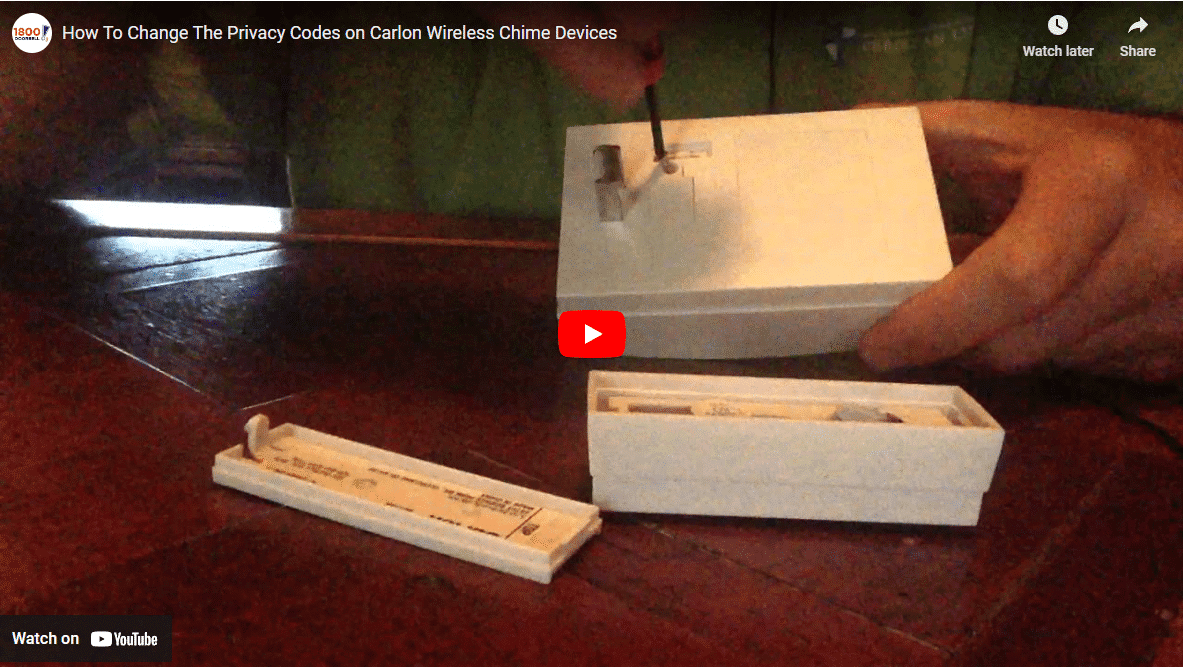
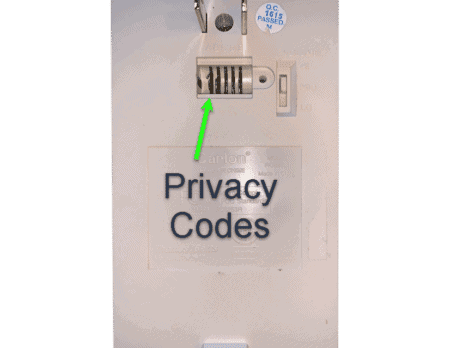
    Privacy codes will help avoid interference, and they also enable you to do things like pair specific push buttons with certain receivers. A business may want to have a push-button work with a receiver in the receptionist’s office and have a different push-button work with the receiver in the warehouse manager’s office. By selecting privacy codes and matching the devices to the respective components, you are ensuring that your chimes operate correctly.  All wireless Carlon door chimes use small copper wires to change privacy codes.  Take a look at the image below that illustrates what they look like and how to change them:

    Changing Privacy Codes on a Carlon Wireless Doorbell

    Changing The Security Codes On Heath Zenith Wireless Chimes

    Heath Zenith Wireless Chimes use radio frequency to communicate between the push button or transmitter and the chime unit, also known as the receiver.

    Our chimes are designed with 128 different security code possibilities to help ensure that they will work in any environment. However, on rare occasions, outside interference or another wireless product may cause your chime system to operate when no one is pressing the push button.

    By simply removing, adding, or repositioning a jumper or flipping a switch or two, depending on the model of your chime or push button, you can quickly and easily find a code setting with no outside interference.

    Be sure to read and follow all the instructions and warnings included with your chime and push button. You can also download a PDF version of your manual as well as view other informational videos at www.hzsupport.com.

    Your new push-button will have eight jumpers or DIP switches. Some Heath Zenith Wireless Chimes will also have eight jumpers or DIP switches. Position 8 determines the chime tune selection and does not affect the code setting. See your manual or find additional videos on our website that will discuss tune selection.

    Jumpers or switches 1 through 7 are used to program security code for your chime system. Positions 1 through 7 must match exactly on the push button and the chime for them to communicate with each other.

    Any changes made to one unit must also be made to the other unit. Locate the jumpers or DIP switches on the chime base. If the chime has a removable cover, the jumpers or DIP switches will be located behind the cover.

    If the chime does not have a removable cover, then the jumpers or DIP switches will be located on the rear of the chime or in the battery compartment.

    If the chime is a plug-in-style chime, remove the chime from the AC power source and open the small panel on the rear with a screwdriver. Now open the push button by carefully inserting a small screwdriver into the slot at the bottom of the push button and twisting.

    The cover will pop off and the jumpers or DIP switches are located on the circuit board. If the jumpers or DIP switches have not been changed yet, you will notice that there are three jumpers on pins 5, 6, and 7, or DIP switches 5, 6, and 7 are in the on position.

    As a matter of convenience for the customer, all Heath Zenith chimes and push buttons are shipped with security code settings in these three positions. So any push button or chime you purchase will work together straight out of the package.

    To change a security code, add, remove or simply move the jumpers on your chime in any combination. Now make the same changes to all push buttons that you want to work with the chime. As an example, you can move the number 7 jumper to the number 1 position on both the chime and the push button.

    If your push button has DIP switches instead of jumpers, you can move the number 7 jumper to the number 1 position on the chime and the push button, switch the number 7 DIP switch to off and the number 1 DIP switch to on.

    Anytime you experience interference with your chime, simply change the security code on both the chime and any push buttons until the interference goes away.

    Just remember, whatever changes you make to locations 1 through 7 on the chime, you will need to make the same changes on all push buttons.

    The instructions that come with your chime will explain how to set it up or find additional videos on our website that will show you how to set up and use your new Heath Zenith chime as well as other products available for your home.

    Your security code has now been changed. You can now enjoy your new chime system without interference from an outside source.

    We know this is a confusing topic.  If your product is experiencing interference from other devices and you need help changing privacy codes, please give us a call at 1-800-366-7235 or email us at info@secure.1800doorbell.com. We will help you sort it out and help you get your product working the right way.

  • How To Change The Privacy Codes on Carlon Wireless Chime Devices

    How To Change The Privacy Codes on Carlon Wireless Chime Devices

    Video Transcription: Changing Carlon Privacy Codes

    “Hey, this is Michael with 1800Doorbell.com a Lord Henry Enterprises Company. And what you see in front of me is the RC3250 Wireless Door Chime Kit from Carlon. And what we’re going to discuss in this video are privacy codes. Essentially, what privacy codes do is enable you to change the wireless operating frequency of the product. If you’re getting interference from other devices, or let’s say you have a series of push buttons and receivers in your home or office, and you want to isolate certain ones within themselves you would change the privacy codes.


    So we have the two pieces of the RC3250 kit: the RC3301, and then here is the RC3253 which is the receiver. So first we’re going to look at the transmitter or the push button. You’ll notice there is a small hole on the bottom of this. Simply take a little screwdriver and push that in and the plate pop off. And what you will notice are a series of little circular wires on the back. There is 1,2,3,4 and 5 on this particular product line from Carlon. And on the back of the receiver, there is a little door here with a screw.

    What I am going to do is unscrew this and then pop off the door. And what we’re going to see are some corresponding wires in the same number as these. Changing the privacy code is as easy as taking something like fingernail clippers and snipping wires on the transmitter– as long as you also snip the corresponding wires on the receiver. So as an example, if I snip wires 1 and 5 on the transmitter, I need to snip the same wire 1 and 5 on the receiver. That is going to ensure that both of these products are operating in the same wireless frequency.

    RC3253 Carlon Wireless Door Chime Privacy Code


    If you have a series of products in your home or office and you want to make sure they’re only communicating with themselves, then you would just match these privacy codes with one another. By default, these wires are not snipped and obviously, once you snip the wires, you can’t go back. If you accidentally snip a wire on the push button, you will need to snip that same wire or combination of wires on the receiver as well. This is going to prevent neighboring push buttons from interfering with your system and any other devices that could happen to be operating on the same frequency.


    This was a quick video, so please give us a call at 1-800-366-7235 or email us at info@secure.1800doorbell.com and we would be happy to give you some help on this product or any other product line. Most of them operate on the same premise its just how you get to these little wires or dip switches is a little different depending on the product line. Thanks and have a great day!”