In the United States, only 38% of households have a home security system or security product. While many people want to feel safer in their own homes, many people do not know which security products can help them achieve this.
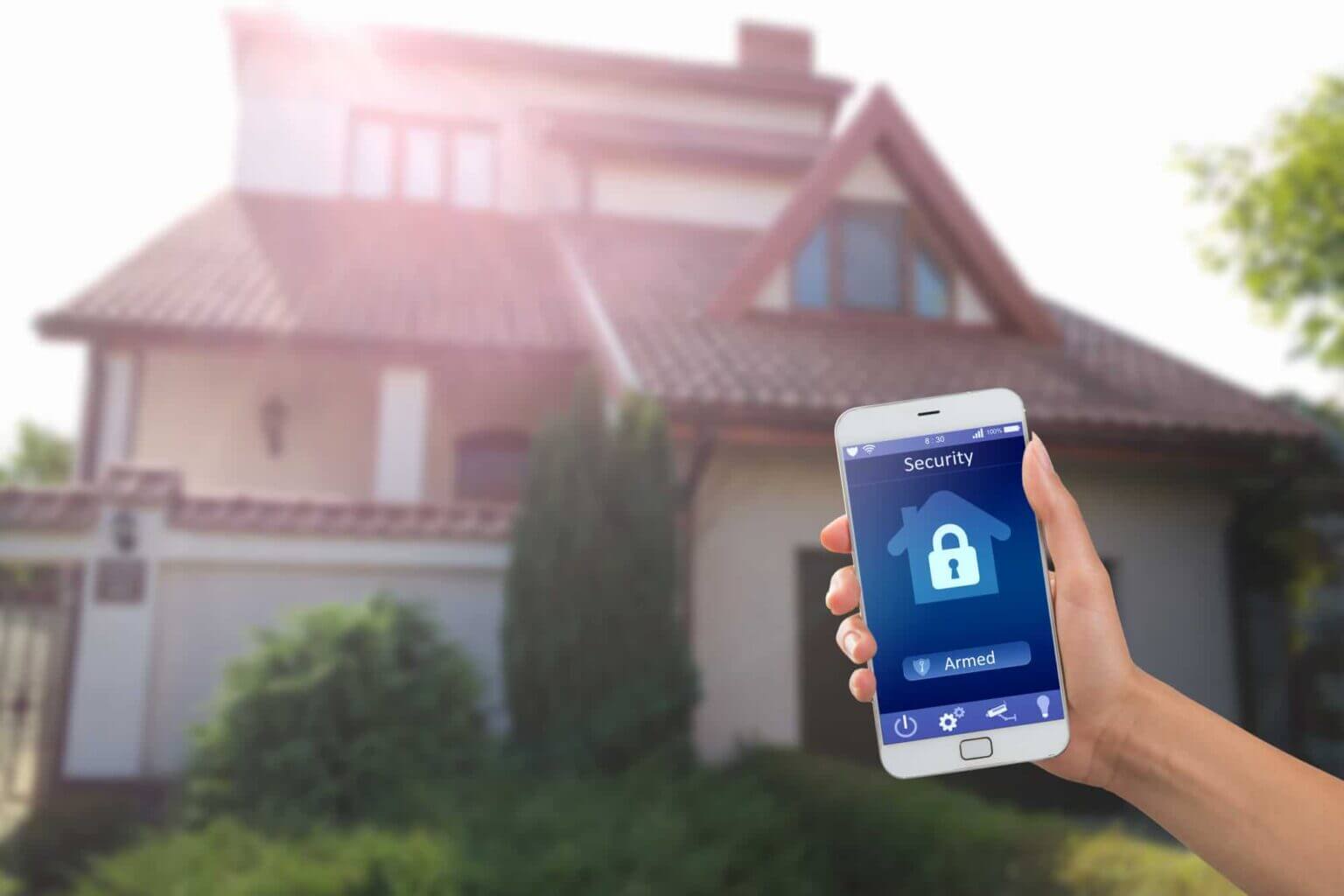
One way that you can improve the security of your home is by installing a wireless driveway alarm.
Do you want to learn more about the benefits of a wireless driveway alarm? Keep reading this article for the top 5 reasons why you should get one for your home.
One of the biggest benefits of getting a driveway alarm is that it is an effective way to protect the entry points to your home and property. If you have multiple points of entry to your home, you can easily install multiple alarms to make sure the entire perimeter of your property is protected.
1. Protect Your Entry Points
This means that you will be able to keep anyone off of your property that is not meant to enter. You can even connect these driveway alarms to your other internal alarms.
Whether you want to help identify intruders or unwanted vehicles on your property, or even if you want to help to detect animals, your driveway alarms will protect each entry point of your home.
2. Cost-Effective Security Option
Another huge benefit of installing a driveway alarm for your home is that it is a cost-effective security option. Many people do not have enough security measures for their homes because they simply cannot afford them.
Even if you cannot afford a complete security system with alarms and cameras, you can get a driveway alarm.
You can also find driveway alarms that fit any budget. Whether you choose an alarm with elaborate features or just a basic alarm, there are many different price points that you can select from.
Driveway alarms are also cost-effective because they are an upfront investment that will not require a monthly payment. Other alarm systems that are offered by companies require monthly subscriptions to function.
If you do not have the budget for this, you can buy a driveway alarm without worrying about hidden costs or other additional fees. Or, you can invest in self-monitored home security systems to avoid monthly fees.
3. Easy to Install
Next, driveway alarms are a great option for any homeowner because they are quite easy to install.
Often, these alarms also come with several sensors. This means that you can put the sensors around different areas of your property. Whether you have a wireless driveway alarm or a wired alarm, these alarms are set up in just a few minutes.
This makes it a great project for people to install on their own, even if they are not experienced with installation.
Not only are they easy to install, but they work great with other driveway safety products. For example, you may want to install reflectors, driveway markers, and other products at the same time.
4. Gives You a Heads Up
Not only is a driveway sensor a great way to protect the entrance points to your home, but it will also give you a heads-up about any movement on your property. If you have multiple sensors installed, you can keep an eye on several locations on your property.
Even if you are not worried about home intruders or other dangers on your property, a driveway alarm can give you a heads-up for any guests who are coming.
If you want a little extra preparation when you are expecting company, having a driveway alarm can give you peace of mind. This way, you will not be surprised when someone turns up at your door.
5. Keep Your Family & Home Safe
Finally, adding a driveway alarm to your home is an effective solution to help keep your home and your family safe. Because it is so easy to install and is an inexpensive option for home security, it is a no-brainer to purchase one of these alarms.
Essentially, driveway alarms act as the first line of defense for your family and your property. If there are any intruders or other dangers on your property, you will be notified promptly and will have more time to prepare and protect yourself.
Without a driveway alarm, you may have to rely on other methods to identify potential intruders. If you are not expecting any visitors to your home and you hear your driveway alarm sound, you can make sure the doors and windows of your home are locked and have time for other precautions.
You can also quickly look out the window to see if the person on your property is someone you know.
If you want an added layer of security for your home, a driveway alarm sensor is an effective way to improve the safety and security of your home and your family.
Get Your Wireless Driveway Alarm Installed Today
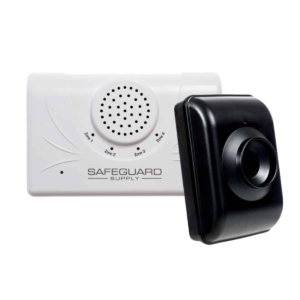
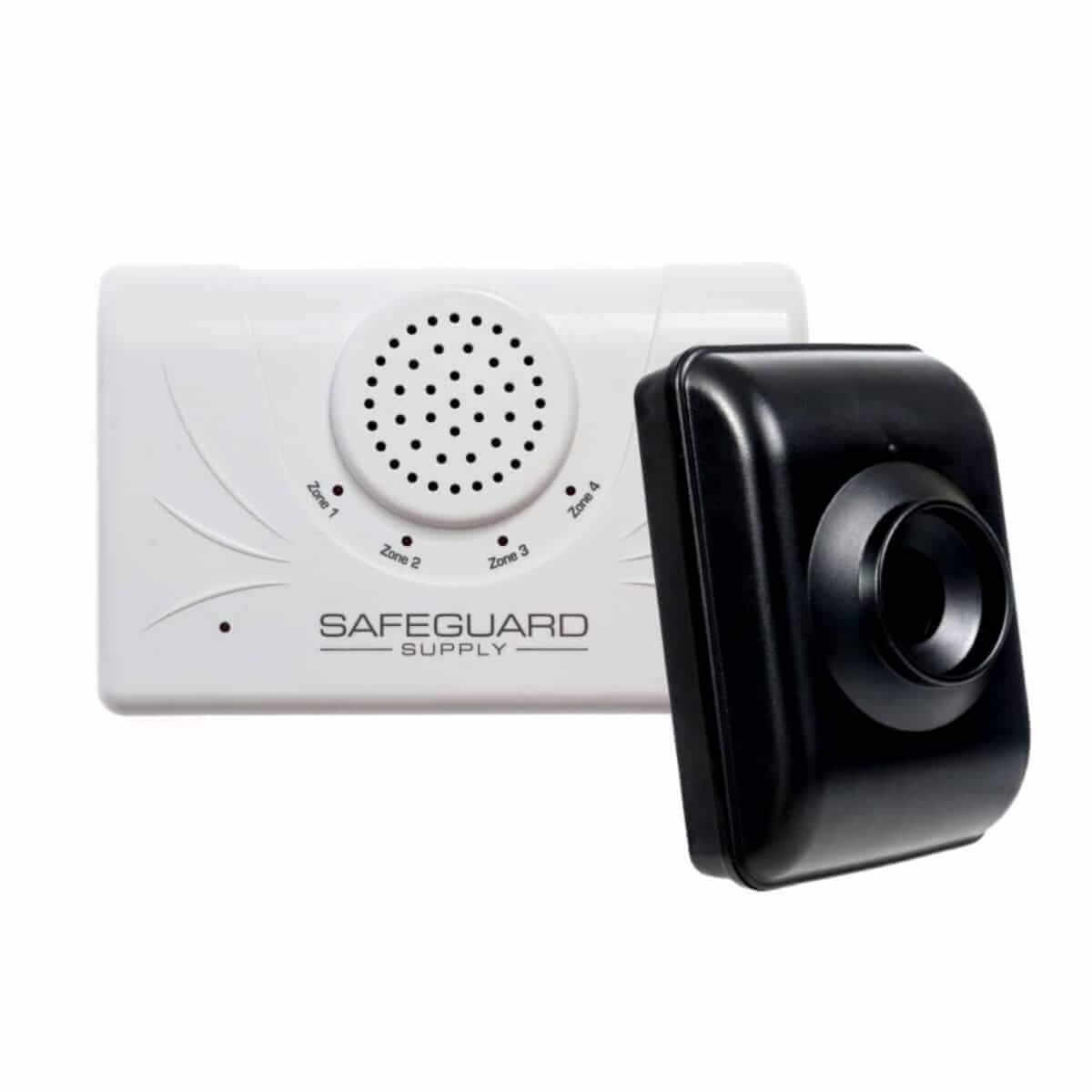
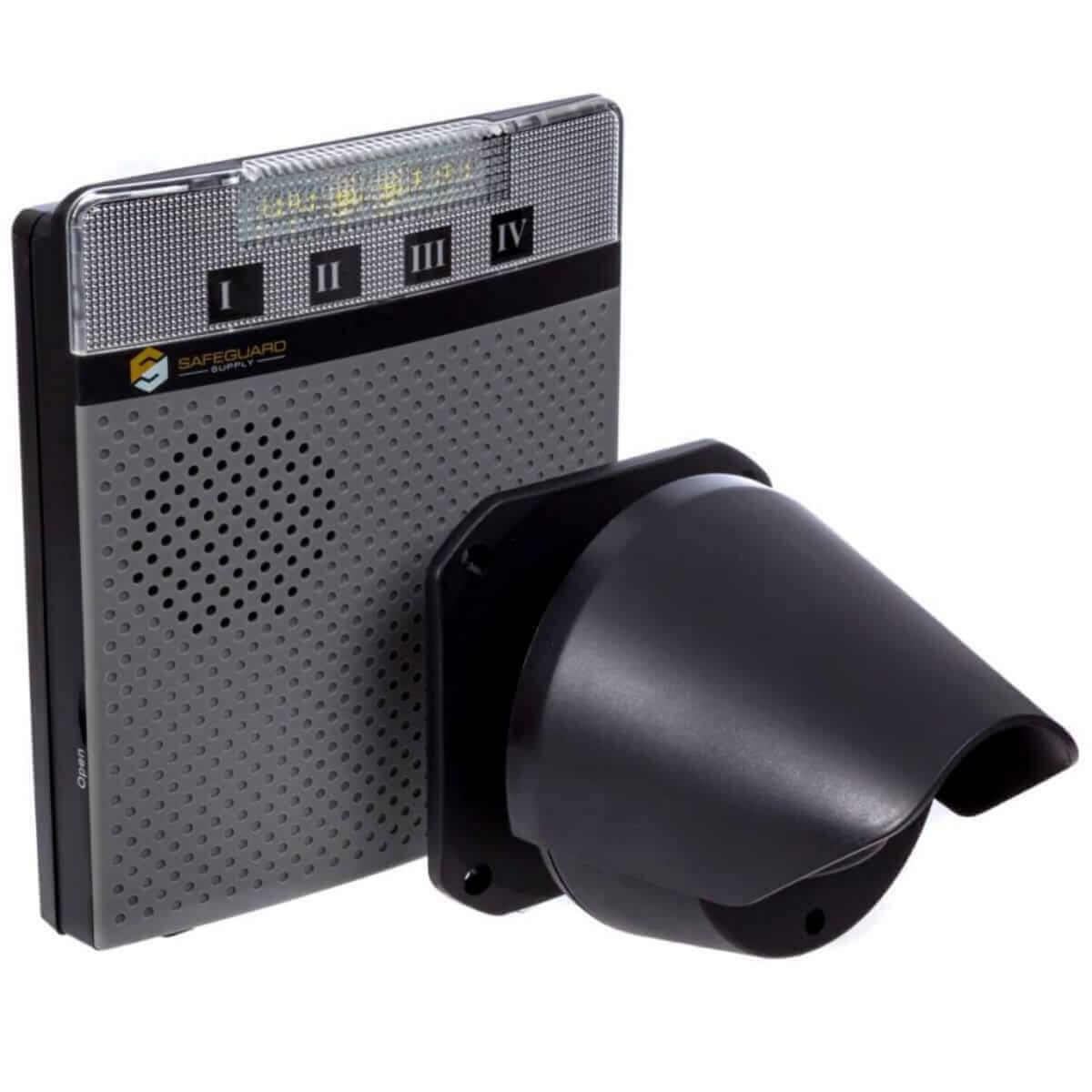
Shop the ERA-DSDCR Long Range Driveway Alarm by Safeguard Supply
4,000 ft range from the outdoor motion sensor to the indoor receiver
The driveway sensor detects movement through the zone and sends a wireless signal to the receiver
Great for larger areas, penetrates through tough building materials
The kit is expandable — add more other sensors like driveway sensors, indoor motion sensors, pushbuttons, and more. Add more receivers to include the ERA-VPRX portable receiver with rechargeable batteries.
Transmitter/sensor powered by AA batteries with a life of up to 12 months. The receiver plugs into a standard wall outlet.
Learn More About the ERA-DSDCR
Home security is not something that you should take lightly. While not everyone needs a full security system, having a driveway alarm is very beneficial to any homeowner. What is a wireless driveway alarm?
It is something that protects the entry points to your home, is easy to install, and will protect you and your family from intruders.
Whether you want to install a driveway alarm or another type of security feature, you must buy these from a reliable and professional company.
If you are looking for driveway sensors for your home or wondering “Do I need a wireless driveway alarm”, 1800 Doorbell can help! We provide home security features from entrance alerts to driveway alarms and more.
Contact our team to learn more about the best wireless driveway alarm for home security and to get your driveway alarm installed today!
Burglary is building across the United States. Almost one million burglaries took place in the country in 2019. More than 300,000 businesses were affected.
It is essential that you take immediate steps to improve the safety of your business. But you don’t need to break the bank in order to do so. Driveway alarms are a cheap and easy tool to increase your security.
What businesses must get driveway alarms? What different alarm systems are there? How can you incorporate an alarm into your system, and what should you do when yours goes off? Use this article as A Guide to Using Driveway Alarms for Your Business.
Answer these questions and you can maintain your security for years to come. Here is your quick guide.
Determine Your Security Needs
Before you make any changes to your security system, you should evaluate how your security is currently functioning. Look into the alarm system in your business, and test the locks on your doors and windows.
Think about what threats you need to prevent. Thieves may try to break into your building, but you may encounter theft from your own employees. Talk to your employees about what they encounter, and touch base with a security professional.
As the name suggests, driveway alarms indicate when a threat is approaching a roadway. It is best for businesses that rely on roadways for their operations, including for deliveries. It is also great for businesses located near backroads, which are common sites for criminal activities.
A driveway alarm has a transmitter and a receiver. The transmitter is what detects motion or heat and then sends a signal to the receiver. The receiver is what notifies you that a threat is approaching your business.
This means that there has to be minimal interference between the two components. Other signals can throw the receiver off. This also means that you must put the receiver in a location where you can hear the driveway motion alarm.
Pick the Right Driveway Alarm System
There are three main kinds of driveway alarms. A rubber hose alarm activates when a person or vehicle applies pressure to the hose. It triggers a loud chime or bell that you can hear while you stand inside your business.
An infrared alarm senses heat or motion. It can detect people and their vehicles, but a false alarm can get triggered if an animal runs across its path. You must put yours at an angle where animals cannot reach it.
A magnetic probe alarm triggers when it detects moving metal. This is perfect if you are concerned about unwanted vehicles. You can bury a probe underground, and it can last for years with minimal maintenance.
You may have heard of a wireless driveway alarm. This is any type of driveway alarm that is not connected to anything.
If you need to spread your sensors apart from your alarm, you should invest in a wireless device. You can get a solar driveway alarm that powers itself through a small panel.
You can add accessories to your alarm like a strobe light or speaker. You can also change the noise of your alarm.
Incorporate Driveway Alarms Into Your Security System
Driveway alarms are one component of your security system. You should follow several distinct business security tips.
Some thieves will be deterred when they hear a business’s alarm go off. But others may hide nearby or try to rush into your building.
You can place security cameras along your roadway. Connect them to a monitor inside your office so you can see if anyone is approaching without going near your windows.
Install shatterproof glass on your doors and windows. It is essential that you do this for any windows that face your roadway. Put blinds over the windows to prevent a thief from seeing into your building.
Move important objects toward the center of your office. Financial documents and hard assets should go into a safe. If you sell weapons like guns or knives, they should be secured in cases located away from the windows.
Tell only a few people that you are installing driveway alarms. An employee may leak the information to a thief, which they can use to modify their plan to break into your business. The more secretive your system is, the more effective it will be.
Respond to an Alarm
Don’t panic if your driveway alarm goes off. Take a look at your security cameras, or look out your window if you are close to the road.
If you don’t see anything, wait for a minute to see what happens next. You may have a false alarm, but a thief may be triggering your alarm to lure you out of your building. Tell your employees to remain calm and secure important objects.
If you do have a security threat, evacuate to a place where you will be safe. This may mean that you will have to hide somewhere in your office.
Get to that location immediately and call 911. Remain silent until help arrives. Your alarm may draw someone else to your business, and you can ask them for help if they are okay.
Drive Away Thieves With Driveway Alarms
Driveway alarms are a great tool for easy security. If you are located near roadways or reliant on deliveries, you should get at least one alarm.
Rubber hose alarms are perfect for any business looking for simple technology. Infrared alarms detect movement, while magnetic alarms are best for detecting vehicles.
Use your alarms as one part of your general security system. Take them seriously and respond promptly when they go off.
Don’t hesitate to secure your business. secure.1800doorbell.com provides the best alarms at the click of a button. Contact us today.
In the past, a bang on the door and a shout-out may have done the job. But society has moved on, and so has doorbell chime technology. Now, excellent solutions for businesses and homes can make it much easier for your visitors to get your attention.
Simply put, a doorbell chime is a button your visitors press to trigger a chime inside the building.
Whether you’re buying for a home or a business, they all work in one of two ways—wired or wireless. Some upgrades include flashing lights, which are great for noisy environments. Some also feature entryway cameras.
Wired Doorbell Chimes
Wired doorbells consist of three basic parts—a button, a chime, and a transformer. The parts are connected with wires to each other and the main power supply, making them easy to install and reliable, but they are also susceptible to power outages.
Wireless Doorbell Chimes
A wireless doorbell chime is more flexible as it is not wired into mains power, and the chimes can be placed anywhere. A wireless transmitter connects the transmitter switch to the chime.
It uses radio waves, so its range is limited. Most receivers plug into a wall socket, giving you great flexibility over where you place them. Battery-operated receivers are also available, giving you even more options.
Business or Residential Use?
The limited range of a wireless transmitter is usually not a problem for residential use. However, more complicated systems may be needed for business use to cover larger premises.
Many business doorbell chimes on the market have a much more comprehensive range, some covering 5,000 feet. This makes them much more versatile. They can be set up to cover different zones and play distinct sounds depending on which doorbell has been sounded.
Businesses may also find motion or driveway alert sensors helpful. They can sound the chime when a person or vehicle approaches, so you know they are there even if they don’t use the bell.
If you’re looking for something for residential use, a standard doorbell chime system will give you a range of about 150 feet. In most properties, that will be enough to allow you to place the receiver wherever you need it the most.
You also need to consider the line of sight to the receiver. If there is interference, such as thick concrete walls, transmitters with a shorter range will struggle. For these situations, choose a transmitter with a longer range that can penetrate these obstructions.
How Do You Install a Doorbell Chime?
Most doorbells come as a kit, including a button, a transformer, and a chime unit. This is a good DIY project if you’re considering installing a simple wireless doorbell chime for your home. But if the system is more complex or needs to be wired into the electrics, it’s best to employ an electrician to do the job for you.
Installing a Wireless Doorbell
The most basic wireless doorbells can be installed very simply. All you have to do is attach the doorbell and plug in the receiver inside the house.
Remove the backplate of the doorbell and screw it in place
Snap on the button unit. This is usually easy to snap on and off to allow you to replace the batteries.
Plug in the wireless receiver within range in the part of the house you want the chime to sound in
If you need to remove an old wired unit, shut off the power supply before removing the button unit. Two low-voltage wires will remain. These can be tied off with electrical tape to cover the bare ends and placed back in the wall.
However, the safest way is to get an electrician to remove the entire old system safely.
Installing a Wired Doorbell
The following instructions apply to a standard 2-note door chime. Replacing an existing unit is relatively easy. If not, you will need to run cables through the walls, which can be tricky.
Safety first: Always shut off the power supply and use a voltage tester to double-check before starting any electrical work.
Install a new transformer in an accessible junction box according to the manufacturer’s instructions.
Mount the bell transformer onto the metal box cover (this will transform the high voltage supply to the needed 8 to 24 volts)
Connect to the existing power supply or create a power supply by running a 2-wire with ground Romex cable from a lighting circuit.
Once you have double-checked all connections, turn the power supply back on and test the system.
You can use a single transformer for two chimes, allowing the doorbell to sound in different parts of the building. Alternatively, you can have two doorbells—the front and back door, for example—attached to a single transformer and chime.
Choose 1800 Doorbell for Your Next Doorbell Chime!
Doorbell technology has moved on from the simple doorbell chime we had at home. There is an excellent range on the market now that can ensure you never miss a visitor, either to your home or business. With huge ranges, flashing lights, and powerful chimes, you’re always kept in the loop.
At 1800 Doorbell, we understand the doorbell needs of both businesses and residential customers. We have products to suit all properties and budgets. You can even email our friendly team for advice to get precisely what you need.
There are many reasons to replace a decorative doorbell button. I mean, who doesn’t want a kitschy-cool pineapple doorbell button? – It’s all too beautiful! The good news is that replacing a doorbell button is usually straightforward.
How to Install a Doorbell Button: Wired Doorbells
The short video below by our friend Dennis Coffey demonstrates how to replace or install a doorbell button.
Please note that if you are uncomfortable installing electrical products, please hire a qualified electrician.
First, choose a replacement wired doorbell button. If you want a different style of doorbell button, make sure the replacement will fit. Be prepared, for example, to at least add a little paint around a new rectangular doorbell button if you’re replacing a round doorbell button.
Other times, the space might have been specifically designed for the doorbell, and it might require more intervention than you want to make a replacement.
Note: If you have an older doorbell, test the voltage across the button before selecting a replacement. All doorbells have a door chime transformer that reduces the voltage from the house line (120 volts (V) and normally 15 amps) to something much less. This makes it safe to touch the wires that lead to the doorbell button but not other wires in the house or the doorbell.
However, current doorbells use a smaller voltage (16 V or 12 V) than earlier doorbells, which use a higher voltage (36 V or 24 V). When a doorbell button rated for a lower voltage is installed in a higher voltage doorbell, the doorbell can get hot, especially if the doorbell button has a light in it.
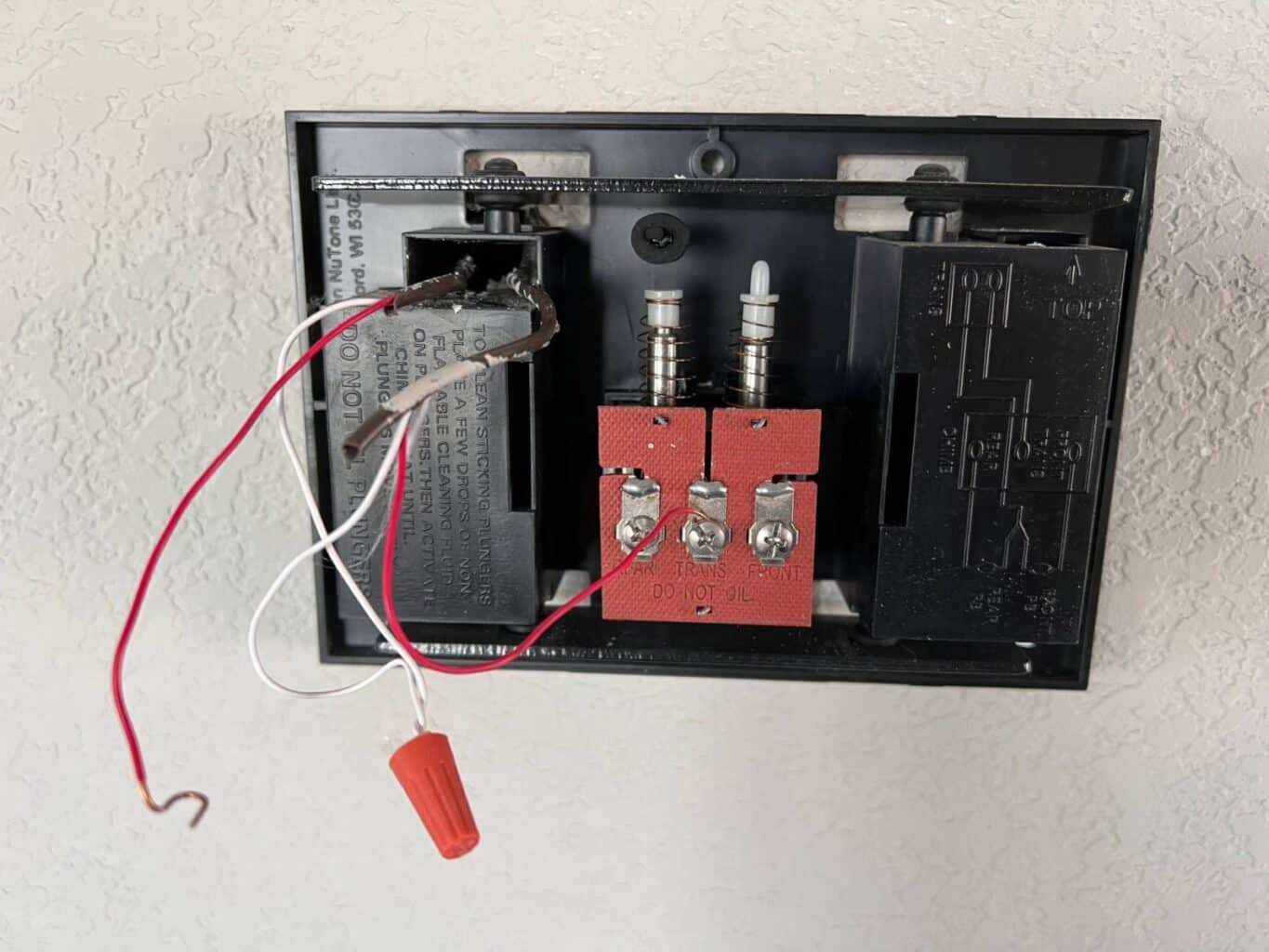
Next, remove the old doorbell from the wall by unscrewing it. If you haven’t previously removed it for testing, you might have to cut away caulk or paint. Now, unscrew the wires. As we mentioned above, you don’t have to turn the power off for this because the voltage is very low, but if it makes you feel safer, there’s no harm in turning the power off.
If the wires seem to want to slip back into the house, a clothespin or other large clip can be used to hold them outside the wall so they don’t go in—fishing them back out can be nearly impossible.
Now screw the wires onto the new doorbell. It doesn’t matter which wire goes where. So long as both have good connections, the bell should work fine. Twist the wire around the screw in a clockwise arc so that the wire has more connection and the action of the screw pulls the wire in rather than pushes it out.
If the doorbell has a light on it, this should be lit up when you connect the wires. Test the button before you put it back on the wall. If it doesn’t work, check the connections on the wires. If these seem fine, disconnect and touch one to the other to ensure you get a tone. If you don’t, you likely forgot to turn the power back on before trying your test.
If the doorbell is working, put caulk around the back of the doorbell before securing it in place. This will keep air and bugs from using your doorbell as an entry and exit. Once the caulk is dried, you can touch up the paint around the doorbell as necessary.
How to Install a Doorbell Button: Wireless Doorbell
Once you select your new wireless doorbell button, you must ensure it is coded properly before it will work for your receiver. Open the doorbell button and look for a series of metal pins in two rows. Typically, they will have some black plastic blocks on them, but sometimes, these aren’t in place on a new wireless doorbell button.
Now open the compartment on your receiver. You should see a similar arrangement of pins with black plastic blocks. Match the blocks on your new doorbell button.
Then, replace the receiver in the socket (if necessary) and push the button. If the button doesn’t work, it’s possible you misaligned the two units when trying to match them up—it can be hard to tell which way to hold them—so try a mirror image on the new button.
If it still doesn’t work, maybe the factory-installed battery is faulty. Try a new battery. If it still doesn’t work, the wireless doorbell button may be defective.
If you are installing a new wireless doorbell, attaching the wireless doorbell button to the wall can be challenging. For many surfaces, such as wood, you can just put screws through the holes provided in the backing of the doorbell button.
If you’re lucky, the screw holes on the back of the wireless doorbell button might even match those from an old wired doorbell button. Other times, you may have to put a block of wood in to allow you to screw the new doorbell where the old one was.
Two-sided tape works well on many smooth surfaces, such as wood, aluminum, or vinyl siding. Often, this comes with the wireless doorbell button, but you may have to buy it separately.
Other surfaces, such as stucco or brick, can be a bit more challenging to attach the button to. If the brick is relatively smooth (especially if it’s painted), you should try two-sided tape, but if it’s rough or has grooves in it, it’s probably not worth the effort.
In this case, one good solution is poster putty, such as you might have used in your college dorm room or rental property where you weren’t allowed to put holes in the wall. Some brands are better than others, but if you try a few, you’ll find one that grips the rough surface and can hold your wireless doorbell button up quite well.
If you want a secure hold for your wireless doorbell on these surfaces or if you don’t want to bother with the trial-and-error of poster putty, you can secure the doorbell with screws. Masonry screws usually are too large for the holes on the back of a wireless doorbell button, so you have to drill holes and place anchors. This is a bit more work, but on the plus side, you won’t have to worry about your doorbell falling occasionally, as tends to happen with double-sided tape or poster putty.
A Doorbell for All Seasons
Once you figure out how easy it can be to replace your doorbell button, you might decide that just one doorbell button is not enough. You could have different doorbells for different seasons or just one you pull out for that particular holiday party.
Okay, so most people aren’t that obsessed with their doorbells, but we’re just saying – if you are, it’s not that hard of a thing to do. Certainly more accessible than a new haircut – and if you don’t like it, you don’t have to wait for it to grow back!
We hope you enjoyed this article and that it helped you figure out how to install your doorbell button. Please feel free to call us if you need any assistance or have any questions. We always recommend contacting a licensed contractor if you don’t have experience working with electrical installations.
Research shows that approximately 95% of businesses have experienced different kinds of theft or burglary. These incidences can sometimes lead to physical injuries or loss of sensitive business documents, client information, and goods.
Regardless of whether or not your company handles sensitive data, it’s essential to develop measures to protect your clients and employees. One effective technique is to install business door chimes. Choosing Business Door Chimes might seem a little tricky because there are so many choices out there.
These gadgets can enhance security and help you monitor walk-ins, allowing you to offer better services. Are you wondering how to improve efficiency and equip your workplace with reliable security equipment?
Here we discuss seven factors you should consider when selecting a business door chime.
Things to Consider When Choosing Business Door Chime
1. Types of Wired Door Chimes
When choosing a suitable door chime for your business, you should first determine your preferred type. The most common models available in the market today are wireless and wired doorbells.
A wireless door chimes for business functions by connecting a transmitter switch to the chime using radio waves. Once someone pushes the button, the device will transmit a signal, which you will pick as a chime, buzz, or light.
These models don’t require any wiring, are portable, and come with a security camera. Still, they have a limited radio wave range and need frequent recharging since they use batteries to run.
On the other hand, wired door chime options have a push-button and a central unit installed in the building. Some of the main benefits of wired doorbells include easy maintenance and installation. However, these devices are not portable and may be unreliable in case of power loss.
2. Choosing Business Door Chime for Security Reasons
Another crucial aspect to consider when selecting a door chime for your business is security. While some models only notify you when someone presses the push button, others have added features.
For instance, video business door chimes have a camera that allows you to identify people entering various rooms. You can also integrate them with your security systems and door alarms to enhance safety.
Doorbells with added security features are ideal for retail businesses such as convenience stores and grocery shops. They are also perfect for companies that handle sensitive data, such as managed service providers (MSPs).
3. Upkeep and Maintenance of Wireless Chimes
All doorbells need proper care and maintenance to continue working well. Nevertheless, some models may be more delicate and call for frequent upkeep measures.
Before buying a door chime for your business, ensure you determine how often it requires servicing. Other than that, ask if there are any practices you need to observe to enhance the device’s lifespan.
Some of the places you can find this information include the manufacturer’s website and online articles. You can also reach out to a reliable supplier or chime specialist to determine each model’s upkeep and maintenance needs.
4. Placement of Wireless Push Buttons & Receivers
The location of your doorbell can determine if the device works as needed. For example, if you do not want your clients and employees to hear the chime, the device should be in a discrete location. It should also have a low volume or an adjustable one so that you can control how far the chime reaches.
In contrast, if you want a door chime that will notify all your employees, consider purchasing one with a higher volume. It should also fit in the most strategic location so that the sound can reach the relevant recipients. However, test the device first to ensure that the volume is not too loud or uncomfortable.
If you are getting a wireless business door chime, check its range to determine the best area to place it. Ideally, the receiver should be in a room with minimum obstructions as they can affect transmission.
5. Chimes Cost
The cost of a business doorbell can differ depending on its features and manufacturer. Before you settle on a specific one, talk to various door chime providers to learn more about their products. You can then pick about three brands that are suitable for your business’s needs.
Once you have several options, consider your budget while avoiding cheap or overly priced models. Apart from that, estimate how much you will incur on maintaining the device in the long run.
It’s advisable to always go for a door chime material that will need minimal upkeep. This way, you can reduce recurring costs and be sure that you are getting a high-quality product.
6. Nature of the Business
The type of business you run can determine if a door chime is suitable for your workplace. For example, if you run a library or hospital, it’s recommended to opt for less-noisy models. Such may include those that vibrate or buzz instead of producing sound.
Alternatively, if you run a busy business that requires workers to leave counters often, go for a door chime that produces sound.
Such a model will notify your employees of walk-ins and help them improve customer service. It will also boost security as they can comfortably leave their registers to work in other areas.
7. Reviews of Wireless Business Door Chimes
Determining the pros and cons of a specific door chime can be challenging if you have never used it. Hence, it’s essential to assess the functionality and reliability of each option you are considering before deciding which one to buy.
Start by reading product reviews written by people who used the product in the recent past. You can find this information on third-party sources such as e-commerce websites and online forums.
Learning more about each door chime will allow you to confirm if they function as advertised by the manufacturers or sellers. It will also help you avoid spending money on products that may fail within a short time.
Besides, reviews also give you a clear picture of how the device functions so that you can determine if it is the best option for your business.
Reach Out to 1800 Doorbell for Quality Business Door Chimes
Choosing the best equipment for your business may be an uphill task when there are many available options. At 1800 Doorbell, we provide a wide range of wired and wireless business door chimes.
We can help you select the most suitable device based on your needs and budget. Sign up today to start shopping for high-quality door chimes designed for specific business needs.
When it comes to customer service, a quick and sufficient greeting is key. Your employee’s inability to greet customers in a reasonable time frame can result in a poor first impression and forever loss of a customer.
But how can you possibly greet all of your customers when you didn’t hear them come in? The solution? Invest in a business door chime.
From making it easier to acknowledge your customers to allowing for efficient workflow, there are numerous benefits of a door chime for your business’s success. Ready to invest in the best door chimes for businesses? Follow along to discover the eight undeniable reasons to take the plunge today.
Reasons to Invest in a Business Door Chime
1. Security
Perhaps the most beneficial perk of an entrance alert for businesses is their impact on security.
Whether you are busy with other customers or have your head stuck in the computer, it can be easy to miss a shoplifter without a little extra help from a door chime.
Every time a customer enters and exits the building, you’ll be the first to know about it. While the door chime won’t alert you of products tucked in their pocket, the awareness of employees is often enough to deter a shoplifter from striking.
At the very least, saying hello and making eye contact with each customer that walks through the door gives you a chance to identify a thief and reclaim lost product.
2. Welcome Customers
As we mentioned above, a warm greeting is the starting point for a great customer experience.
When customers aren’t acknowledged, they take the lack of attention as a sign that you don’t care to have their business. Not only will they have a poor first impression of your brand, but they may never return again.
Even if you are busy with another customer, a door chime takes the pressure off for a quick response. Similar to the friendly chime of bells when you walked into your local cafe back in the ’90s, a door chime assures customers that you know of their arrival and will be around soon.
This gives you the chance to come out from the back or quickly excuse yourself from your current customer interaction to let them know you’ll be with them shortly.
3. Improve Customer Service
Just like we mentioned above, customers are relying on your employees to help them out when they enter the store.
If your employees aren’t aware that customers are around, how can they possibly provide them with an excellent experience?
A business door chime helps you keep up with what’s going on in the store even if you are busy with other things. If your employees are expected to complete paperwork or spend time in the backroom when the front isn’t busy, a business door chime is an absolute must.
4. Increase Productivity
On the other hand, if you’ve been leaving your employees out front to ensure no customer’s entry is ever missed, you’ll love how a door chime opens up space for efficiency.
Employees can invest their time in tasks outside of customer service such as stocking shelves, taking inventory, and doing paperwork during opening hours. When a customer enters, they will be alerted and can promptly change their task to suit.
This will save you from paying multiple employees to complete a job that just one or two could complete on a slow day.
5. Track Customer Stats
The best way to maximize sales is to understand your customer experience.
If you are only tracking sales, you might be missing out on valuable information that could indicate how to grow and scale your business.
Let’s say for example that you completed 15 transactions on a Tuesday afternoon. This could indicate that business was slow that afternoon, however, the sales don’t necessarily reflect the traffic.
With customer stats, you then discover that 80 people entered your business on that same afternoon. So why did only 15 people make a purchase?
With this information, you now have a starting point to investigate where the wheels are falling off in your sales approach and take steps to improve your strategy.
6. Reduce Employee Theft
It may come as a surprise to learn that employee theft is actually far more common than shoplifting. In fact, theft by employees is one of the biggest security threats for any company.
Again, alert chimes do not act as a metal detector or stop your employees from stealing valuable information from your systems. What they can do is alert you of suspicious activity by your employees.
If your employee is entering and exiting the building when they shouldn’t be, you’ll have a heads up to resolve the problem before it gets out of hand.
7. Delivery Notification
There’s nothing more annoying than missing a delivery because no one was in to sign for it. Save yourself the time and energy of rearranging delivery by setting up an entry alert and never missing another drop-off.
Just like when customers arrive, employees will be notified when the delivery man shows up and no deliveries will run the risk of being returned to sender.
8. Multi-Door Awareness
Do your employees, customers, and deliveries come and go from more than one door? Keep track of every door by installing entrance alerts at each point of entry.
With different chimes for each door, you can keep track of all comings and goings with ease.
This reduces the chances of the wrong person getting in your back room or employees sneaking out early from their scheduled shift.
You can rest assured you have a solid grasp on everything happening inside your business.
Choosing Your Business Door Chime
Now that you know the eight essential reasons to install a business door chime in your establishment, it’s time to take action. Keep your business safe, efficient, and customer-focused with the best door chimes for business.
Ready to install but don’t know where to start? Get in touch with us today to discover which entrance alert is best for your business and get on your way to becoming a better business.
At secure.1800doorbell.com, we carry a large assortment of driveway alarm products, and it’s easy to get overwhelmed by the number of products featured in our driveway alarm shop. This article offers driveway alarm reviews to help you choose between the top listed products on our website.
The Driveway Informer 2.0 – Wireless Driveway Alarms Like the ERA-DSDCR Keeps Intruders Away Model DI2000S-A – $119.98
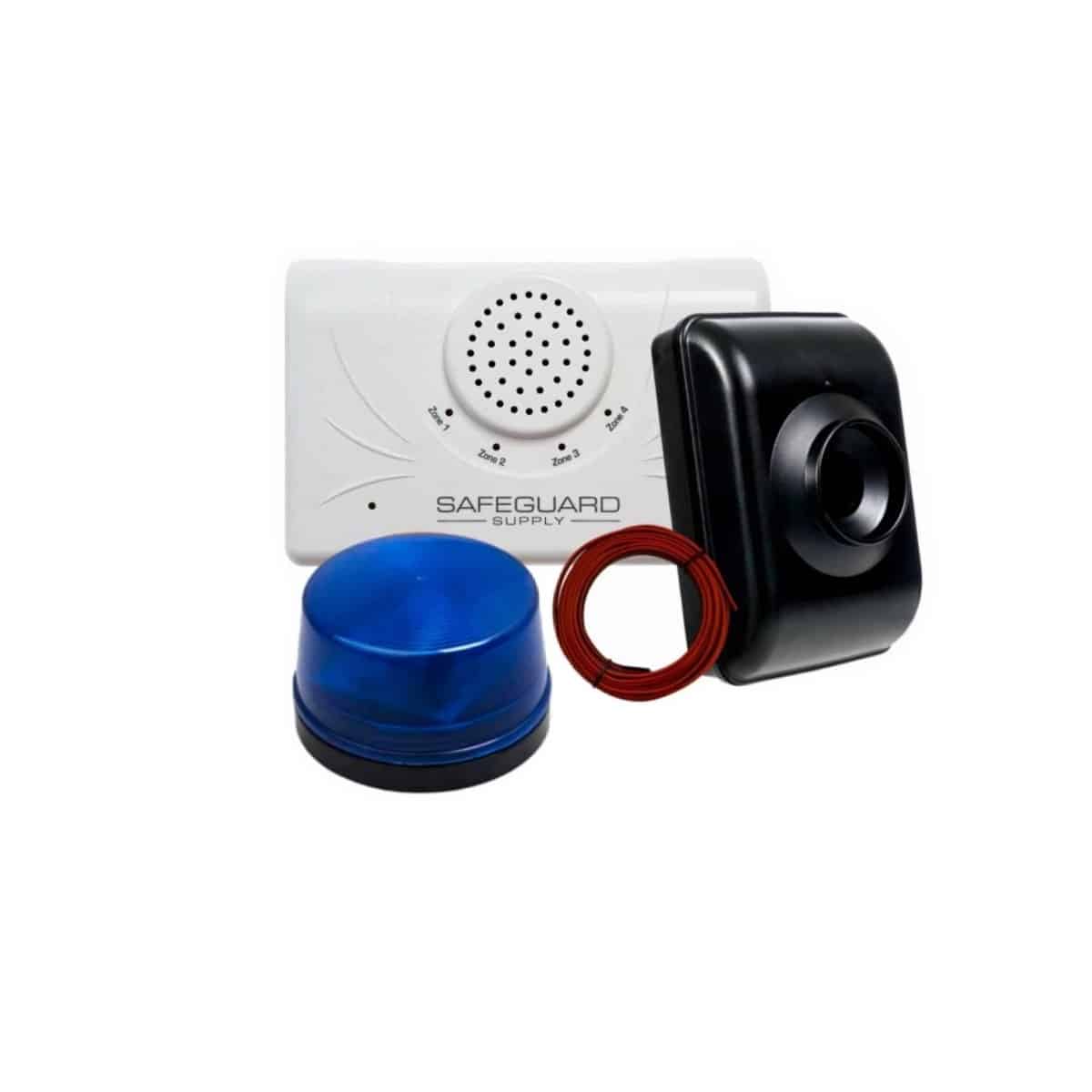
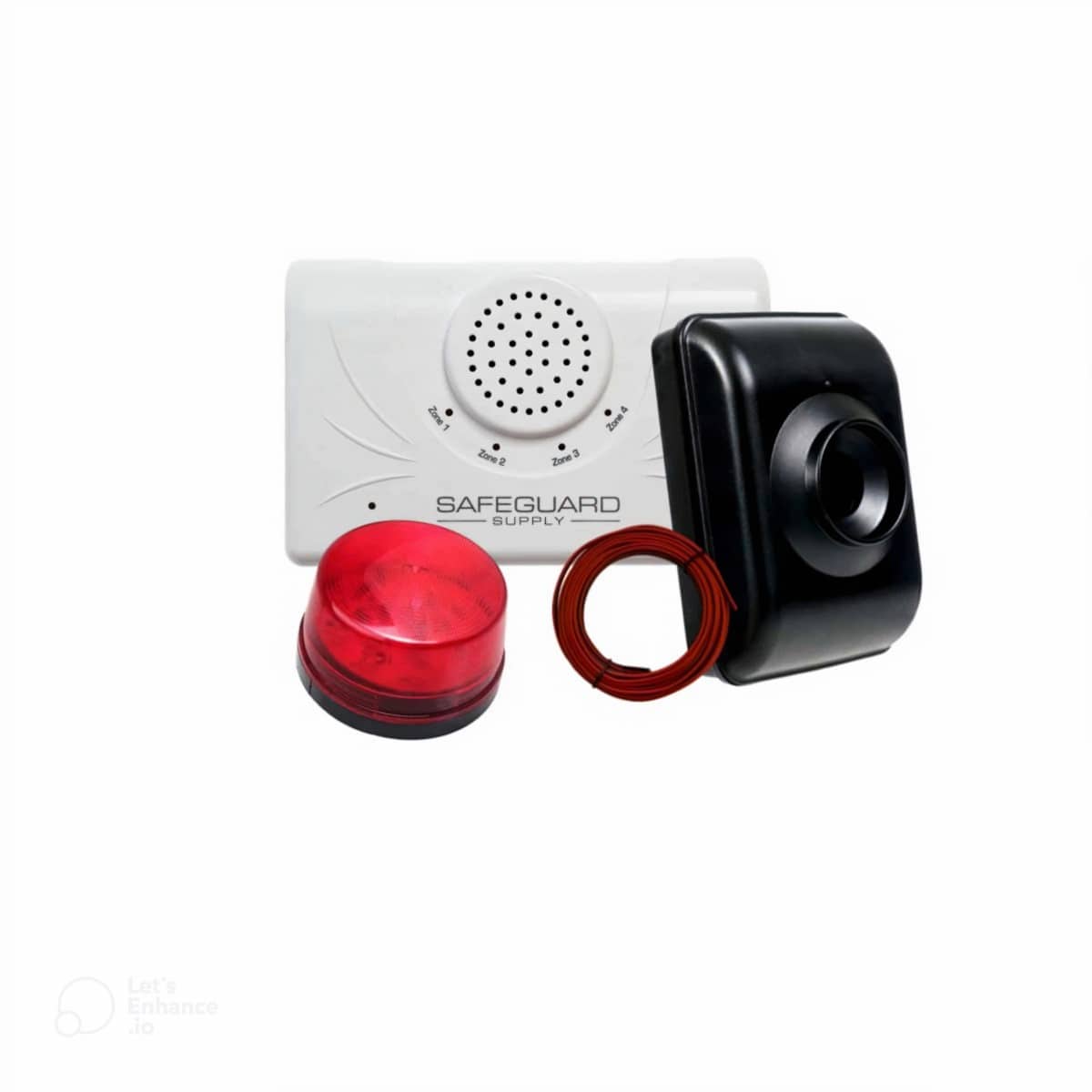
ERA-DSDCR Wireless Driveway Alarm Kit by Safeguard Supply
It’s the best because it easily satisfies all the important requirements–and excels in all of the categories above. This is an easy-to-use, yet fully-featured, alarm solution that is also cost-effective. We’ve received tons of positive feedback about the DI2000S-A. We urge you to compare the Driveway Informer feature list below with your requirements. After that, we won’t be surprised if you decide that the Security 2020 (Model DI2000S-A) is the best solution for you.
A similar driveway monitor is the DCMA-4000 by Dakota alert. In most ways, the kit works the same as the Safeguard Supply ERA-DSDCR with the following differences.
DCMA-4000 sends a driveway monitor alert up to 5,000 ft. The ERA-DSDCR sends the driveway alert up to 4,000 ft.
The ERA-DSDCR has 4 x 12v DC outputs to add accessories such as a driveway bell, a siren, a strobe light, or a piezo siren with volume control.
The ERA-DSDCR has 1 x C-form relay for connection to external home security alarm products. The DCMA-4000 does not.
The driveway monitoring system zone is the same for both products.
Top 10 Driveway Informer features:
Covers the distance with an amazing range of 4000 feet.
Flexible with a 360-degree antenna allows line-of-sight adjustments. While direct line-of-site is ideal, the powerful transmitter should get a 4000-foot range in most cases.
Customizable for your needs, with up to four monitoring zones and unique audio alerts for each.
Expandable with an extra speaker option for an additional location (sold separately).
Integrates with your other automated home security products with an accessories connection for items like the Siren, Strobe, or X-10 Interface.
Built-in counter with digital display.
A long-life battery that handles lots of traffic (2-year life at 500 rings per day!)
The user-friendly system is simple to use and install.
A cost-effective system is manufactured to tough Military specifications. This driveway alarm will stand up to the elements. The Driveway Informer driveway alarm delivers great value and is built to last.
Top 10 LRA-DRV1000 – Wireless Driveway Alert Kit by Safeguard Supply – $59.98:
LRA-DRV1000 Safeguard Supply Wireless Strobe Driveway Alarm Kit W/ 1000 ft. Range
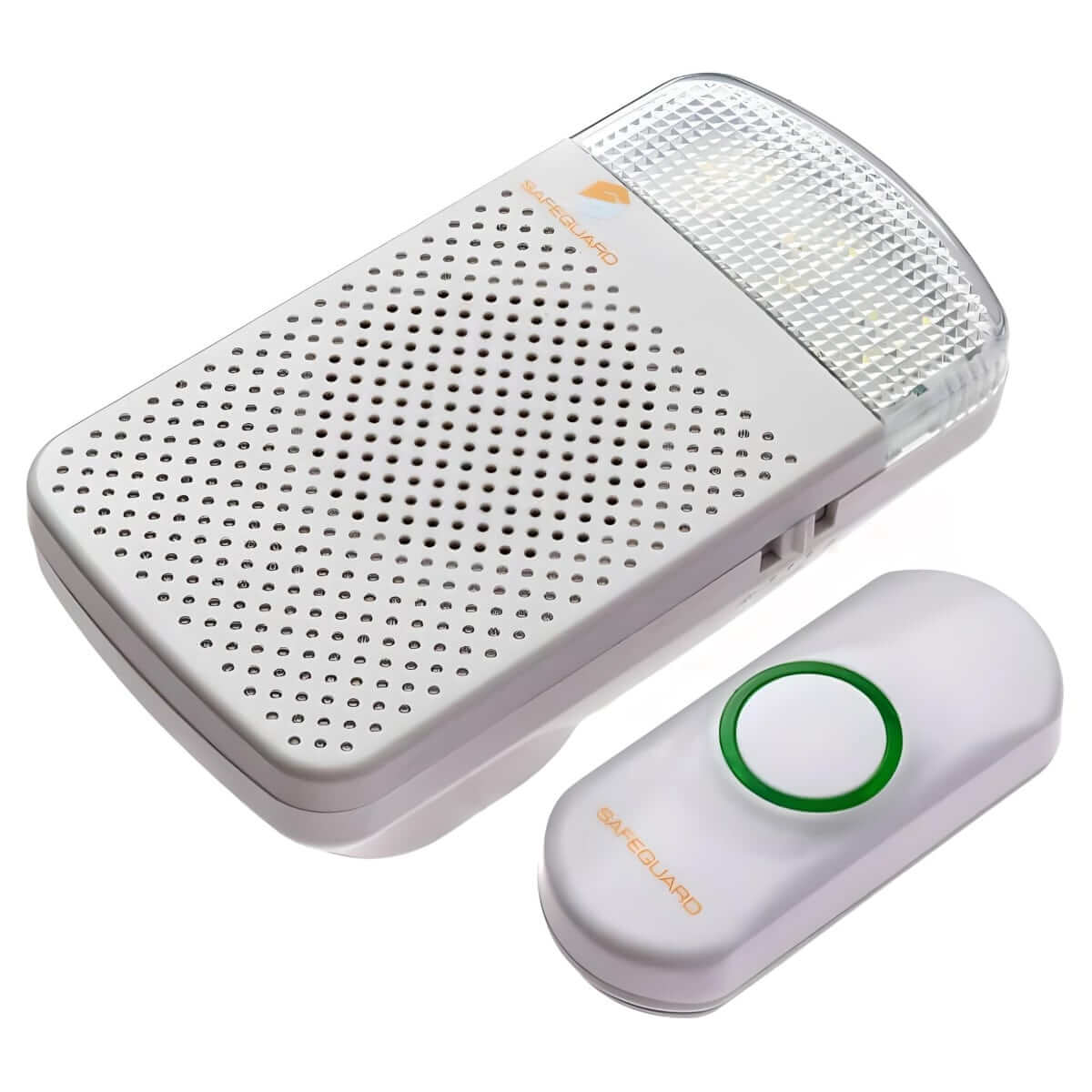
The LRA-DRV1000 is a driveway alert kit in the LRA series of products by Safeguard Supply. The outdoor-rated PIR sensor detects movement and sends a wireless signal to a compatible receiver. In this kit, the receiver is the LRA-DCRXA that features four zones, volume control, and best of all, a bright flashing strobe light you can turn on and off. Like all products in the LRA series, all transmitters and receivers are compatible with one another so you can expand the system by adding more transmitters and receivers to the kit.
1,000 ft. range provides plenty of power to ensure your driveway alarm works when you need it to.
Expandable through adding as many receivers as you want. Safeguard Supply offers different receiver types to include a plugin strobe receiver and a portable receiver.
Bright strobe light. The receiver allows you the ability to use Sound Only (w/ volume control), Strobe Only, and Sound and Strobe together.
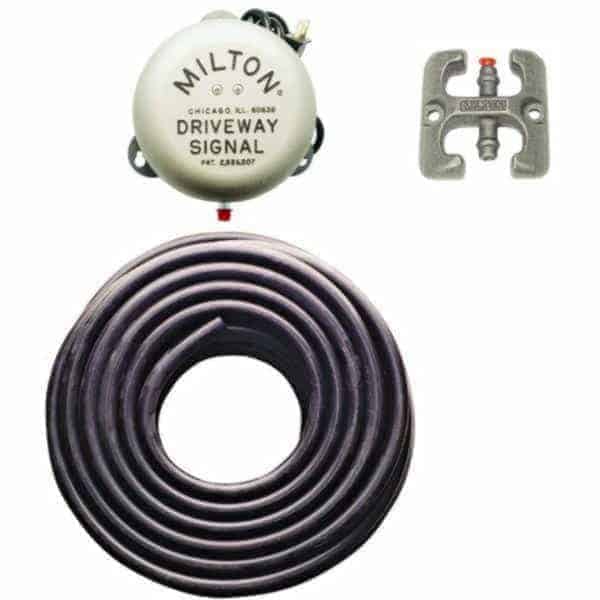
Driveway Signal Bell Kit 1 Model 8DSBS1 $149.98
This Signal Bell Kit is a replica of the old-time gas station driveway bell–the type that rings when somebody drives over the black rubber hose on the ground across a driveway. Customers often comment that this type of signal bell was used by full-serve gas stations in the 1950s. It can give your business a vintage or “old-timey” feel, and it’s simple to assemble. The ding-ding sound is loud enough to be heard from anywhere–even in a noisy and busy environment. This Driveway Signal Bell Kit won’t work on a gravel driveway, however.
Used on asphalt or concrete only
Plugs into an electrical outlet
Printed with a patent date of May 12, 1959, listed on the bell’s back and the packaging
A sensitive ball system works with up to 300 ft. hose
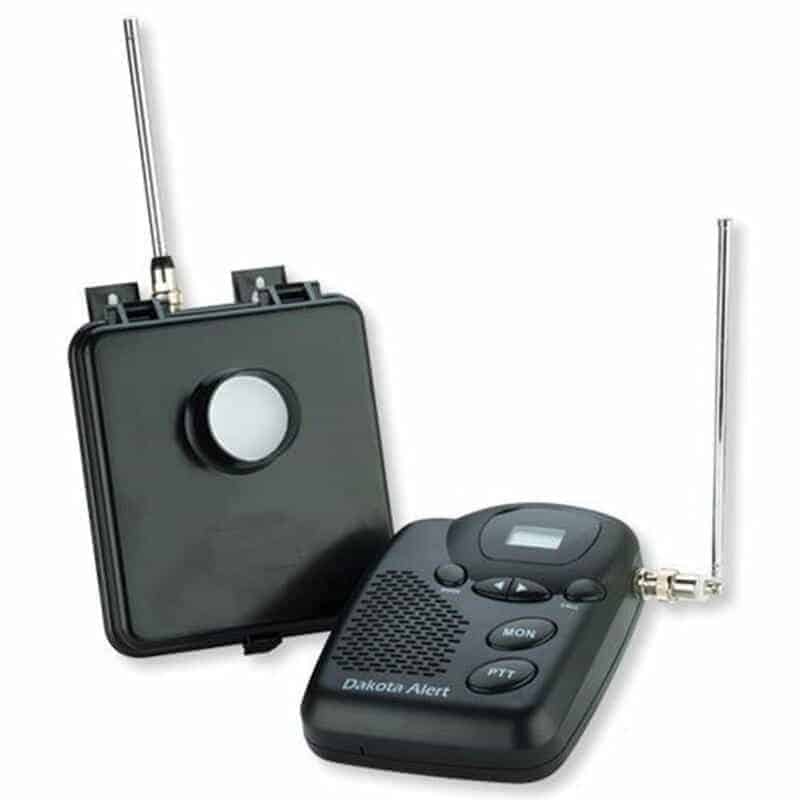
MURS-BS-Kit Wireless Driveway Alarm Model MURS-BS-KIT $151.88
When you have a long driveway or far-away gate, or even a corral entrance that you would like to monitor for activity, this long-range system was made for you. Users of this alert typically find it useful that the receiver and monitor work on the same frequency that handheld walkie-talkies use. If you already own or want to purchase walkie-talkies you can have a multi-use device to communicate over large properties like a big storage area or ranch.
Compatible with walkie talkies
Several-mile range
Battery-powered transmitter uses (6 AA) which should last a year under most conditions
Detects movement within the zone
Base plugs into an electrical outlet
Base station with 4 zones with unique vocal alarms
Whether you’re interested in improved security or just need a warning before visitors turn up at your door, 1800Doorbell.com has many driveway alert options to fit your needs. These alarms can serve as a nice supplement to your home or business security system. Give us a call if you need assistance or have questions, before or after your purchase. Our customer service specialists are happy to help you choose the best solution for your property. We’re also here if you need support during installation, troubleshooting advice, or information about accessories. Contact 1800Doorbell.com today.
The short article below instructs how to program an LRA push button to a receiver. In this case, the receiver is the LRA-DCRX battery-operated receiver. Although these instructions are for programming a push button, the process is similar. For a different transmitter (sensor), trigger the sensor in “Step 4” below rather than pushing the center push button. Please consult those manuals for specific instructions on other receivers, such as the LRA-VPRX portable receiver or the LRA-DCRXS plugin receiver.
The LRA-DCRX, LRA-DCRXA, and LRA-VPRX each have four zones.
Each zone can only have one (1) transmitter at a time stored in that zone’s memory.
It does not matter what Zone you program or pair your transmitter(s) to. They are all the same. The purpose of the zones is to allow you to assign a distinct melody to each zone so that you may determine what sensor triggered the receiver.
When trying to pair a transmitter, such as the LRA-DSTX, LRA-DCTX, & LRA-PBTX, if there is already a transmitter paired to a zone, then you must delete that memory for the zone to program the new transmitter to the zone.
Even though you may not have intentionally paired a transmitter to a zone, it’s good practice to delete the zone and start over if you have trouble programming. For more information on deleting a zone from memory, click here.
The instructions below illustrate pairing a push button (LRA-PBTX) to a receiver (LRA-DCRXA). The process for pairing other receivers is similar. Please click here for information on pairing the LRA plug-in strobe receiver and the LRA-DCRXS.
Once you are in programming mode (step 3 below), the unit will automatically exit programming mode after 10 seconds.
To Program an LRA Push Button, Open the Cover of the Receiver
Ensure the receiver has fresh batteries, or you are using a plug-in wall transformer to power the unit.
Open the cover of the receiver.
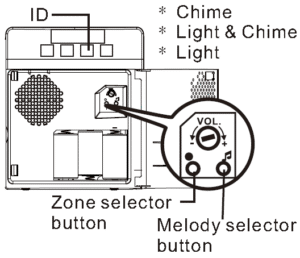
Press & hold the “Zone selector button” for approximately three (3) seconds until the strobe light flashes, and zone “ID” one (1) starts to blink. Then, stop pressing the Zone selector button.
IMPORTANT: If you want to program or pair a transmitter to Zone ID 1, move to the next step. If you already have a transmitter/sensor programmed to Zone ID 1 and want to pair an additional sensor/ transmitter, push the Zone selector button to scroll to the zone ID you want to program. Once the Zone ID you want to program the sensor blinks, move to the next step.
Press the “Melody selector” button to scroll through the melodies available on this receiver. Stop pressing the Melody selector button when you hear the melody you would like to program to that zone.
Press the button on the push button transmitter.
If you have additional transmitters/receivers to program, go back to step 4. Otherwise, go to the next step.
Now your transmitter(s) are programmed to the receiver. To exit programming mode, press the Zone selector button to scroll through the Zones. Once you pass Zone ID 4, the unit will automatically exit programming mode.
Watch the video below on how to Program an LRA Push Button (Transmitter) to a Receiver.
This is a slightly older version of the LRA-DCRXS, but the process is the same. In addition, the black push button (LRA-PBTX) is no longer available.
If you are on this page, there’s a decent chance you were redirected here from our sister website, security2020.
1800doorbell and security2020 are branded by Lord Henry Enterprises. To provide our users with a better shopping experience, we have combined the security2020 website with secure.1800doorbell.com. If you have any questions or comments, please feel free to call or email us.
The Lord Henry Enterprises, Inc. website, DrivewayAlarm.com was a website devoted to our robust line of driveway alarms, wireless driveway sensors, and driveway signal bell products.
If you came to this page after trying to go to our site www.drivewayalarm.com, we are the same company, but now with a new name! We offer the same great alarm products on this website. To see our full line of driveway alarm products, please click this link: Driveway Alarm Monitoring Systems.
What are driveway alarms?
Driveway alarm systems are products that send an alert when a car (or person depending on the model) passes through a monitored zone. Similar to an entrance alert system, these products usually consist of a combination of wireless transmitters (sensors) and plug-in or battery-operated receivers. The main difference between a driveway alarm product and an entrance alert product is the coverage of the sensor. Driveway alarm sensors will tend to shoot out a more narrow, straight beam, with the intent to shoot the beam across a driveway, whereas an entrance alert sensor will tend to emit more of a fan-based or conical-shaped beam.
Technically speaking, these products use the term “driveway” although they have many more uses. For very large openings, like a mall entrance, these work great. Simply set the sensor a foot or so off the ground and shoot the beam straight across the opening. When a visitor enters your store, the clerks will hear a gentle chime sound, alerting them they have a visitor.
Three basic types of Driveway Alarms:
The big differentiation between driveway alarm systems is the type of sensor. Below is a brief explanation of the types of sensors, with the pros and cons of each
Passive Infrared, Motion Based Sensors: These sensors use a small cell inside the sensor to detect the combination of heat and movement to activate. When activated, they will generate a signal. The benefit of these types of sensors is their versatility in that they will detect anything (with a heat signature) that passes through the detection zone. A leaf, for example, should not set off the sensor because it does not have a heat signature.
Pros – These are great when you want to know if a personal, animal, or car enters your driveway or other monitored area.
Cons – If deer, skunks, or other animals pass through the monitored zone, they will set off the alarm. Some homeowners want to know when anything passes through, some just want to be alerted when a car passes through. With that said, there are some “tricks of the trade” you can use to position the sensor to not detect animals – call for details. These are the easiest sensors to install.
Magnetometer-based sensors: These types of sensors work by emitting a magnetic field. When something with a magnetic field passes through the monitored zone, it essentially changes the magnetic field of the sensor. When this happens, the sensor is triggered.
Pros: These sensors will ONLY pick up large metallic objects like cars and trucks. It will not be triggered by motion from animals, humans, etc.
Cons: Typically these sensors need to be buried (not very deep) parallel (next to) or under the driveway. Sometimes, metallic rock or large metal objects next to the sensor may interfere with the sensor’s ability to see the small fluctuations in its magnetic field.
Top Sellers – the DCPA-4000 is our number one selling magnetometer-based driveway alerts kit. The MAPS-BS-Kit is an extremely long range kit (range of several miles) that’s great when you need to be alerted from a long distance.
Pneumatic sensors – These are the sensors used in Driveway Signal Bell Kits you see commonly used at gas stations and dry cleaner facilities. A rubber hose is laid across a driveway and when a car rolls over the tube, the generated air pressure triggers a device to generate a signal. In some models, a receiver is wired to the sensor to trigger an alarm bell or chime, while other models use a device to generate a wireless signal that will generate a chime sound at a remote location.
Pros – These models are extremely reliable.
Cons – must lay the hose across the monitored surface. The surface must be hard.
Top Seller – The DCHR-4000 driveway rubber hose kit by Dakota is a best-in-class driveway alarm kit. It uses a rubber hose sensor and transmits a wireless signal up to 1 mile to the compatible chime receiver.