1800doorbell

Category: Door Chime Resources Blog

  • Is it Possible to Make a Doorbell Sound Louder?

    Is it Possible to Make a Doorbell Sound Louder?

    Struggling to Hear Your Doorbell? Here’s How to Fix It

    We’ve all been thereโ€”you’re expecting a package delivery or guest, but your wired doorbell is barely audible from the back of the house. Maybe you’ve missed important deliveries or kept visitors waiting simply because you couldn’t hear that faint chime. The good news? You don’t need to replace your entire doorbell system. Doorbell extenders offer a straightforward solution that works with your existing setup.

    Whether you’re dealing with a large home, background noise, or hearing difficulties, a doorbell extender can bridge the gap between your front door and wherever you spend your time. These devices essentially give your current doorbell a voice that carries throughout your entire home.

    In this guide, we’ll walk through the different types of doorbell extenders available, help you choose the right one for your situation, and show you how to set it up. We’ll also tackle the most common questions people have about extending their doorbell’s reach.

    The installation process is simpler than you might thinkโ€”no need to call an electrician for most setups. Whether you’re tech-savvy or prefer straightforward solutions, there’s likely an option that will work for your home and budget.

    Ready to never miss another doorbell ring? Let’s explore how doorbell extenders can solve your hearing problems once and for all.

    Understanding Doorbell Extenders

    A doorbell extender works like an amplifier for your existing doorbell system. Think of it as adding extra speakers throughout your home that all respond when someone presses your doorbell button. The beauty is that you keep your current doorbell exactly as it isโ€”the extender simply multiplies its reach.

    There are two main approaches to extending your doorbell’s range, and the right choice depends on what type of doorbell you currently have:

    Sound-Triggered Extenders: These clever devices literally “listen” for your doorbell’s chime and then repeat that sound through additional speakers. They work great with traditional mechanical doorbells that produce that classic ding-dong sound.

    Wire-Connected Extenders: These tap directly into your doorbell’s electrical circuit, detecting when current flows through the system. They tend to be more reliable and work well with both traditional and modern doorbell systems.

    Both types can work with multiple receivers, so you can place chimes in your basement workshop, upstairs bedroom, or anywhere else you might not hear the original doorbell.

    The result is a doorbell system that follows you around your home, ensuring you’ll always know when someone’s at the door.
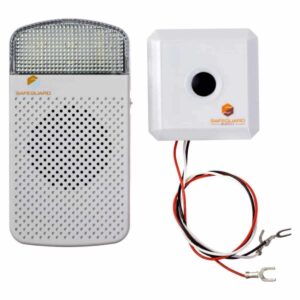
    ERA-EXTX Door Bell Chime Extender
    ERA-EXTX Doorbell Extender
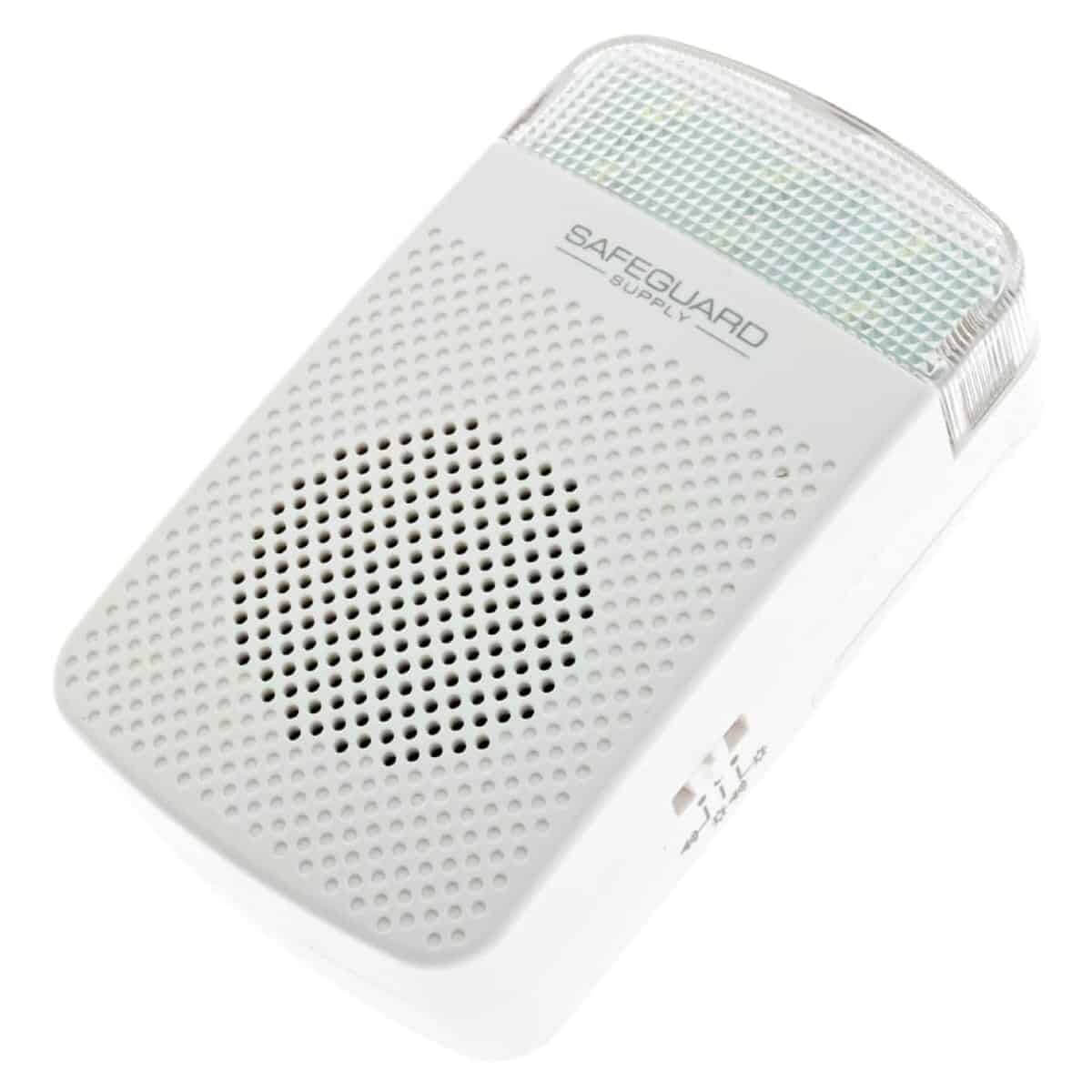
    ERA-RXPG Plugin Receiver for Stores Operation Mode Toggle Switch
    ERA-RXPG Plugin Receiver with Strobe

    Why Doorbell Extenders Make Sense

    The practical benefits of a doorbell extender go beyond just making things louder. In larger homes, even a loud doorbell can get lost in the distance between floors or around corners. If you work from a home office, spend time in a basement, or simply enjoy relaxing in a back bedroom, your current doorbell might as well be silent.

    Modern doorbell extenders also offer features that weren’t available in the past. Many include adjustable volume controls, so you can set different levels for different rooms. Some offer multiple chime optionsโ€”maybe you want the traditional ding-dong in the living room but prefer a simple beep in your office. Visual alerts like flashing lights can be incredibly helpful for anyone with hearing difficulties or when you’re in a noisy environment.

    How the Technology Works

    Behind the scenes, a doorbell extender creates a simple communication network in your home. The basic setup involves a transmitter that connects to your existing doorbell system and one or more receivers that you place where you need to hear the chime.

    When someone presses your doorbell button, your original chime sounds as usual. Simultaneously, the transmitter detects this activityโ€”either by sensing the electrical current or hearing the soundโ€”and immediately sends a radio signal to all connected receivers. These receivers then produce their own chime, creating a coordinated announcement throughout your home.

    The whole process happens so quickly that the sounds appear to be simultaneous. Most systems use standard radio frequencies that work reliably through walls and floors, typically providing coverage for several thousand square feet.

    Weighing Your Options

    Like any home improvement, doorbell extenders have both advantages and limitations worth considering. On the positive side, they work with virtually any existing wired doorbell, the installation is usually straightforward, and you can expand the system by adding more receivers as needed.

    The main considerations involve placement and power. Plug-in receivers need to be near electrical outlets, which might limit where you can put them. Battery-powered options offer more flexibility but require occasional battery changes. Some systems also require the transmitter to be wired into your doorbell circuit, which might need an electrician if you’re not comfortable with electrical work.

    Range can be another factor in larger homes or those with thick walls, though most quality systems provide adequate coverage for typical residential situations.

    Common Questions Answered

    What’s the simplest way to make my doorbell louder?

    A doorbell extender with plug-in receivers is usually the easiest solution. You can have additional chimes throughout your home without rewiring anything. If you want to keep things even simpler, look for sound-triggered extenders that don’t require any connection to your existing doorbell wiring.

    How far can I extend my doorbell’s reach?

    Most residential doorbell extenders provide reliable coverage up to 1,000-4,000 feet, depending on the system and your home’s construction. This is typically more than enough for even large homes. If you have an unusually large property or outbuildings, look for commercial-grade systems with extended range capabilities.

    Can I add a chime to my second floor?

    Absolutely. This is one of the most common uses for doorbell extenders. Simply place a receiver upstairs wherever you spend time. Wireless receivers make this especially easy since you won’t need to run any cables between floors.

    Is it okay to have multiple chimes going off at once?

    Modern doorbell extenders are designed to handle multiple receivers without timing issues. Unlike trying to wire multiple traditional chimes (which can cause problems), wireless extender systems coordinate all the chimes to sound together properly.

    Can I adjust the volume on my doorbell?

    While most traditional wired doorbells don’t have volume controls, doorbell extenders often do. This means you can set the perfect volume level for each room where you place a receiver.

    What else can I do to improve my doorbell’s effectiveness?

    Beyond extenders, consider the location of your current doorbell chime. Sometimes moving it to a more central location helps. For outdoor doorbells, ensure the button mechanism is working properlyโ€”a weak button press might not trigger the chime reliably. Also, if you have a battery-powered doorbell, fresh batteries can make a significant difference in performance.

    Making the Right Choice

    Missing visitors and deliveries because you can’t hear your doorbell is frustrating, but it’s a problem with a straightforward solution. Doorbell extenders offer a practical way to extend your doorbell’s reach without replacing your entire system or running new wires throughout your home.

    The key is choosing the right type for your situation. If you have a traditional mechanical doorbell and want the simplest installation, a sound-triggered extender might be perfect. If you want the most reliable performance and don’t mind a bit of wiring, a hardwired extender could be the better choice.

    Either way, you’ll end up with a doorbell system that works throughout your entire home, ensuring you never miss another important visitor or delivery. For more information about specific extender options, check out our doorbell extender selection.
  • How to Use a Video Doorbell with Your Traditional Wired Doorbell: A Complete Guide

    How to Use a Video Doorbell with Your Traditional Wired Doorbell: A Complete Guide

    In today’s smart home era, video doorbells from Ring and Google Nest have revolutionized home security. However, many homeowners still cherish the classic charm of a traditional wired doorbell. The exciting news? You can have both with the right setup!

    Understanding Power Requirements

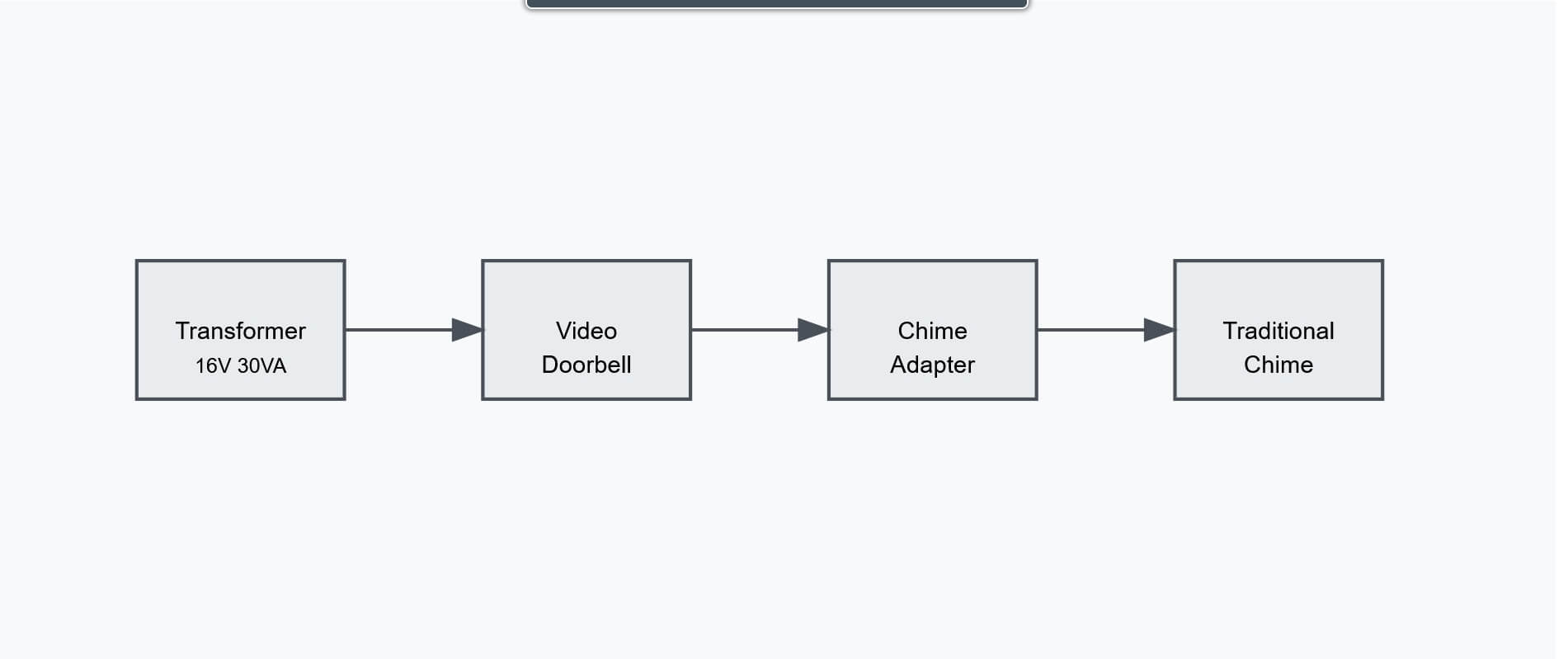
    The foundation of a successful dual-doorbell system lies in selecting the proper ring doorbell transformer. While most wired doorbells operate on a 16V system, adding a video doorbell requires careful power planning.

    For optimal performance, we recommend a transformer rated at 16V with at least 30VA (Volt-Amperes). The Craftmade T1630 doorbell transformer is an excellent choice that perfectly meets these specifications, providing reliable power for both systems.

    Installation Guide: Step-by-Step

    1. Assess Current Setup
      • Verify transformer specifications
      • Check wiring condition
      • Confirm video doorbell compatibility
    2. Select Your Equipment
      • Choose your video doorbell model
      • Pick a wired doorbell that matches your style
      • Secure a suitable 16V transformer (like the T1630)
    3. Transform Your Power Supply
      • Power down at circuit breaker
      • Remove existing transformer
      • Install new 16V 30VA transformer
      • Connect to home power supply
    4. Connect Both Systems
      • Install video doorbell’s power kit
      • Wire traditional chime
      • Complete video doorbell installation
      • Test both systems thoroughly

    System Configuration Best Practices

    • Always use the provided chime adapter
    • Maintain proper wire connections
    • Regular system testing
    • Keep components clean

    Selecting Your Traditional Chime

    While video doorbells offer modern features, traditional wired doorbells add timeless elegance. Consider:

    • Sound quality and volume
    • Design aesthetics
    • Weather resistance
    • Installation requirements
    • Transformer compatibility

    Troubleshooting Guide

    1. Video Doorbell Issues
      • Check transformer output
      • Verify connections
      • Confirm bypass installation
    2. Traditional Chime Problems
      • Test bypass device
      • Inspect connections
      • Verify transformer function
    3. Overall System Performance
      • Monitor transformer output
      • Check all connections
      • Consider VA rating upgrade

    Maintenance Tips

    Keep your dual system running smoothly:

    • Quarterly button cleaning
    • Annual wire inspection
    • Monthly system testing
    • Battery maintenance (if applicable)
    • Regular transformer checks

    Conclusion

    With the right setup, the perfect blend of modern security and classic charm is achievable. The key is using an appropriateย ring doorbell transformer, like the T1630 16V 30VA model. This combination delivers both advanced security features and traditional elegance.

    Always consult qualified electricians for electrical work, and follow manufacturer guidelines carefully.


    Note: The wiring diagram above illustrates the basic setup of a dual doorbell system. For detailed wiring guidelines, always refer to specific manufacturer instructions.

  • Innovative Wireless Doorbell Solutions for the Deaf

    Innovative Wireless Doorbell Solutions for the Deaf

    Living in a world designed for hearing can be challenging for the deaf and hard of hearing. Even everyday tasks, like knowing when someone is at the door, can be a struggle.

    Innovative doorbells for the deaf are changing this narrative. They are designed to cater to the specific needs of the hearing impaired, enhancing their quality of life.

    One such solution is the doorbell flashing light for the deaf. It uses visual cues to alert the user of a visitor or delivery.

    Other solutions integrate smart home technology, providing a seamless user experience. Vibration alert devices, for instance, notify the user through tactile signals.

    This guide explores these innovative doorbell solutions, their benefits, and how they work. It aims to help you choose the right solution for your home or loved one.

    Join us as we delve into the world of accessible doorbell solutions for the deaf.

    Understanding the Need for Accessible Doorbells

    Traditional doorbells can pose significant challenges for the deaf and hard of hearing. The absence of auditory signals makes it difficult to know when someone is at the door.

    Accessible doorbells address this gap by providing visual or tactile alerts. This ensures that users never miss an important visitor or delivery, fostering independence and security for people with hearing impairments.

    These specialized doorbells are not just conveniences. They are essential tools for communication and everyday living. By understanding their importance, we can appreciate their impact on enhancing accessibility and inclusivity in our homes and communities.

    Traditional Doorbell Challenges for the Hearing Impaired

    Traditional doorbells rely solely on sound to alert occupants. This presents a significant barrier for the deaf and those with hearing impairments. Missing a visitor or a delivery can lead to inconvenience and frustration.

    Furthermore, reliance on sound can compromise safety. Emergencies require quick notification, which sound-based alerts fail to provide for those unable to hear. Without adaptation, traditional doorbells limit independence and security. Addressing these challenges is crucial in creating inclusive and accessible living spaces for all individuals.

    Flashing Light Doorbells: A Bright Solution

    Flashing light doorbells offer an effective solution for those who are deaf or hard of hearing. They utilize visual cues instead of sound, ensuring no visitor goes unnoticed. These devices are designed to attract attention with bright flashes quickly.

    How Flashing Light Doorbells Work

    Flashing light doorbells convert the sound alert into a flashing light signal. They typically connect to the existing doorbell or operate wirelessly. When the doorbell button is pressed, a transmitter sends a signal to a receiver.

    The receiver activates the flashing light in one or more rooms, ensuring the homeowner sees the alert from anywhere inside the house. The technology is reliable and offers immediate visual cues.

    Benefits of Flashing Light Doorbells

    Flashing light doorbells provide a host of benefits for the hearing impaired. One key advantage is the sense of independence they offer. Residents can move freely throughout their homes without fearing theyโ€™ll miss visitors.

    Another benefit is enhanced home security. The ability to quickly and visually detect someone at the door contributes to a safer environment. These doorbells also allow for customizable settings, so users can adjust flash intensity and patterns to fit their preferences.

    Smart Home Integrations for Enhanced Accessibility

    Smart home technology complements doorbell systems, creating a cohesive environment for those with hearing impairments. By integrating intelligent doorbells with home automation, accessibility becomes more seamless. Smart systems can trigger synchronized alerts across multiple devices.

    The Role of Smartphones and Wearables

    Smartphones and wearables play a crucial role in accessibility. Many doorbell systems can connect to smartphones, sending notifications directly to the userโ€™s device. This connection ensures alerts are always within reach, providing extra convenience.

    Wearables, such as smartwatches, can also receive doorbell notifications. These devices offer discreet alerts through vibrations, ensuring that essential notifications are never missed. This integration extends the reach and reliability of doorbell alerts, enhancing daily life for the hearing impaired.

    Vibration Alert Devices: Feeling the Presence of Visitors

    Vibration alert devices are vital for those who might miss traditional doorbell sounds. These systems send vibrations through connected devices like smartphones or dedicated receivers, ensuring the user feels a tactile signal when someone rings the doorbell.

    This approach provides an additional layer of notification, especially beneficial in noisy environments or for profoundly deaf individuals. These devices help ensure that no visitor goes unnoticed by offering a non-visual, non-auditory cue, enhancing home accessibility.

    Wired vs. Wireless: Choosing the Right System

    Selecting between wired and wireless doorbell systems involves weighing several factors. Wired systems usually offer stable connections as they rely on hardwired electrical lines. However, installation might require professional assistance and can be challenging in older homes.

    On the other hand, wireless systems are easier to install and often feature advanced technology. They operate via Wi-Fi or radio signals, offering greater placement flexibility. Here are key considerations:

    • Installation simplicity: Wireless systems are generally plug-and-play.
    • Reliability: Wired systems may offer fewer connection issues.
    • Flexibility: Wireless systems allow for repositioning.

    Evaluating these aspects helps you decide the best setup tailored to your home requirements and accessibility needs.

    Installation and Maintenance: What to Expect

    Installing doorbell solutions for the deaf can vary in complexity. Wireless models are typically straightforward, often requiring no professional assistance. Mounting and connecting to Wi-Fi are generally the main steps involved.

    Maintenance for most systems is minimal but essential. Battery checks and ensuring connections remain secure are crucial. Wired systems might demand periodic professional inspections to provide functionality. Regular maintenance ensures reliability and prolongs the life of your doorbell solution, contributing to consistent accessibility.

    Selecting the Ideal Doorbell Solution for Your Home

    Choosing the perfect doorbell for a home requires careful consideration. Itโ€™s important to assess individual needs and home setup. What works for one home may not work for another.

    Here’s a quick checklist when selecting:

    • Evaluate signal range, especially in large homes.
    • Consider options with adjustable light intensity.
    • Check compatibility with existing smart home systems.

    The right doorbell solution can significantly enhance accessibility. Think about how easily the system integrates with current technology. This ensures a seamless experience for everyone in the household.

    Compatibility and Customization

    Compatibility is a crucial factor for doorbell solutions. Ensure the system works well with other assistive devices. Compatibility makes integration smoother and enhances usability.

    Customization allows for a tailored experience. Many systems offer adjustable alerts and volumes. Customizing these features ensures the alerts fit personal preferences and household dynamics, providing optimal accessibility.

    The Future of Doorbell Technology for the Deaf

    Doorbell technology continues to evolve, and the future promises even more innovative solutions for the deaf community. Emerging technologies aim to enhance accessibility and user experience.

    Advancements in smart home integration will play a crucial role. These developments are expected to improve connectivity and customization. New devices may soon offer more robust features, increasing independence and security for individuals with hearing impairments. As technology advances, the outlook for accessible living only gets brighter.

    Conclusion: Embracing Innovation for Inclusivity

    Innovative doorbell solutions have brought greater inclusivity for the deaf. These advancements offer unparalleled convenience and security. By embracing new technologies, individuals can enhance their quality of life at home.

    As we continue to innovate, accessibility becomes more integrated into everyday living. These doorbell solutions represent a significant step toward a more inclusive world. With a commitment to inclusivity, future developments will further empower the deaf community.

  • WDK-ERA-STROBE Installation Guide Video

    WDK-ERA-STROBE Installation Guide Video

    The WDK-ERA-STROBE by Safeguard Supply is a best-in-class entrance alert, and doorbell system specifically designed for business use. With a range of 4,000 feet, expandability, and the ability to add accessories such as strobe lights, sirens, bells, and more, and the C-FORM relay for integration with other devices, the WDK-ERA-STROBE is a must-have for businesses looking for a high-quality alert system.

    The strobe light feature in this kit is great for use in loud, warehouse, or workshop environments, as the bright flashing strobe provides a visual indicator. Conversely, it also works great in areas where you do not want sound but need a visual alert. The kit consists of the ERA-UTX universal transmitter, the ERA-DCRX desktop/wall-mount receiver, a strobe light, and 15 feet of 18AWG wire.

    The ERA-UTX is a high-powered, long-range transmitter that may be used as a push button and a magnetic door contact. When triggered, it sends a radio signal up to 4,000 ft. to the compatible ERA receiver. This kit contains the ERA-DCRX. The ERA-DCRX is a desktop or wall-mounted receiver. It works with up to 12 compatible ERA transmitters/sensors, such as the ERA-UTX featured in this kit, and others like the ERA-DSTX driveway sensor, the ERA-PIR passive infrared motion sensor, the ERA-EXTX doorbell extender, and the ERA-PBTX push button.

    THE ERA-DCRX has volume control, a C-FORM Relay, and 4 x 12V DC outputs. This kit connects a 12V DC strobe light to one of the outputs. When the ERA-UTX push button is pressed or a door is opened (when used as a door contact), the ERA-UTX sends a wireless signal to the receiver. The receiver will then play the selected melody (12 available to choose from), and the strobe light will flash. The output duration may be 5-10 seconds or 1-2 minutes. Like all ERA products, all transmitters/sensors are compatible with all ERA receivers.

    Each ERA receiver, such as the ERA-DCRX, the ERA-RXPG, and the ERA-VPRX, works with up to 12 different sensors, and the number of receivers you can add is unlimited. Please visit Doorbell Kit for Businesses with Strobe Kit to see the WDK-ERA-STROBE product page.

    Video Transcript:

    Hey guys, if you have a commercial establishment like an auto shop, a large warehouse, an office or a studio, it’s essential to install a doorbell that can be heard and seen to let you know if somebody is on the premises. Now, today I’m going to be installing the WDK ERA strobe kit that comes with a doorbell with a magnetic contact and a receiver and a strobe light from Safeguard Supply.

    So let’s go over all the features and let me show you how to set it up. Okay, here’s everything that comes with the kit. You have a receiver, a transmitter, a power pack, a mounting kit, a magnetic contact, a CR2 lithium battery and a strobe light with an anchor kit. The next thing you want to do is take out these grommets on the back of the transmitter to get to the four Phillips screws.

    Take off the back of the transmitter and once it’s off you can place the CR2 lithium battery inside and then put it back together. Now you’re ready to pair the transmitter with the receiver. Plug in the receiver at the bottom, and once it’s plugged in, you’ll see a green light here in the corner. On the side, you’ll see three buttons, a mode button, a zone, and a volume button.

    To start the process, press and hold the mode button for two seconds, and you’ll hear a short tone. Once you hear that short tone, it will be in program mode. You’ll be able to see both lights flashing. Now, all you have to do is take the transmitter and press the gray button. You’ll hear a short tone. Now press and hold the mode button until you hear another short tone, and this will indicate that they have been paired.

    Now you can try it. Press the button on the transmitter or use the magnetic contact.

    You can adjust the volume by pressing the volume button and cycling through the different levels. I’m going to choose level 2. Now it’s time to set up and wire the strobe to the receiver. This is a mounting bracket that you will screw to the wall in these holes. And the wires will go through the center.

    And once it’s on the wall you’ll be able to twist the strobe light onto the bracket. Carefully take the back cover off the receiver and you’ll see a row of connections for the wires for each zone. The solid red wire will go to the positive in zone 1 and the striped wire will go to the negative in zone 1.

    You also have an option at the top of the receiver to have a strobe light be active for 5 seconds and even up to 2 minutes. Each zone can have its own strobe. So it’s best to test all your connections and signals before mounting it to the wall. So let’s test it.

    Okay, it works. Now we’re ready to go and install it. You can use the ERA UTX as a door contact or a doorbell.

    So I hope that gives you a better look on how the WDK ERA UTX Stroke kit works and why it’s a must have for your establishment. Check out Safeguard Supply for all their transmitters and receivers. You’ll be glad you did.

  • The Importance of a Flashing Doorbell: A Soundless Alert for Everyone

    The Importance of a Flashing Doorbell: A Soundless Alert for Everyone

    The traditional doorbell, a familiar chime that announces visitors, can become a frustrating barrier for many. For the elderly, the hard of hearing, and the deaf, the simple act of missing a doorbell can have significant consequences. Missed deliveries, unexpected guests, and even emergencies can go unnoticed without a clear and accessible alert system. This is where the flashing doorbell steps in, offering a beacon of awareness that transcends the limitations of sound.

    Flashing Doorbell: A Guardian for the Hard of Hearing and Deaf

    Even the loudest doorbell might as well be a whisper for individuals with hearing loss. Traditional chimes don’t register, leaving them vulnerable to missed essential moments. A hard-of-hearing doorbell equipped with a bright, flashing strobe light cuts through the auditory barrier, providing a visual cue that’s impossible to miss. This visual alert empowers individuals to regain control and stay connected, ensuring they’re always aware of visitors and potential emergencies.

    Imagine a scenario where a senior citizen, hard of hearing and living alone, receives a critical medication delivery. They might miss the knock without a flashing doorbell and risk delaying their essential medication. A flashing strobe light, however, pierces through the silence, ensuring they receive their medication promptly and remain safe.

    A Beacon of Security for the Elderly

    Beyond hearing loss, age can bring its own challenges. Diminished eyesight and mobility can make traditional doorbells even less effective. A doorbell for the deaf with a flashing light offers a vital safety net. The bright strobe not only alerts them to visitors but also provides a visual cue for orientation and movement, helping them navigate to the door safely. This added layer of awareness can be especially crucial in emergencies, allowing them to call for help if needed quickly.

    Introducing the WC180-SS: A Flashing Doorbell Solution

    The WC180-SS by Safeguard Supply is a prime example of a well-designed flashing doorbell. This wireless kit features a bright, built-in strobe light that flashes alongside 52 selectable chime melodies. This combination caters to both the hearing impaired and those who prefer a visual alert. The kit also boasts impressive features like:

    • Long range: Up to 1,000 feet of range ensures you’ll never miss a visitor, even in large homes or outdoor settings.
    • Expandable system: Add up to 52 wireless buttons to one receiver, creating a comprehensive alert system for multiple entrances.
    • Easy installation: No wiring is required; simply plug the receiver into a wall outlet and mount the transmitter using the included hardware.
    • Versatility: Ideal for homes, businesses, and industrial environments with high noise levels.

    The WC180-SS flashing doorbell is more than just a doorbell; it’s a bridge that connects individuals with their surroundings, promoting safety, independence, and peace of mind.

    WC180-SS Flashing Doorbell Kit with SS155_SS111

    Conclusion: Breaking Down the Sound Barrier

    The flashing doorbell offers a vital alternative in a world that often prioritizes auditory cues. It empowers the hard of hearing, the deaf, and the elderly to participate fully in their lives, ensuring they’re never left in the dark (or silent!). By choosing a flashing doorbell like the WC180-SS, you’re not just installing a device; you’re installing a sense of security and connection. So, let’s break down the sound barrier and create a world where everyone can hear the knock at the door loud and clear.

  • Wired Doorbell Mounting Guide

    Wired Doorbell Mounting Guide

    The significance of details in home improvement and design cannot be overstated. Even small things like the type of doorbell button you select can significantly impact your home’s overall look. There are three primary styles of wired doorbell buttons: flush, recessed, and surface mount.

    What are Wired Doorbell Buttons?

    The wired doorbell push button is an essential component of a doorbell system. This system comprises three major parts: the doorbell (typically hangs in the foyer), the push button (outside by the door), and the doorbell transformer (steps down the current in your home). Essentially, it creates a lower voltage that your doorbell chime can handle. The push button is usually installed outside of a house or apartment, and when someone presses it, it sends a signal to the doorbell inside. Almost all homes have a door chime button at the front door, often on secondary doors such as the back or side door.

    Video doorbells, such as Ring video doorbells and Google Nest doorbells, have become more and more popular. These act as a wired doorbell button. If you have a strong enough wired doorbell transformer, you can use the video doorbell with your existing doorbell or old doorbell alongside a wired doorbell button for a secondary door.

    The doorbell then chimes to alert those inside that someone is at the door. The door chime transformer is critical in converting high-voltage electricity into low-voltage current, which powers the doorbell system. It is typically located in the attic, garage, or sometimes at the electrical junction box (circuit breaker).

    This is not to be confused with video doorbells, doorbell cameras, or mechanical chimes that do not use electricity.

    What Mounting Type of Wired Doorbell Button Should I Get?

    Understanding the different types of button mounting styles is essential to determine what type to get. This will help you know what tools I need, such as power drills, where I need mounting holes, and more. As described below, you may need other hardware tools for flush-mounted doorbell buttons as they are the most involved mounting type.

    Flush mount buttons sit flat against the wall, offering a sleek, modern look that blends seamlessly into the surrounding architecture. Think of the entire unit sitting inside the actual wall or mounting surface. Think of an inwall speaker. These are typically flush-mounted.

    Recessed mount buttons are installed inside a hole cut into the wall, so the back of the push button electronics can sit inside the wall, creating a more subtle appearance ideal for minimalist designs. The plate of the button sits on the wall, but the back of the doorbell button is recessed into the wall.

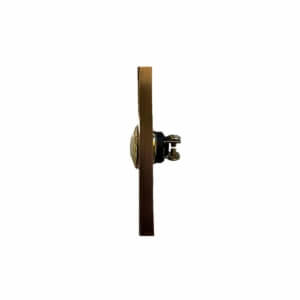
    DH1690L Craftman Wired Push Button Side View

    Surface mount buttons are attached directly to the wall and stick out slightly, providing an eye-catching detail that can add character to traditional or rustic homes. Essentially, the entire unit sits flat on the surface for surface-mounted buttons.

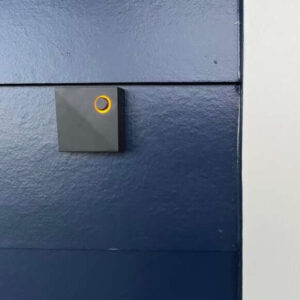
    Surface mounted doorbell button

    Choosing the correct type of doorbell button for your home depends on your personal preferences as well as your home’s design style and functional needs. By understanding the differences between flush mount, recessed mount, and surface mount buttons, you can make an informed decision that will enhance your home’s form and function.

    Wired Doorbell Mounting

    When looking at the front of the button, it’s hard to tell how it is mounted. The electrical wiring is hidden, usually inside the wall, and it is often hard to know without looking at the back of the button.

    Flush Mount Doorbell Buttons

    Description: Flush mount doorbell buttons are designed to sit flush with the wallโ€™s surface, offering a sleek and modern look. This style is increasingly popular in contemporary homes due to its minimalist appeal.

    How it Works: The flush mount doorbell mechanism is concealed inside the wall with only the button visible.

    Pros:

    • Sleek and Modern Look: The flush mount is an excellent choice for modern homes due to its seamless integration with the wall, making it aesthetically pleasing.
    • Durability: These buttons are located in a less exposed area, making them less vulnerable to damage caused by weather or accidental impacts.”
    • Easy Maintenance: The product’s sleek design facilitates effortless cleaning and maintenance.

    Cons:

    • Installation Complexity: It takes more skill and effort to install a flush mount doorbell since it requires precise cutting into the wall.
    • Wall Compatibility Issues: This style may not be suitable for all wall thicknesses, limiting its applicability in some homes.

    Recessed Mount Wired Door Chime Buttons

    Description: Recessed mount doorbells are set back slightly into the wall, offering a more traditional appearance.

    How it Works: The button mechanism is housed in a box recessed into the wall, with the button protruding slightly from the surface.

    • Traditional Aesthetic: The recessed mount offers a classic look that can complement various home styles.
    • Enhanced Protection: These buttons are more protected from the elements than their surface-mounted counterparts.
    • Installation Challenges: Installing a recessed mount doorbell can be more complex than a surface-mounted button.
    • Limited Wall Compatibility: Like flush mounts, recessed buttons may not be ideal for all types of walls.

    Pros:

    • Offers a more traditional look.
    • Slightly more protected from the elements than surface-mounted buttons.

    Cons:

    • Installing not surface-mounted buttons can be more challenging than those fixed on the surface.
    • This product may not be suitable for all types of walls.

    Surface Mount Doorbell Buttons

    Description: Surface mount doorbell buttons are mounted directly onto the wall surface, making them the most straightforward installation.

    How it Works: The entire button mechanism is housed in a box that attaches directly to the wall.

    • Ease of Installation: Surface mount doorbells are the easiest to install, requiring minimal modifications to the wall.
    • Affordability: This type is often the most budget-friendly option.
    • High Wall Compatibility: Surface mounts can be installed on almost any wall type.
    • Vulnerability to Damage: Being fully exposed, these buttons are more prone to weather-related damage and impacts.
    • Aesthetic Considerations: Some may find surface mount buttons less visually appealing than recessed or flush mount options.

    Pros:

    • Easiest to install.
    • No need to modify the wall.
    • It’s the most affordable option.

    Cons:

    • Most susceptible to damage from weather or accidental impact.
    • It may not be as aesthetically pleasing as flush-mounted or recessed buttons.

    Common Installation Questions

    If you plan to install a wired doorbell, you might have some questions about the process. One common question is how to correctly wire the doorbell. It’s essential to ensure the wiring is done correctly to avoid potential safety hazards or malfunctions. Another common question is how to mount the doorbell button. The button’s location can play a significant role in its effectiveness, so it’s essential to choose a spot that is easily accessible and visible. Additionally, you may have questions about the various types of doorbells available, such as wireless options or those that feature a camera. It’s always a good idea to research and determine which kind of doorbell will best suit your needs and budget.

    What tools are needed for mounting a wired doorbell?

    It’s a good idea to fully understand what you are mounting the unit to and the mounting requirements, and ensure you have all the necessary doorbell components before purchasing. For mounting a wired doorbell, you will need a screwdriver (usually a Phillips head, but sometimes a flathead screwdriver, drill (if necessary with a masonry drill bit or one for wood), level, measuring tape, and wire strippers. In most cases, the unit will ship with the necessary screws but double-check this before installation. Depending on the model and mounting surface, you may need mounting brackets and wall anchors. These tools will help ensure a secure and properly installed doorbell button that functions correctly. A voltage tester

    Wiring: can a wired doorbell be mounted on any surface?

    A wired doorbell can be mounted on most surfaces, including wood, brick, and stucco. However, it is essential to ensure that the mounting surface is sturdy and secure to prevent any damage or malfunctioning of the doorbell. If in doubt, consult the manufacturer’s instructions or seek professional assistance.

    What are some common mistakes to avoid when mounting a wired doorbell?

    One common mistake to avoid when mounting a wired doorbell button is the mounting height. Mounting it too high or too low does not ensure a secure and stable mounting surface and does not correctly seal the mounting area to protect it from moisture.

    Choosing the right mounting style for your wired doorbell button depends on various factors, including personal preference, home style, and wall conditions. While flush and recessed mounts offer a more integrated look with the wall, they require more effort in installation and may not suit all wall types. On the other hand, surface mounts are easy to install and versatile but may not offer the same level of aesthetic integration or durability. By considering these factors, homeowners can make an informed decision that best suits their needs and enhances their homeโ€™s curb appeal.

    Do I need to Hire an Electrician? Can I Install a Transformer?

    Hardwiring a doorbell requires electrical expertise and knowledge, so it is highly recommended to hire a professional electrician for the job. This is because various types of doorbells are available in the market, and each one may have specific wiring requirements. Moreover, the installation process can be tricky and time-consuming, especially if you’re unfamiliar with electrical wiring.

    Regarding wiring, it’s always best to leave the job to an experienced electrician. They can ensure the wiring is done correctly and safely while adhering to local building codes and safety regulations. Attempting electrical work without proper training and tools can lead to severe injuries or electrical hazards. Therefore, it’s always better to be safe than sorry and consult an expert for electrical needs.

  • Expandable Flashing Doorbell, a Deaf Doorbell with Strobe

    Expandable Flashing Doorbell, a Deaf Doorbell with Strobe

    What is a flashing doorbell, and how does it help with hearing impairment?

    A flashing doorbell is a doorbell designed for individuals with hearing impairments. Instead of relying on sound, it uses a flashing light or strobe to alert the person when someone is at the door. This ensures that even those who can’t hear the doorbell can still be notified of visitors.

    What are the benefits of having a strobe light doorbell?

    A flashing doorbell provides a visual alert for individuals with hearing impairments, ensuring they don’t miss any visitors or deliveries. It enhances safety and convenience, allowing them to easily see when someone is at the door, even if they can’t hear the doorbell’s sound.

    Welcome to our blog, where we will discuss an innovative solution for deaf people and the hard of hearing – the Expandable Deaf Doorbell with Strobe. In this blog, we will explore the importance of visual alerts in doorbells, the advantages of wireless doorbells with strobe lights, and how the ERA-DCKIT doorbell can provide a complete home solution for deaf individuals. Let’s dive in!

    How Do Deaf People and the Hard of Hearing Know When Their Doorbell Is Ringing?

    For individuals with hearing loss or deafness, hearing a doorbell can be a daunting task. Traditional doorbells rely exclusively on sound, making it difficult for those with impaired hearing to detect them. This can cause visitors, deliveries, and other important notifications to go unnoticed. This is where visual alerts come in handy. Visual alerts are designed to provide a visual cue when the doorbell rings so individuals who are hard of hearing or deaf can be notified of visitors or deliveries. These visual alerts can come in various forms, like flashing lights, vibration devices, or smartphone notifications. The use of visual alert systems is not only beneficial for those with hearing disabilities but also for elderly people who may have difficulty hearing high-frequency sounds. Additionally, modern smart home technology offers options such as video doorbells that provide visual and audio alerts, making them an excellent choice for people with and without hearing impairments.

    The Importance of Visual Alerts for Door Chimes for the Hard of Hearing

    Visual alerts, like strobe lights, are crucial for people with hearing loss to know when someone is at the door. The Expandable Deaf Doorbell with Strobe provides an excellent solution, including customizable flash patterns and volume controls. This means that deaf individuals can personalize the visual alert to their preference, ensuring they never miss an essential doorbell notification.

    This additional flexibility provides peace of mind and enhances independence for deaf individuals. Visual alerts can also benefit people who are sleeping or in noisy environments. The bright flashing of the strobe light can be felt or seen, making it an effective alternative to audible doorbells. It ensures that even in noisy environments, such as a loud TV or a busy household, deaf individuals will still be alerted when someone is at the door. Having a doorbell with visual alerts is not just a convenience but a necessity for deaf or hard-of-hearing individuals. It provides them with the same sense of security and awareness that hearing people have, ensuring they can fully participate in their daily lives without worrying about missing doorbell notifications.

    A Wireless Door Chime Used as a Doorbell Flasher for Deaf for the Hearing Impaired or in Noisy Environments

    A wireless door chime with a strobe light serves as an excellent doorbell flasher for deaf people, hard-of-hearing individuals, and those who live in noisy environments. By utilizing visual cues, such as flashing lights, deaf people can be alerted when someone is at the door, giving them the same level of notification as hearing people. The Expandable Deaf Doorbell with Strobe is designed to meet these unique needs, offering a wireless doorbell system that includes a flashing strobe light for visual notification. The door chime can be placed anywhere in the home, making it accessible from any room and ensuring deaf people are always aware of visitors or deliveries.

    Unlike traditional doorbells, wireless door chimes are easy to install, as they operate on batteries, eliminating the need for electrical wiring. This makes them an ideal choice for individuals who may not have access to wiring options, such as those living in rented spaces or apartments. The wireless door chime with strobe light can also be used in noisy environments where audible doorbells may go unnoticed. Whether it’s the sound of loud music, children playing, or construction noise, deaf people can rely on the visual alert of the flashing strobe light to alert them of incoming visitors.

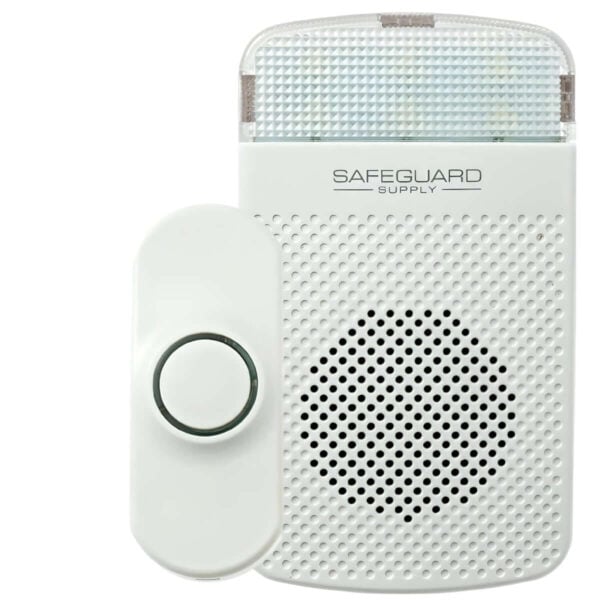
    ERA-DCKIT: Wireless Doorbell with Flashing Strobe and Push Button

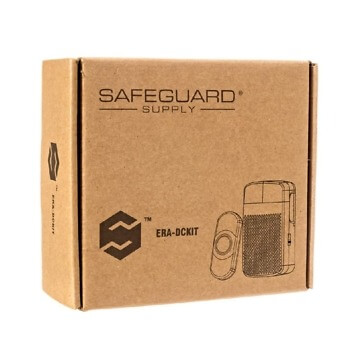
    ERA-DCKIT Wireless Door Chime Kit Box

    Let’s look at the ERA-DCKIT, an Expandable Deaf Doorbell with Strobe, and its unique features. This wireless doorbell system is specifically designed for hearing-impaired individuals, providing them with a flashing strobe light and push button for easy notifications. The wireless doorbell system features a flashing strobe light, a visual alert for deaf people, alerting them when someone is at the door, an inviting wireless push button, and necessary mounting hardware.

    The bright flashing light can be seen from a distance, ensuring deaf individuals are aware of incoming visitors, even from another part of their home. The push button at the front door, the ERA-PBTX, emits a low glow halo around the center push, making it easily visible at night. This feature enhances nighttime visibility, ensuring visitors can locate the push button and quickly alert owners of their presence, regardless of the time of day.

    Components of the ERA-DCKIT Doorbell for the Deaf

    • The ERA-RXPG receiver offers four (4) different volume levels for muting and a setting that activates a flashing strobe light. When activated, the chime produces a loud sound and, depending on the chosen settings, emits a bright flashing strobe. This feature transforms an average doorbell into one suitable for individuals with hearing impairments.
    • Introducing the ERA-PBTX push button – A wireless button that operates on a durable lithium battery, providing a long-lasting power source that will not require replacement for 1-2 years. One notable characteristic of this wireless pushbutton is its distinct low glowing ring encircling the center button, ensuring effortless visibility during nighttime. Mounting is a breeze with the double-sided tape and screws conveniently included in the package.
    • A user instruction manual provides guidance and instructions on programming the push button to the receiver, changing the melody, and installing it. It serves as a valuable resource for customers, ensuring they can operate the product safely and effectively. In addition to instructions on using the product, user manuals may include troubleshooting tips, maintenance guidelines, and warranty information.

    One of the unique advantages of the ERA-DCKIT Expandable Deaf Doorbell with Strobe is its range. The push button can transmit alerts up to 1,000 feet to the ERA-RXPG receiver, ensuring deaf people can hear the doorbell notification from anywhere in their home, whether it’s a small apartment, a large house, or stores & shops. Although this may sound like an unneeded range for your location, remember that this is the line of sight range. Environmental factors, building materials, and other interference will diminish wireless strength.

    The wireless doorbell system is easy to install, requiring minimal wiring or technical expertise. It can be set up within minutes, allowing deaf people to immediately enjoy the benefits of visual alert doorbell systems. Overall, the wireless doorbell system with flashing strobe lights and push buttons is a convenient and practical solution for households with hearing-impaired individuals. It provides visual notification, enhances accessibility, and ensures deaf people never miss an essential doorbell notification.

    Expanding the ERA-DCKIT Flashing Doorbell for Deaf: Complete Home Solution

    Maximizing the ERA-DCKIT for a Comprehensive Home Solution, incorporating unique chimes and a front door strobe notification. The wireless doorbell system expands to address hearing impairment with a bright flashing strobe light and loud sound.

    Adding Additional Push Buttons to Your ERA-DCKIT

    Determine the quantity and location of extra push buttons needed. Acquire additional buttons, the ERA-PBTX or even the ERA-UTX, and program them to the ERA-DCKIT’s receiver, the ERA-RXPG. Follow the manufacturer’s instructions for secure installation and wiring connection. Test buttons to activate strobe. Consider a wireless receiver for extended signal range and improved functionality.

    Do you want to put a wireless chime receiver in another room?

    The Expandable Deaf Doorbell with Strobe includes a wireless chime receiver that can be placed in any room. With a range of up to 1000 feet, you’ll hear the doorbell throughout your home. Plug in and pair the receiver with the transmitter. Enhance notification coverage by incorporating more ERA-RXPG receivers, quickly extending the reach and maximizing alert coverage. Improve system reliability with extra ERA-RXPG receivers for full coverage.

    Add ERA Wireless Desktop, Plugin Chimes & Portable Receivers

    Expand the range of the ERA-DCKIT with ERA Wireless Desktop & Plugin Chimes. Portable Receivers like the ERA-VPRX with vibration ensure no missed doorbell rings, featuring various volume levels and sound options. The ERA-DCRX is a fully compatible desktop or wall-mounted receiver with all ERA sensors/transmitters.

    • ERA-DCRX – Desktop or wall-mounted receiver with 4 x 12V DC outputs
    • ERA-VPRX – Portable receiver with vibration mode, built-in rechargeable batteries

    Add other ERA series of transmitters, such as the ERA-UTX, ERA-PIR, ERA-DSTX, and ERA-EXTX

    Integrate other ERA series transmitters to enhance system capabilities, expand functionality, and customize the notification network. Incorporate diverse transmitters to strengthen the alert system and broaden the range of alerts.

    • ERA-UTX – Universal transmitter may be used as a push button or magnetic door contact (alerts when the door is opened).
    • ERA-PIR – An indoor-rated motion sensor that monitors motion through the doorway, hallway, and more.
    • ERA-DSTX – An outdoor-rated driveway sensor that detects cars and their movement through the driveway or other outdoor monitored areas.
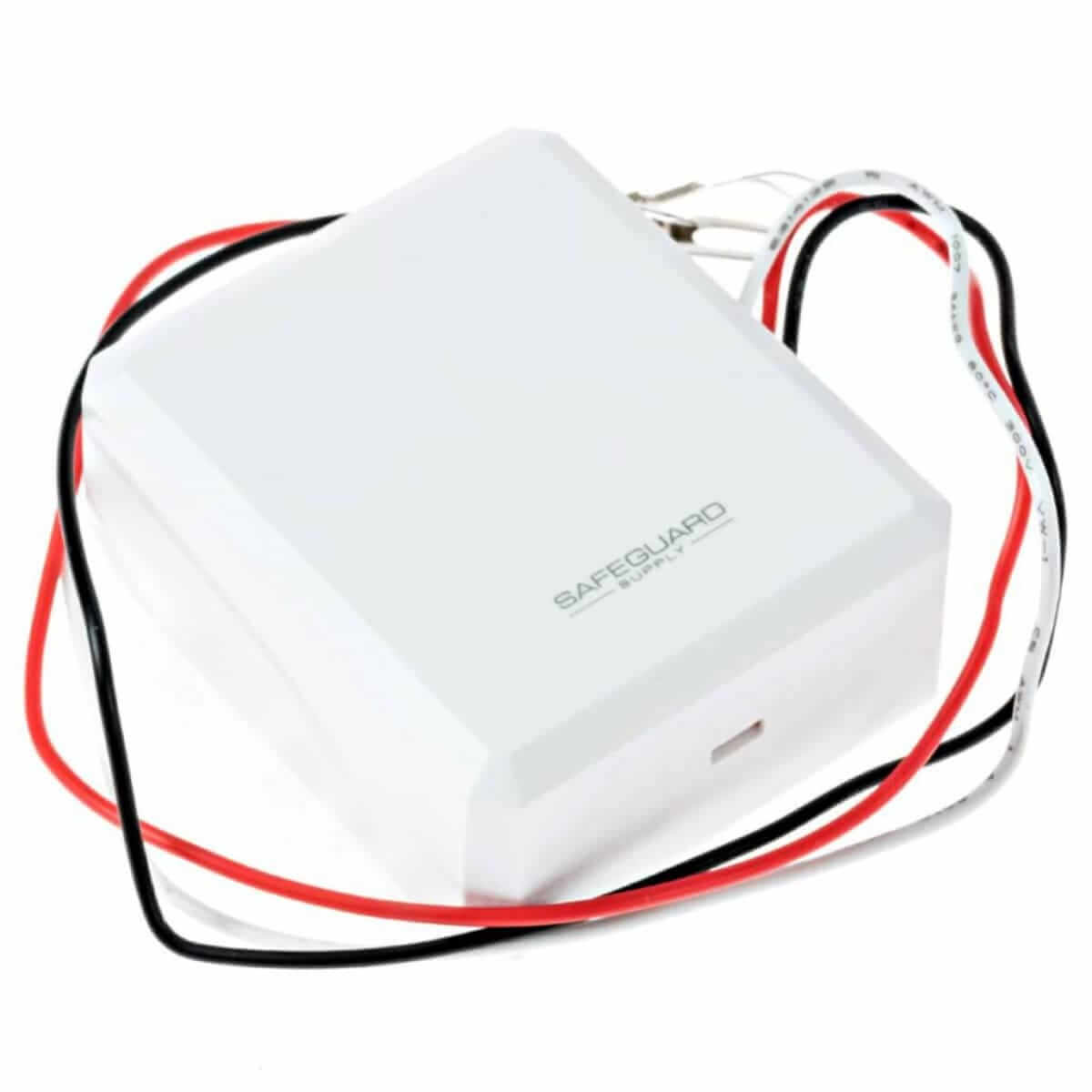
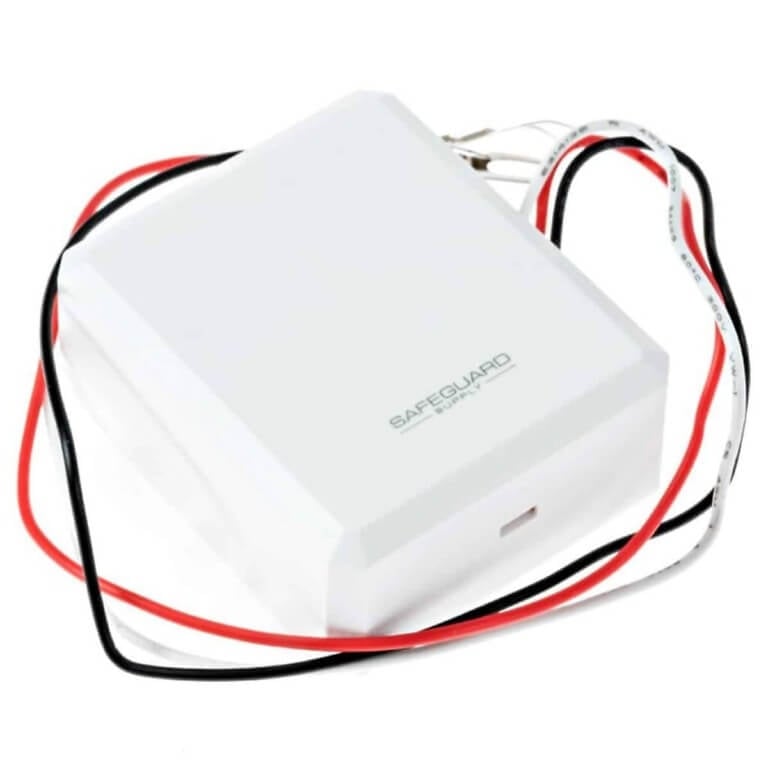
    • ERA-EXTX – Hooks into the wired doorbell and sends a radio signal to the receiver when the outside wired doorbell button is pressed.

    Ensuring Reliable Notifications with the ERA-DCKIT

    The ERA-DCKIT is an innovative solution designed for the hearing-impaired to maximize notifications. It features unique chimes and bright flashing strobe plugs that provide reliable alerts at the front door. The device guarantees that deaf people won’t miss essential visitors or deliveries, ensuring a safe and secure home environment. With its user-friendly design, the ERA-DCKIT is easy to install and operate, making it a must-have for anyone with hearing difficulties.

    The push button emits a low glow halo around the center push to find it easily at night

    Make it easier to locate the push button at night with a low-glow halo around it for enhanced nighttime visibility.

    Transmits up to 1000 feet to ERA-RXPG receiver

    Achieve wide-ranging alert transmission up to 1000 feet for extensive notification coverage to the ERA-RXPG receiver, ensuring comprehensive alerts with long-range capability. Experience seamless notification coverage with the wireless doorbell system.

    Basic Features of the ERA-DCKIT Doorbell for Hard of Hearing

    The expandable receiver of the ERA-DCKIT offers a 150m wireless range, making it suitable for indoor and outdoor use. Ideal for the deaf and hard of hearing, it features a strobe light, 16 melodies, and easy plug-in installation.

    Best Doorbell for the Deaf

    Expandable Deaf Doorbell has unique chimes and a bright flashing strobe light to ensure deaf people never miss a visitor. The wireless doorbell system includes a door chime receiver with maximum volume and strobe plugs for wall outlets.

    Comparing the ERA-DCKIT with Other Deaf Doorbell Models

    The ERA-DCKIT doorbell provides a unique strobe feature, unlike competitors. It’s expandable to up to 4 transmitters and has a range of up to 1000 feet. Additionally, it includes customizable chimes and volume control.

    Get a Door Chime for the Hard of Hearing

    In conclusion, the Expandable Deaf Doorbell with Strobe is a game-changer for individuals who are deaf or hard of hearing. Its visual alerts and wireless functionality provide a reliable and convenient solution for knowing when someone is at the door. Additionally, the ERA-DCKIT can be expanded to create a complete home solution, ensuring every room has a receiver. Compared to other deaf doorbell models, the ERA-DCKIT stands out with its range, ease of use, and additional features like the low glow halo on the push button. If you need a reliable and effective doorbell for the deaf, look no further than the ERA-DCKIT. For more information or to order your own, contact us today.

    Order the ERA-DCKIT

    Experience the expandable ERA-DCKIT deaf doorbell with strobe notification. Enjoy 16 unique chimes, a wireless range of up to 500 ft, and adjustable volume control for a great choice. The bright flashing strobe plugs into any wall outlet.

    Click the image to learn more and purchase the ERA-DCKIT

    ERA-DCKIT Safeguard Supply Extended Range Wireless Door Chime Kit
  • The Comprehensive Guide to Tri-Volt Doorbell Transformers

    The Comprehensive Guide to Tri-Volt Doorbell Transformers

    Introduction:

    The doorbell, an often-underestimated device, plays a significant role in our homes. It’s our first line of communication with the outside world, announcing visitors, deliveries, or even unexpected guests. With the evolution of technology, doorbell systems have advanced from simple ding-dong mechanisms to sophisticated video and intercom systems. Central to the operation of these systems is the humble doorbell transformer, with tri-volt doorbell transformers offering the versatility needed for modern homes.

    DH910 Tri Volt Doorbell Transformer
    DH910 Tri Volt Doorbell Transformer 1

    What is a Tri-Volt Doorbell Transformer?

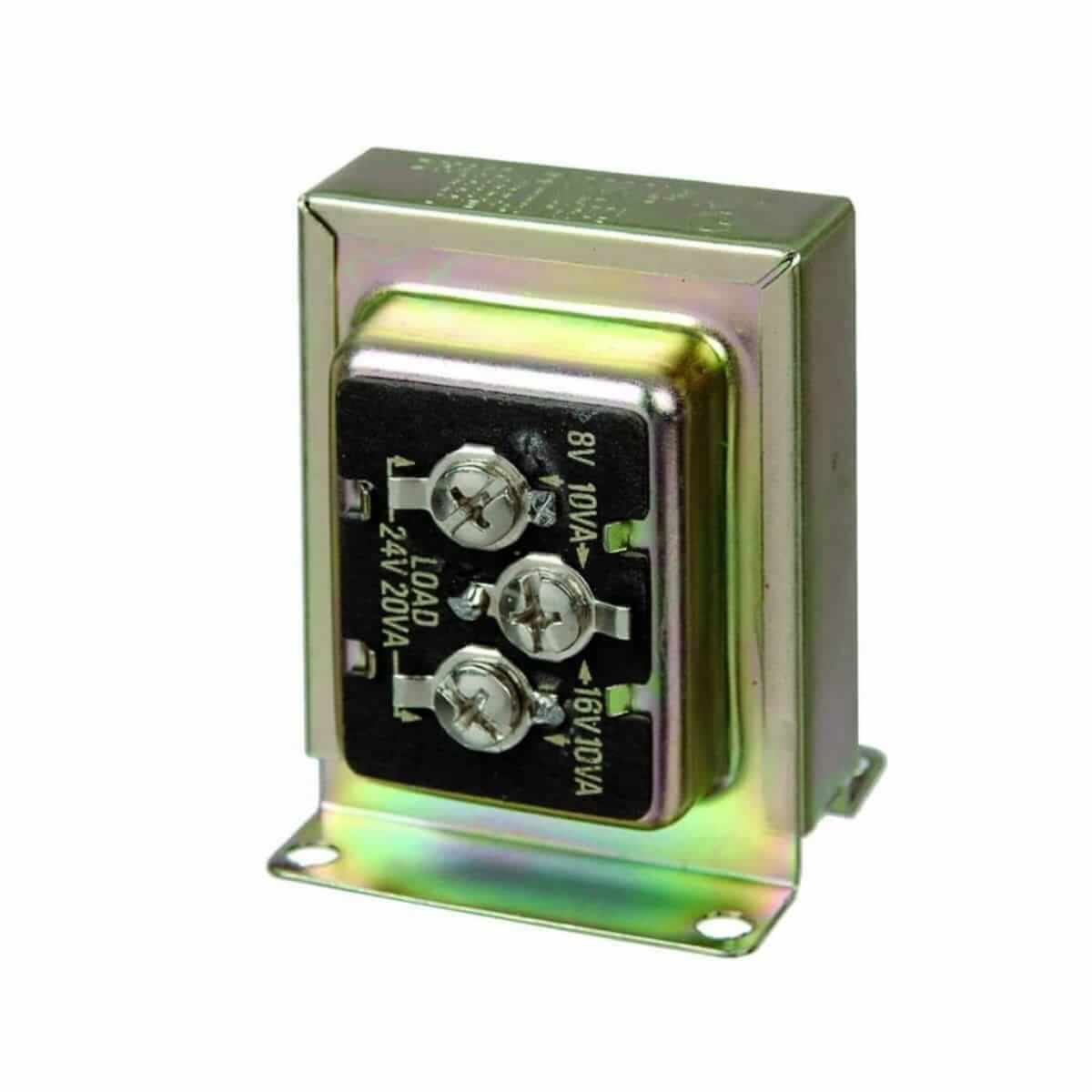
    A tri-volt doorbell transformer is designed to convert standard household electrical voltage to the lower voltage levels required by doorbell systems. Household electrical standard voltage can range from 110V to 240V depending on the country, which is too high for doorbell systems. Thus, a transformer is needed to step down this high voltage to a more acceptable level, ensuring the correct operation of the doorbell system and avoiding potential damage from excessive voltage. The term “tri-volt” indicates its ability to offer three distinct voltage outputs, typically 8V, 16V, and 24V, catering to different doorbell models and functionalities.

    For instance, a basic doorbell system may only require a 16V output, while a more complex system, such as an intercom or video capabilities, may need a higher voltage, like 24V. Some doorbell systems may also have more than one component that requires electricity, such as a chime, a strobe light, or a camera, and each of these components may require different voltage levels.

    The tri-volt transformer is thus designed to be versatile and adaptable, capable of meeting the varying power needs of different doorbell systems. It allows homeowners to upgrade their doorbell system without changing their transformer, providing convenience and cost savings.

    In addition, tri-volt doorbell transformers feature easy installation and are usually designed to be compact and unobtrusive. They are typically installed in a discreet location, such as inside a wall or a basement, and connected to the doorbell system’s wiring. The transformer reduces the household’s standard voltage to the selected output voltage, delivering the right amount of power to the doorbell system safely and effectively.

    Why Use a Tri-Volt Transformer?

    1. Versatility: One of the most significant advantages is the ability to support multiple doorbell systems, from basic chimes to advanced video doorbells, which may have varying voltage needs.
    2. Cost-Efficiency: Instead of buying a new transformer each time you upgrade your doorbell system, a tri-volt transformer adapts to different requirements.
    3. Safety: It ensures that your doorbell system receives the correct voltage, preventing potential damage from over-voltage.

    Step-by-Step Guide to Wiring a Doorbell to a Tri-Volt Transformer:

    1. Safety First:

    Before starting any electrical work, always turn off the power at the circuit breaker or fuse box to ensure your safety.

    2. Determine Voltage Requirement:

    Check the voltage requirements of your doorbell. This information is usually found on the doorbell or user manual.

    3. Prepare Your Tools and Materials:

    Gather all necessary tools, such as wire strippers, screwdrivers, electrical tape or wire nuts, and a multimeter (optional but helpful).

    4. Identify Transformer Terminals:

    You’ll notice multiple terminals on your tri-volt transformer, typically labeled as 8V, 16V, 24V, and “COM” (common).

    5. Connect the Doorbell:

    • a. If you have a single doorbell chime, connect one wire to the terminal corresponding to its voltage requirement (8V, 16V, or 24V).
    • b. Connect the other wire from the doorbell chime to the common (or “COM”) terminal.

    6. Wire the Doorbell Button:

    • a. One wire from the doorbell button connects to the chime.
    • b. The other wire from the doorbell button attaches to the transformer, preferably to the same voltage terminal as the chime.

    7. Double-Check All Connections:

    Ensure all connections are secure and well-insulated. Exposed wires can be a safety hazard and affect the system’s functionality.

    8. Test the System:

    After restoring the power, press the doorbell button. If everything is correctly wired, the chime should sound without any issues.

    Advanced Tip: Wiring Multiple Devices:

    For homes with both standard and video doorbells, the process involves a few extra steps:

    1. Check Combined Voltage Requirements: Ensure the transformer can handle the combined load of both devices.
    2. Connect the Video Doorbell: Similar to the standard doorbell, and one wire goes to the required voltage terminal and the other to the “COM” terminal.
    3. Verify and Test: Double-check all connections and test each device to ensure they’re working correctly.

    Conclusion:

    Tri-volt doorbell transformers offer the flexibility and adaptability required in our ever-evolving world of technology. Whether you have a simple chime system or a sophisticated video setup, understanding the basics of doorbell transformers ensures your system operates effectively and safely. By following the steps outlined above, homeowners can confidently install and enjoy the benefits of their doorbell systems.

  • Wireless Door Alerts & Doorbells for Thick Concrete Walls & Steel Doors

    Wireless Door Alerts & Doorbells for Thick Concrete Walls & Steel Doors

    Safeguard Supply guarantees their ERA-UTDCR Business Door Chime products to work or your money back. This is because of the 4,000 ft. range, from the transmitter or sensor to the receiver. Simply put, you won’t find wireless products with this kind of range on Amazon.com or your local box retail store. When dealing with any wireless products, it’s important to understand that the stated wireless range is always “line of site.”

    Although products are physically tested to ensure they are functioning correctly, the wireless range is an “up to” number & is calculated using mathematical equations based on the electronics of the products. In essence, it’s the “lab tested” range. This makes sense because it’s the only way to standardize the wireless range. There are simply too many variables at play to standardize a wireless range if it were tested in real-world scenarios.

    With that said, a range “up to” 4,000 ft. line of the site should be sufficient in most situations. As stated above, there are physical and environmental factors that will reduce the effectiveness of the wireless signal. If a wireless push button is outside and must penetrate concrete block construction, this will reduce the wireless signal by up to 50% right off the bat. Every interior wall will reduce the signal by another 15%-30%, depending on the materials used, the thickness of the walls, etc. If you are placing a magnetic door contact, like the ERA-UTX, on a solid steel door, think about the fact that this wireless signal will bounce off the door and must also penetrate the steel. That’s why, even with the ERA line of products, you might have a receiver that works fine in the first couple of offices, but as you distribute them throughout your warehouse, you may find receivers that start to drop the signal.

    Is There a Way to Boost the Wireless Line of ERA Products?

    Although this is rare, there may be situations where you need to increase the wireless range on the ERA line of products by Safeguard Supply. To do that, we use a combination of two products, the ERA-EXTX doorbell extender, and the ERA-DCRX desktop, wall hang receiver.

    The ERA-EXTX Wired Doorbell Extender

    The ERA-EXTX is a wired doorbell extender by Safeguard Supply. In most cases, it is used to wire into an existing wired doorbell, and when triggered, sends a radio signal to a compatible ERA receiver. When a visitor outside pushes the wired doorbell button, the existing doorbell rings as normal. At the same time, the wired in ERA-EXTX will transmit a radio signal to the ERA receiver which will play the programmed melody. In addition to this, the ERA-EXTX can be used, along with the 12V DC outputs on the ERA-DCRX receiver to transmit a signal another 4,000 ft. to an additional ERA receiver.

    The ERA-DCRX Desktop Receiver

    There are three receivers in the ERA line of products. All ERA receivers are compatible with one another. Each works with up to 12 different ERA sensors/transmitters and an unlimited number of receivers may be programmed to a sensor. Each receiver has a wireless range of up to 4,000 ft. from an ERA transmitter or sensor.

    ERA-RXPG Plugin Receiver

    The ERA-RXPG is a plugin receiver with a built-in strobe light. Simply plug it into a standard wall outlet, program it to the receiver, and set the operation mode to sound, strobe, or sound + strobe and you have a great wireless door chime alert.

    ERA-VPRX Portable Vibrating Receiver with Rechargeable Batteries

    The ERA-VPRX is a portable receiver with built-in rechargeable batteries. It also has a 4,000 ft. range and may be set to chime only, vibrate only, or sound + vibration mode. It may be clipped on a belt loop, is small enough to place in your pocket, or can stand upright on a desktop. With a six (6) day standby time between charges, it’s a great portable receiver.

    ERA-DCRX Desktop Receiver with 12V DC Outputs

    Finally, the workhorse in the ERA line of receivers is the ERA-DCRX warehouse doorbell receiver. This is a desktop receiver that sits on a desktop or is hung on a wall. A feature that makes the ERA-DCRX stand out from the other receivers is the live 12V DC outputs and the C-Form relay. The 12V DC outputs will send 12V of DC current to an accessory when the receiver is triggered by an ERA transmitter. In this article, we will use the 12V DC outputs to relay the receiver using an ERA-EXTX.

    Overview of Warehouse Doorbell Extender System Will Work

    In a typical scenario, a customer has an ERA-PBTX push button or the ERA-UTX on an exterior steel door of their warehouse. Most of the receivers inside the warehouse will work properly, but some, because of interference, may be outside the range. If you have an ERA-DCRX desktop or wall-hanging receiver within range, you can hook up an ERA-EXTX to a 12V DC output on the receiver. When that receiver is triggered, it will trigger the ERA-EXTX (just as a wired doorbell would) to send a radio signal another 4,000 ft. to another programmed receiver.

    What You Need to Extend the Wireless Range of Your ERA System

    *In order for this setup to work, you must have an ERA-DCRX that is within range and working correctly from an ERA transmitter or receiver. We will call this “receiver 1” in the steps below. The “out-of-range” ERA-DCRX will be referred to as “receiver 2.”

    1. Program the ERA-EXTX to “receiver 2” (the receiver that is out of range from the transmitter/sensor). IMPORTANT! Remember, there is an ERA-DCRX (“receiver 1”) that is already functioning correctly. This IS NOT the receiver we are programming to the ERA-EXTX. In the steps below we will program it to another ERA-DCRX receiver, “receiver 2”. NOTE: If you are using the ERA-RXPG or ERA-VPRX, for “receiver 2,” the steps are similar but consult that receiver’s manual to put it in programming mode.
      • Hold down the “mode” button on “receiver 2.” After approximately 3 seconds, you’ll hear a short tone sound, and the RED LED for zone 1 will blink.
      • Task off the cover of the ERA-EXTX. Push the “front” button.
      • You will then hear a short musical chime sound. This denotes the transmitter (ERA-EXTX) is programmed to that zone.
      • Hold down the “zone” button again and after 3 seconds, you will hear another short tone sound. This takes the receiver out of programming mode.
    2. Next, make sure “receiver 1,” (the one that is within range) is unplugged. This is IMPORTANT.
    3. Remove the cover from the ERA-DCRX (consult the manual for details).
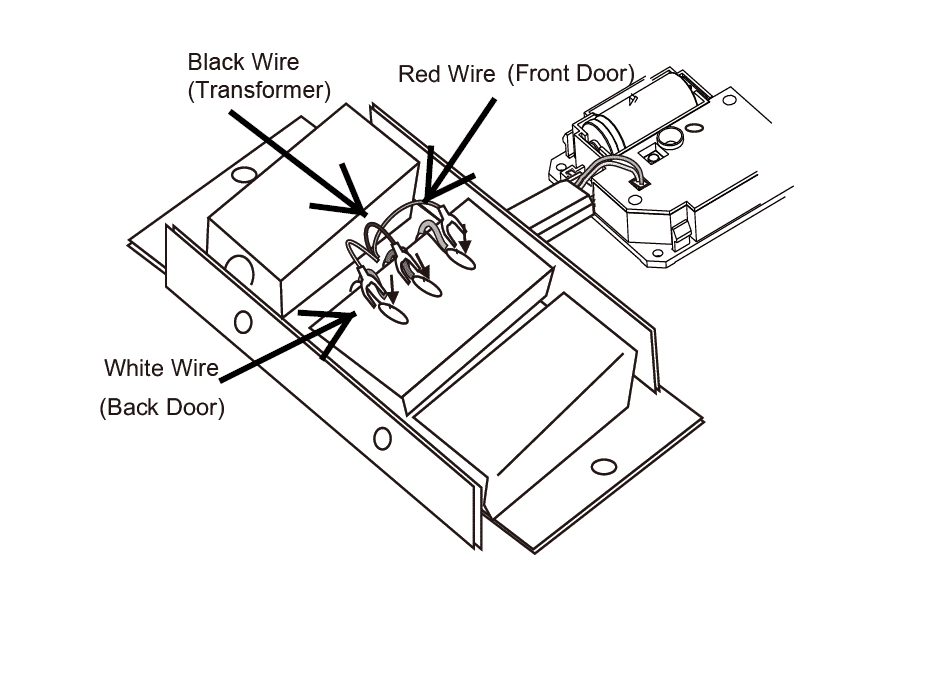
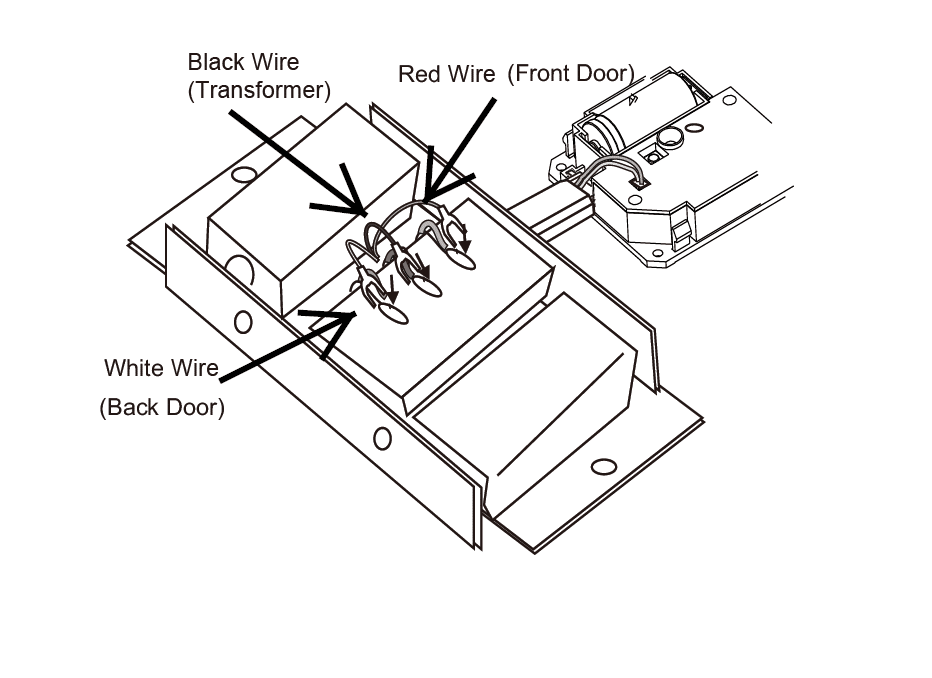
    4. Take the RED wire from the ERA-EXTX and wire it into the positive screw on the 12V DC output for Zone 1. Please see the diagram below. You will need to cut the c-clamp off the red and black wire and stripe them a bit. The RED wire corresponds to the “front” button on the ERA-EXTX.
    5. Take the BLACK wire from the ERA-EXTX and wire it into the negative screw on the 12V DC output for Zone 1. Please see the diagram below.
    6. You can ignore the WHITE WIRE.
    7. Set the duration of the 12V DC output to 5 seconds. Please consult the user manual for the ERA-DCRX to find the location of these dip switches.
    8. Plug “receiver 1” back in.
    9. Trigger the transmitter/Sensor already programmed to the ERA-DCRX “receiver 1.” “Receiver 1” should chime. Simultaneously, the RED LED on the ERA-EXTX will light, and “receiver 2” should chime.

    Diagram of Wiring ERA-EXTX to ERA-DCRX

    ERA-EXTX Wireless Transmitter Mounting Diagram to Wired Doorbell
  • How to Make an Old Doorbell Louder

    How to Make an Old Doorbell Louder

    Since secure.1800doorbell.com started back in 1998, we continue to get a common question, “How Can I Make my Old Doorbell Louder?” This is a great question

    How Wired Doorbells Work

    Most wired doorbells create sound when an internal hammer strikes a small metal plate inside the wired doorbell chime mechanics. When the outside wired push button is pressed, it caused the hammer to strike the metal plate. Most wired doorbells have two hammers and two metal plates. When the doorbell is triggered, the first hammer strikes a plate creating the “ding” sound and a second hammer strikes a second plate to create the “dong” sound. Together, this creates the standard “ding-dong” sound when a typically wired doorbell is activated. If you have a second push button connected (usually on a back or side door), only one of the hammers strikes a plate to create the one-tone, “ding” sound.

    Wired Doorbells Aren’t Very Loud

    Noting the paragraph above (make an old doorbell louder), the sound is created from a very simple process; a small hammer striking a metal plate inside the doorbell mechanism. It’s not hard to understand why the common wired doorbell isn’t very loud. Most wired doorbells will create a sound in the range of 75-85 dBA. It’s usually loud enough to hear in the basic areas of your home, but if you’re down in the basement or your bedroom watching television, they just aren’t loud enough to hear.

    Because of the way wired doorbells are made, there’s not a lot you can do to increase the sound from the wired doorbell itself. Some manufacturers can play with the style of the doorbell in an attempt to create resonance chambers that “echo” the sound a little more, but that might only increase the sound by a few decibels. We go back to the original question posed in this article, how to make a wired doorbell in my home louder?

    There is an easy solution and that’s called a “doorbell extender.” These are easy-to-install wireless products that allow you to hear your wired doorbell throughout your home or office. These products offer the benefit of getting to keep the pretty push-button outside to greet visitors and the attractive doorbell in your foyer while making the system easier to hear throughout your home.

    What is a Wired Doorbell Extender

    Wired doorbell extenders” work alongside your traditional wired doorbell. When the wired doorbell in your home is triggered, the doorbell extender will transmit a radio signal to a compatible receiver. This compatible receiver is either a plugin or battery-operated wireless door chime receiver that will play a melody or tune when triggered by the transmitter. Virtually all wired doorbell extenders consist of two components, the transmitter, and the receiver.

    There are two different flavors of transmitters. One version of the transmitter features a small microphone that essentially listens for a doorbell sound. When this sound is detected, it triggers the unit to send the radio signal to the receiver, which then plays the chime sound. The transmitter is typically mounted near the wired doorbell (usually in the foyer of your home) with the small microphone being close enough to hear the doorbell sound.

    The major drawback of this type of system is the occasional false alarm produced when the unit “thinks” it hears a doorbell sound. A doorbell sound on the television, music, or even a random noise it interprets as a doorbell sound could trigger the unit to send the radio signal.

    The second type, and the type we carry here at secure.1800doorbell.com, wires into the existing wired doorbell in your home. The same electrical signal that triggers the wired doorbell hammer to strike the metal plate also triggers the transmitter to send a radio signal. This system tends to be much more reliable as it only triggers when the doorbell itself is triggered.

    How Basic Wired Doorbells Are Wired In Your Home

    To understand the wiring on these products, let’s break down a few wired doorbell terms. First is the wired doorbell push button. This is the button people will see mounted next to the front door of your home. They may be lighted or non-lighted, and all the doorbell extenders we feature on secure.1800doorbell.com work with 2-wired doorbell push buttons (one for the front door and one for the second door, for example.)

    Next is the wired doorbell. This is the unit that produces the actual chime sound and is typically hanging in the foyer of your home or in a hallway. A standard wired doorbell that plays the ding-dong sound work well with the doorbell extenders we feature on this site. Intercom-based doorbell systems and most video doorbells tend not to work well with a wired doorbell extender.

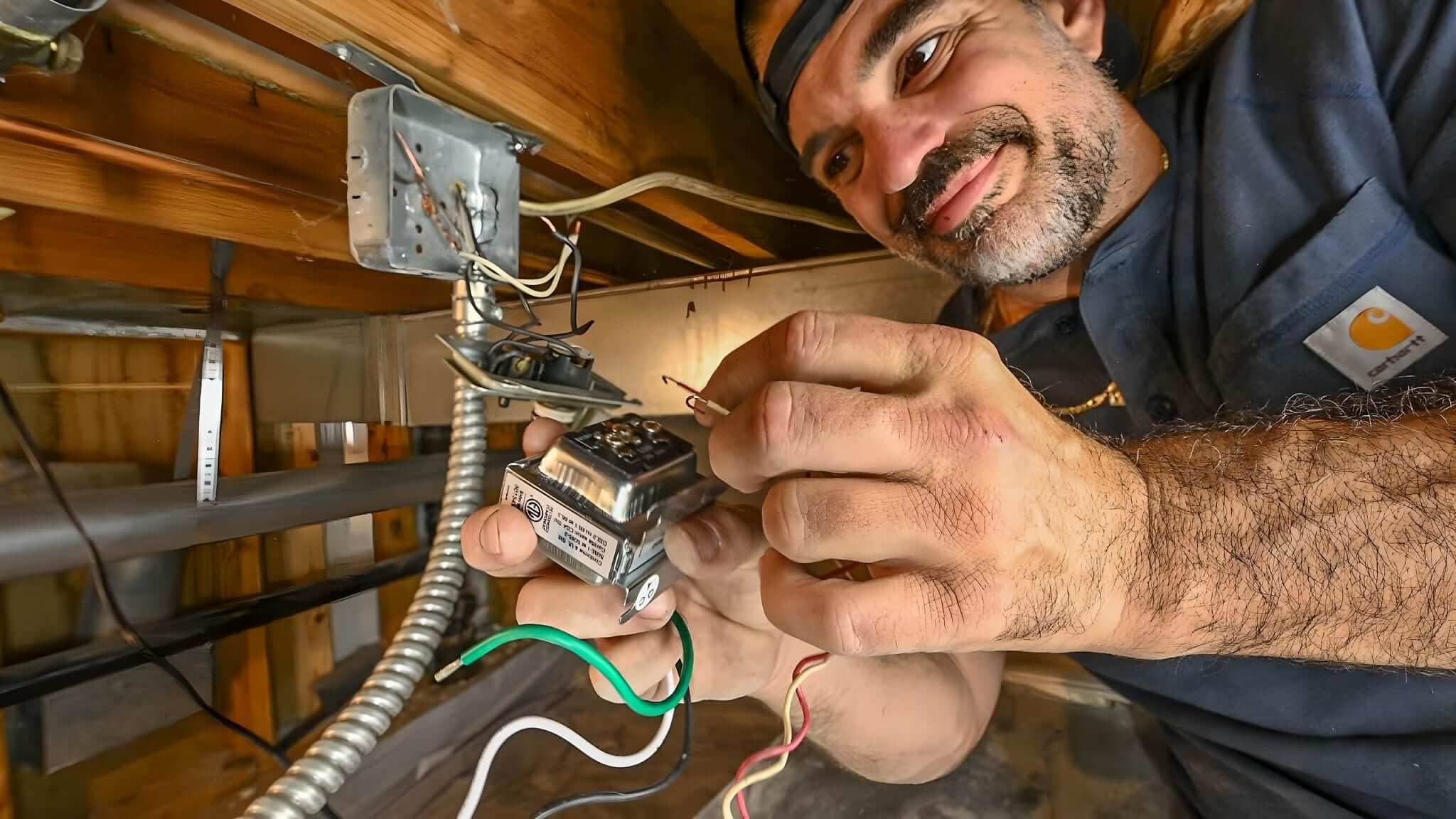
    The third, and final major piece, is the wired doorbell transformer. This is a small device that wires into the 120 voltage of your home and converts the power into a lower voltage the wired doorbell can handle, usually between 12V-16V. The electrician who installed the doorbell system in your home may have installed the doorbell transformer in the garage, in the attic, or even in the wall behind the wired doorbell.

    Wired doorbell systems in your homework in a loop and when the power supply is interrupted, the disruption causes the hammer in the doorbell to trigger. When lifting the cover off your wired doorbell you will see three terminal screws. These screws are typically labeled something like “front,” “second” and “terminal” (they may be labeled differently.) One of the screws is for the front doorbell push button wire, another is for a second door push button wire, and the third is for the wired doorbell transformer. The front doorbell push button will have two wires; one wire into the “front” screw on the wired doorbell, and the other connects to a wire from the wired doorbell transformer. On the doorbell transformer, one wire will connect to the “terminal” screw on the wired doorbell and the other wire will connect to the “font” wire coming off the second wired doorbell push button.

    How to Wire a Doorbell Extender

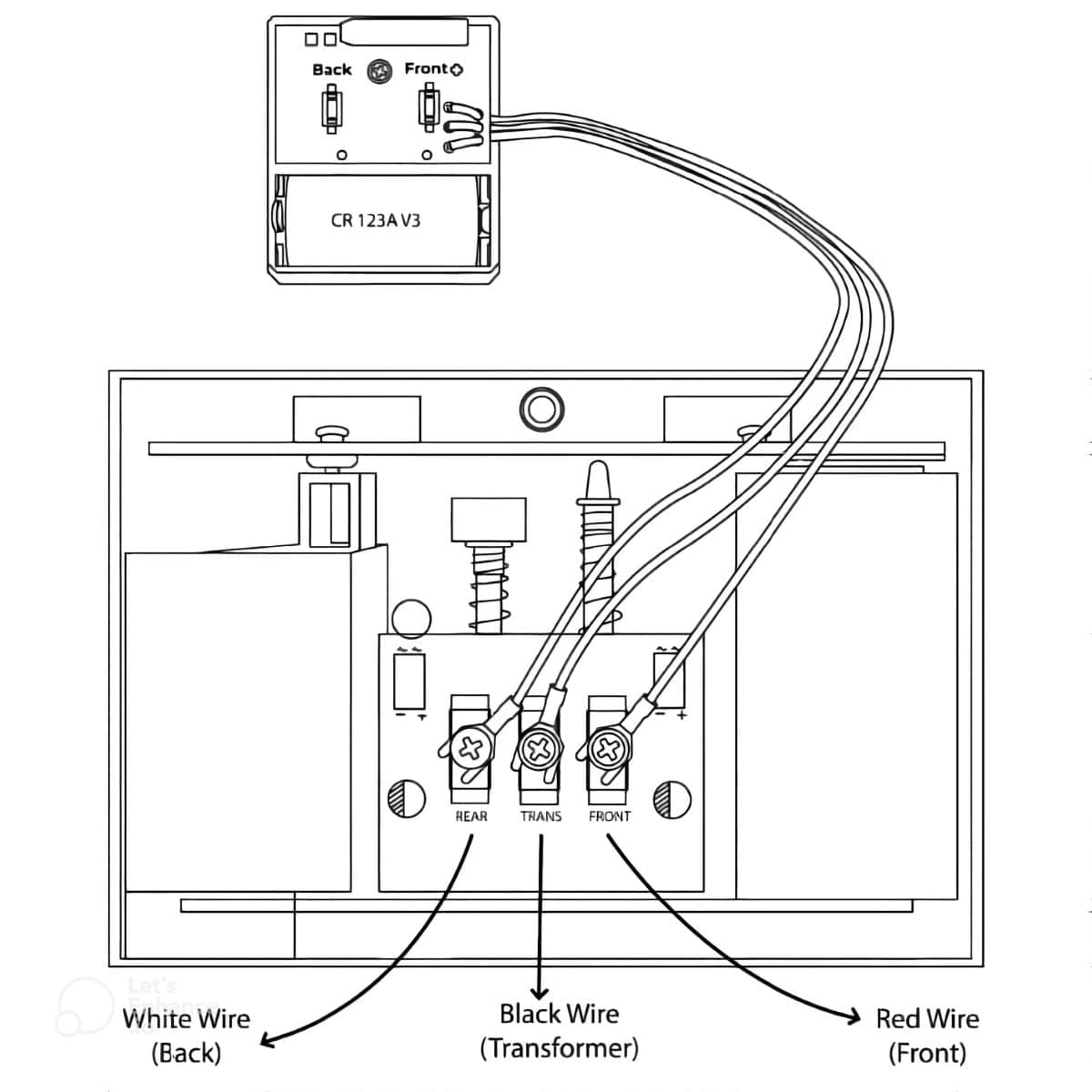
    As mentioned earlier in this article, a doorbell extender kit consists of two main components; a transmitter and a receiver. The transmitter is a small device with three wires coming out of it. One of the wires connects to the “font” screw on the wired doorbell, another connects to the “back,” or “second” screw on the wired doorbell, and the third connects to the “terminal” screw on the wired doorbell.

    The transmitter comes with a high-powered lithium battery that should last 2-4 years before replacement. This battery is used to power the transmitter to send a radio signal to the compatible receiver when triggered. Once wired into the wired doorbell, the transmitter is may be mounted on top of the doorbell cabinet, beside it, or if there’s enough room, hidden inside the cabinet.

    How to Wire A Doorbell Extender to a Wired Doorbell

    When a visitor pushes the doorbell button outside, the increase in amperage running through the circuit will cause your wired doorbell to chime as usual, and at the same time, trigger the transmitter to send a wireless signal to the receiver.

    Ways to Increase the Sound of a Doorbell Extender

    The benefit of using wireless systems in your home is that the receivers tend to have more features than the old doorbell that might be installed in your home. For example, models on 1800doorbell feature volume control, strobe light, and the choice of different sound options. In addition to this, the two models we carry have a range of 1,000 ft. (LRA-EXTX) and 4,000 ft. (ERA-EXTX) to guarantee the product has the power needed to traverse long distances and through the building materials found in your home. Another benefit is that you can add additional receivers throughout your home.

    For example, you could place a plugin receiver in the kitchen, the garage, the basement, and the upstairs bedroom to ensure you don’t miss a visitor to your home. As long as the receiver is within range, the unit will trigger when a visitor pushes the push button outside your home.

    Another important aspect is the fact that you can mix and match receiver types, along with different transmitters and sensors to augment your system as long as they are in the same model line. For example, if you were to purchase the ERA-EXKIT, you can add desktop receivers, motion sensors, wireless push buttons, driveway monitors, as well as more plugin receivers to grow your system.

    Choosing the Right Doorbell Extender System

    There are two different model lines or series of doorbell extenders featured on 1800doorbell. For the most part, the systems are very similar and come down to the wireless range of the system.

    ERA-EXKIT Wireless Door Chime Extender

    If you have a larger home or office or want to put a receiver in a basement or detached garage, you may want to use the ERA series of products.

    The ERA series of products by Safeguard Supply was created to cater to the commercial industry. Commercial locations tend to have larger distances to traverse and thicker building materials such as brick, concrete, and even steel rebar, and the 4,000 ft. wireless range of this series makes it ideal. If you are ever thinking of adding additional sensor types, like an outdoor driveway monitor, and you have a larger yard, you may also want to go with this product line.

    LRA-EX1000S and LRA-EX1000 Wireless Doorbell Extenders

    The wireless range of both of these kits (from the transmitter to the receiver) is up to 1,000 ft. Keep in mind, that whenever we mention a wireless range, this is always the distance measured in a laboratory. This line of sight is measured with zero interference and although all real-world usage of the product will have interference, this product is ideal for smaller and mid-sized homes. Since the extender is located inside the home, the 1,000 ft. range should work for most homes of this size. The difference between the ERA-EX1000S and the ERA-EX1000 is the receiver type, plugin, and desktop respectively.